8D-Link DWA-131 User Manual
Section 2 - Installation
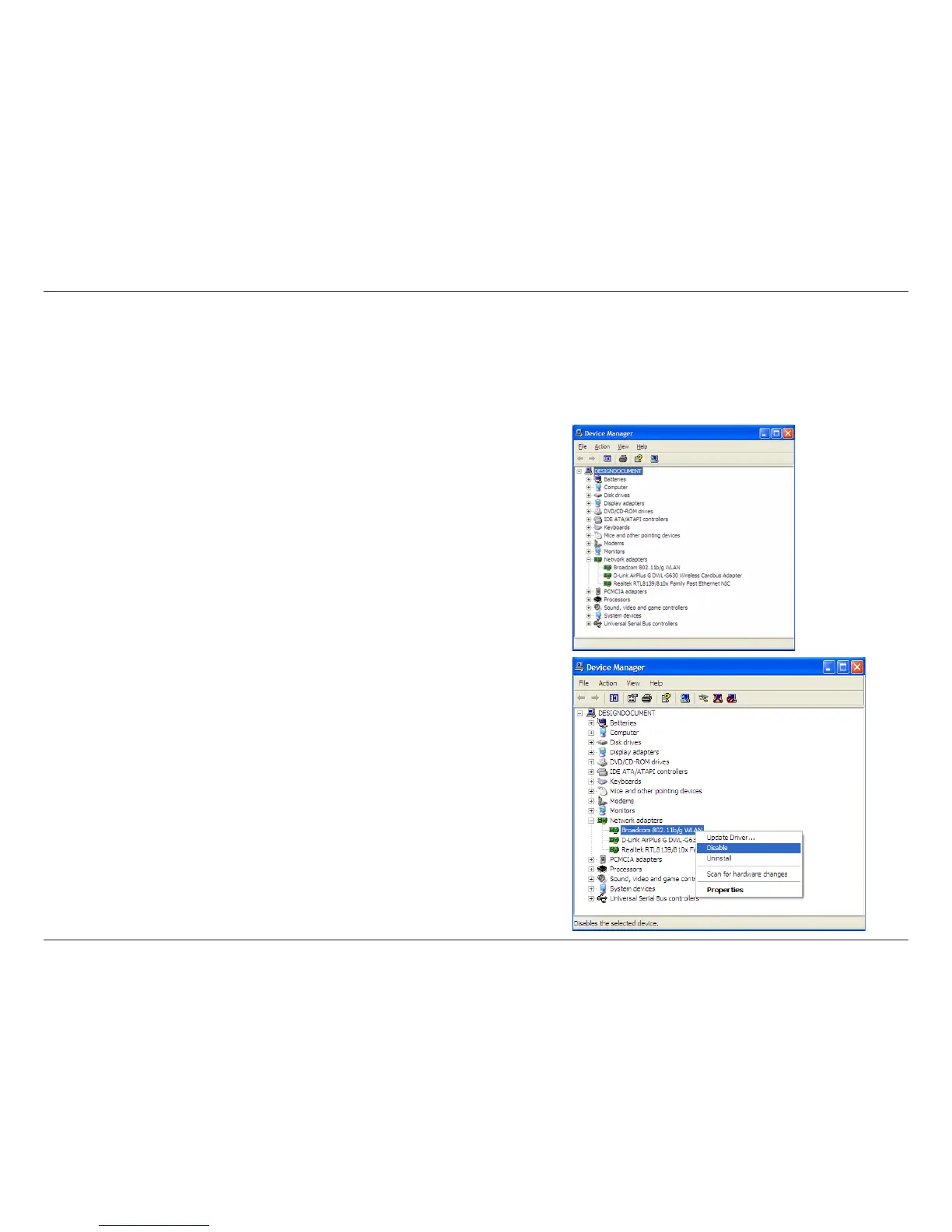
Disable Other Wireless Adapters
Most newer laptops may include a built-in wireless adapter. To prevent any conflicts with the D-Link wireless adapter,
it is recommended to disable the wireless adapter (as well as any unused Ethernet adapters).
From the desktop, right-click on the My Computer icon and select
Properties.
Click the Hardware tab and then click Device Manager. Scroll down
the list and click the + sign to the left of Network Adapters.
Right-click the adapter you would like to disable and select Disable.













 To Next Page