25D-Link DWR-712 User Manual
Section 3 - Conguration
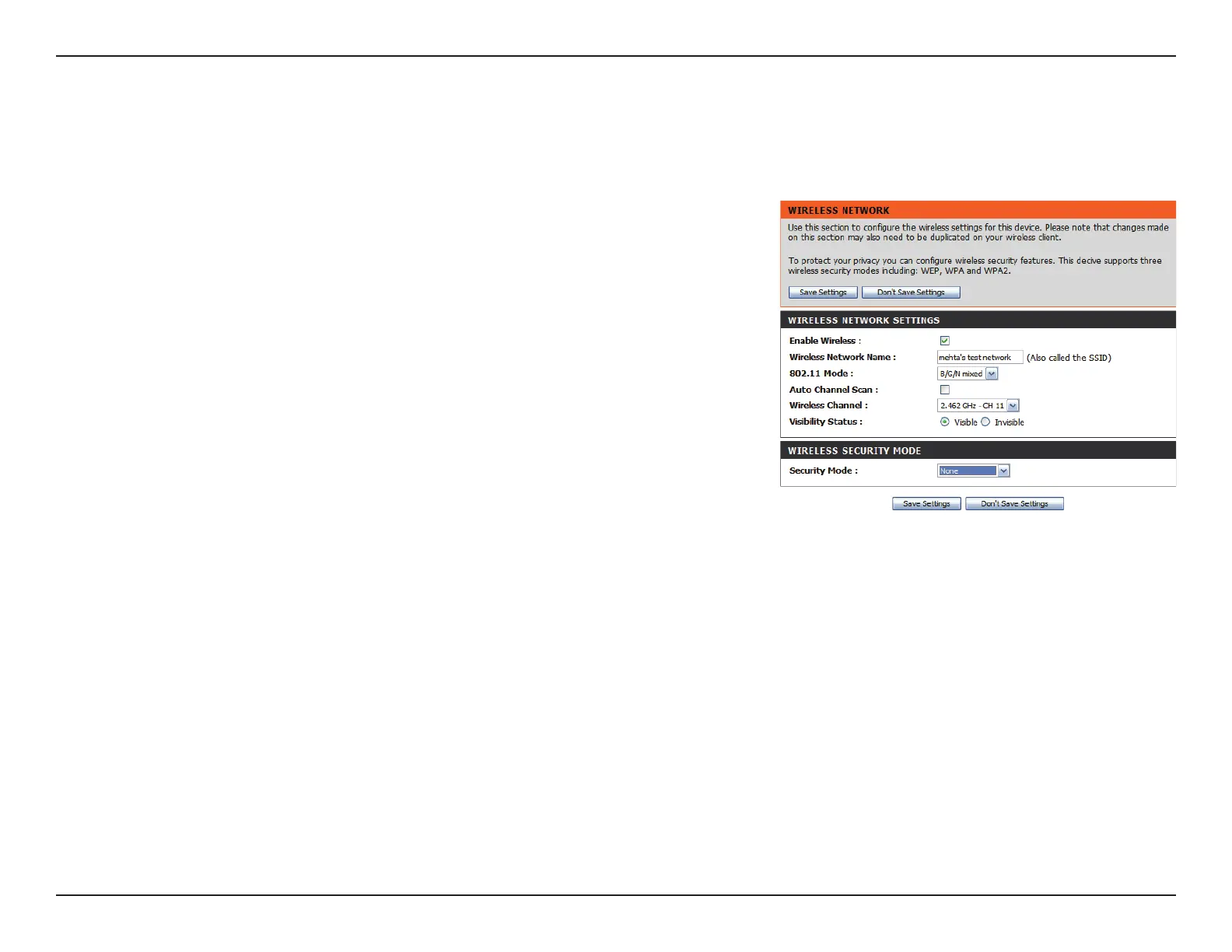
Wireless Security Mode
You can choose from several dierent wireless security modes. After selecting a mode, the settings for that mode will appear. After modifying any
settings, click Save Settings to save your changes.
You can choose from 4 dierent security modes.
• None: No security will be used. This setting is not
recommended.
• WEP: WEP encryption will be used. This setting is
only recommended if your wireless devices cannot
support WPA or WPA2.
• WPA-Personal: WPA-PSK encryption will be used.
This setting is recommended for most users.
• WPA-Enterprise: WPA-EAP encryption will be
used. This setting is only recommended if you
have a RADIUS authentication server. Otherwise,
WPA-Personal should be used.
Security Mode:


 To Next Page