3D-Link DWR-712 User Manual
Section 1 - Product Overview
Hardware Overview
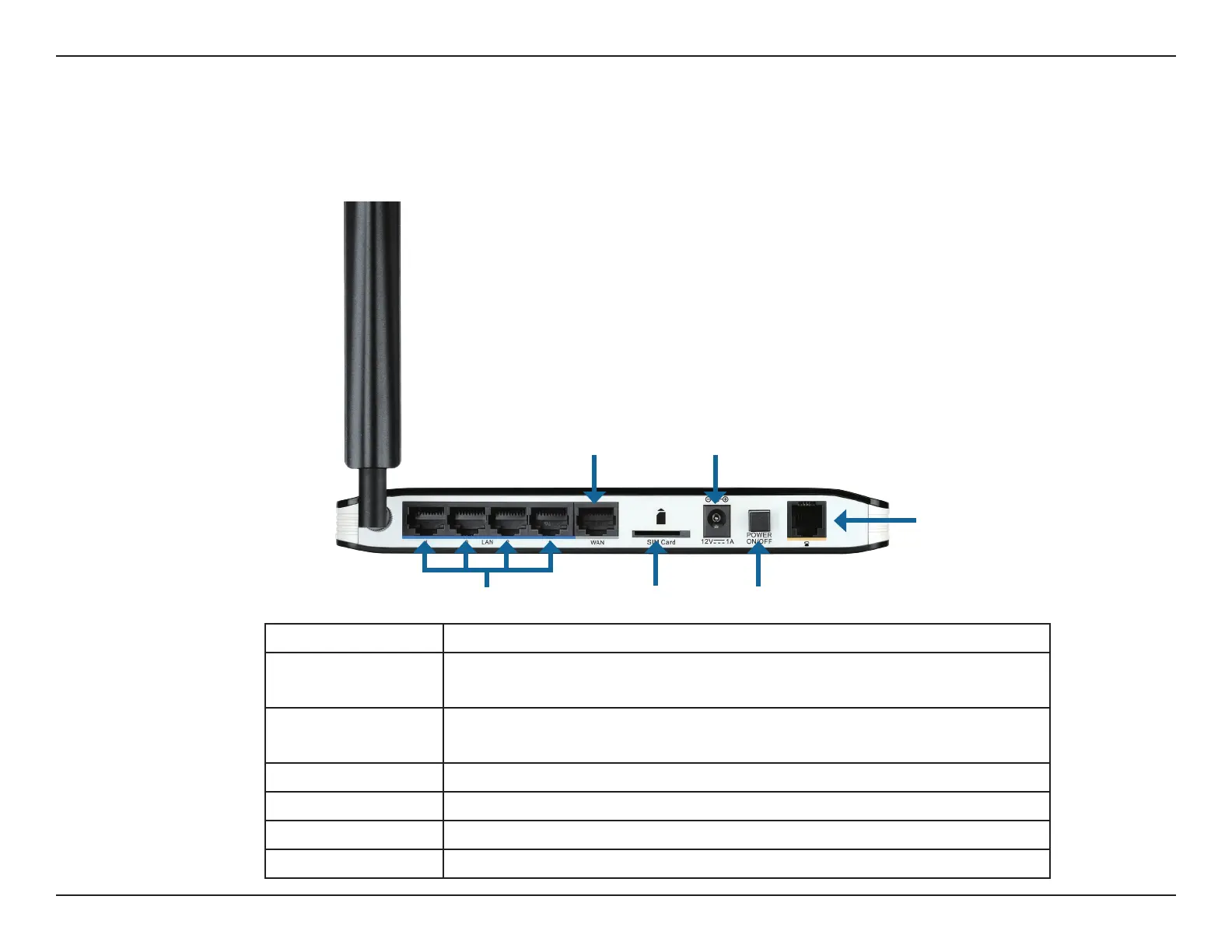
Rear Panel
Port Function
LAN Ports
(RJ-45)
Connects to a network device such as a desktop or notebook
computer through an Ethernet cable.
WAN (RJ-45) Connects to a DSL/Cable modem or router through an Ethernet
cable.
SIM Accepts a standard (U)SIM card for 3G connectivity.
Power Connects to the included power adapter.
Power Switch Turns the device on or o.
Phone Port Connect to a regular phone line.
LAN Ports
Power ConnectorWAN Port
SIM Card Slot Power Switch
Phone Port


 To Next Page