User Manual AX32
Doc no. AX32-8002-A-4 Rev. date 140124 Page 11 of 31
Reconfig button
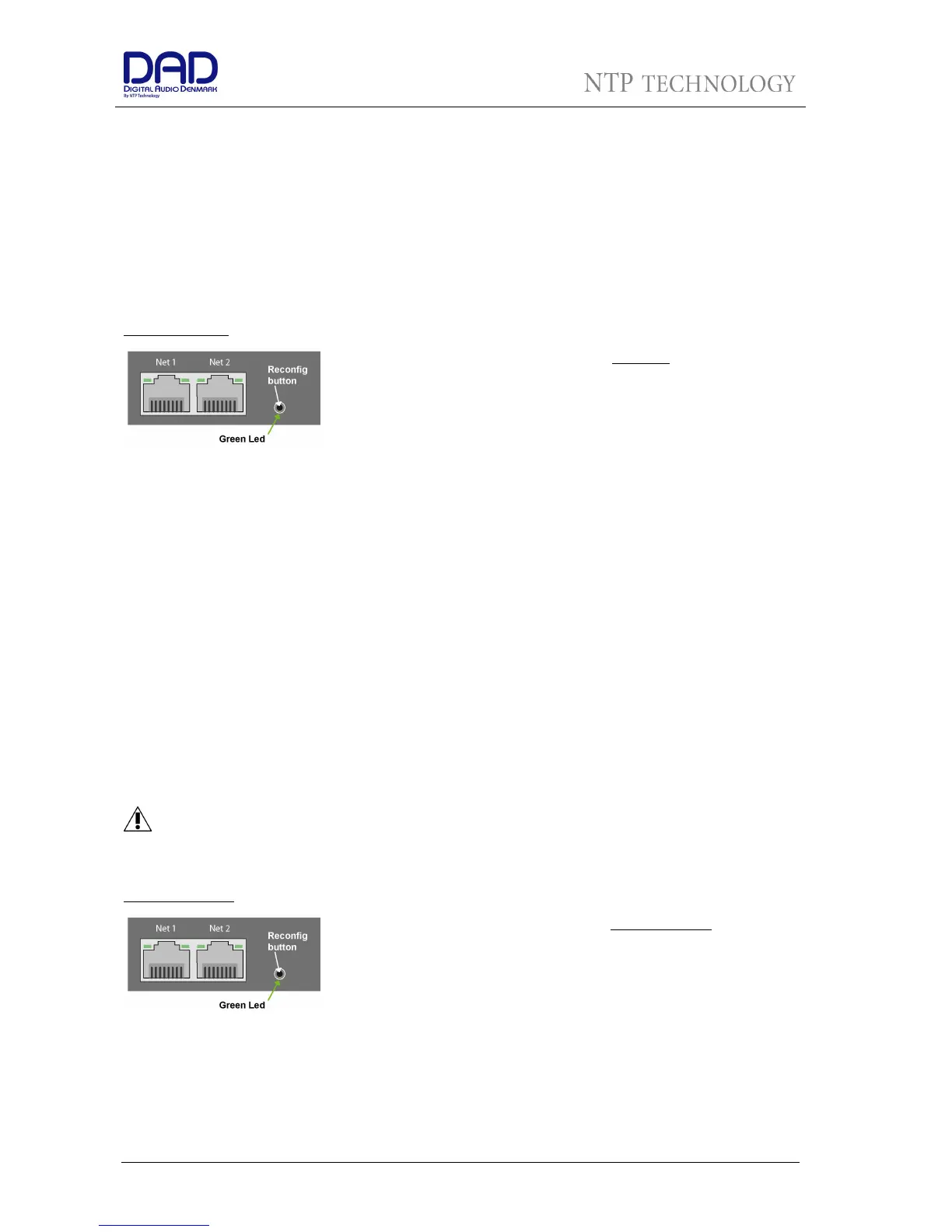
The “Reconfig” button on the back of the AX32 should not be used during normal installation. It is
generally intended as an ultimate recovery function in case something goes wrong during programming of
IP addresses or a software upgrade, e.g. an unintended power loss. It allows the AX32 to start in various
“basic” modes so it can be restored without having to be returned to the factory.
The “Reconfig” button is accessed via a hole in the rear panel using a pen or a similar pointed item. A green
LED is visible through the hole. When the “Reconfig” button is activated, the LED will light up indicating the
two reconfig modes of the AX32.
Recovery mode
“Reconfig
”
pushed while the
unit is powering
up
Green LED
turns ON
The AX32 enters a
recovery
mode. In this mode
only a basic boot software is operative in the
unit, and new software can be downloaded via
the DADman software. This mode is used if the
software in the AX32 for some reason is not
operative or broken.
The IP address settings of the unit are the last
setting used in the unit.
“Reconfig
”
short push
while the unit is
in reconfig mode
and Green LED is
on
Green LED
turns OFF
The AX32 remains in reconfig mode as described
above.
The IP address settings of the unit is however set
to DHCP. In case there is no DHCP server on the
network, the AX32 will default to IP address
10.0.7.20 / 255.255.0.0 after approx. 2 minutes.
The selection of either of the two recovery modes are fixed after selection. The AX32 will start with a basic
boot software and IP configuration. The AX32 will not be operational until a proper firmware has been
downloaded via the DADman software and it has been restarted. By enabling recovery mode with default IP
address and network configuration the unit can always be identified on a network via the default setup.
Note that the IP address referred to is the IP address of the controller/management
interface of the unit. This is not the IP address of the IP audio interface if a such is
installed. This IP address can not be accessed in recovery or restore defaults mode.
Restore defaults
Push “Reconfig”
for 10 sec. while
the unit is in
normal operation.
Release
“Reconfig”
button
Green LED
OFF
The AX32 enters a
restore default
mode. In this
mode all setting of the unit is initialized to the
factory programmed defaults.
The IP address settings of the unit are remain
unchanged and do NOT return to factory default.
When the “Reconfig” button is released the
firmware of the unit restarts with the factory
default settings and enter normal operation
automatically.


 To Next Page