User Manual AX32
Doc no. AX32-8002-A-4 Rev. date 140124 Page 16 of 31
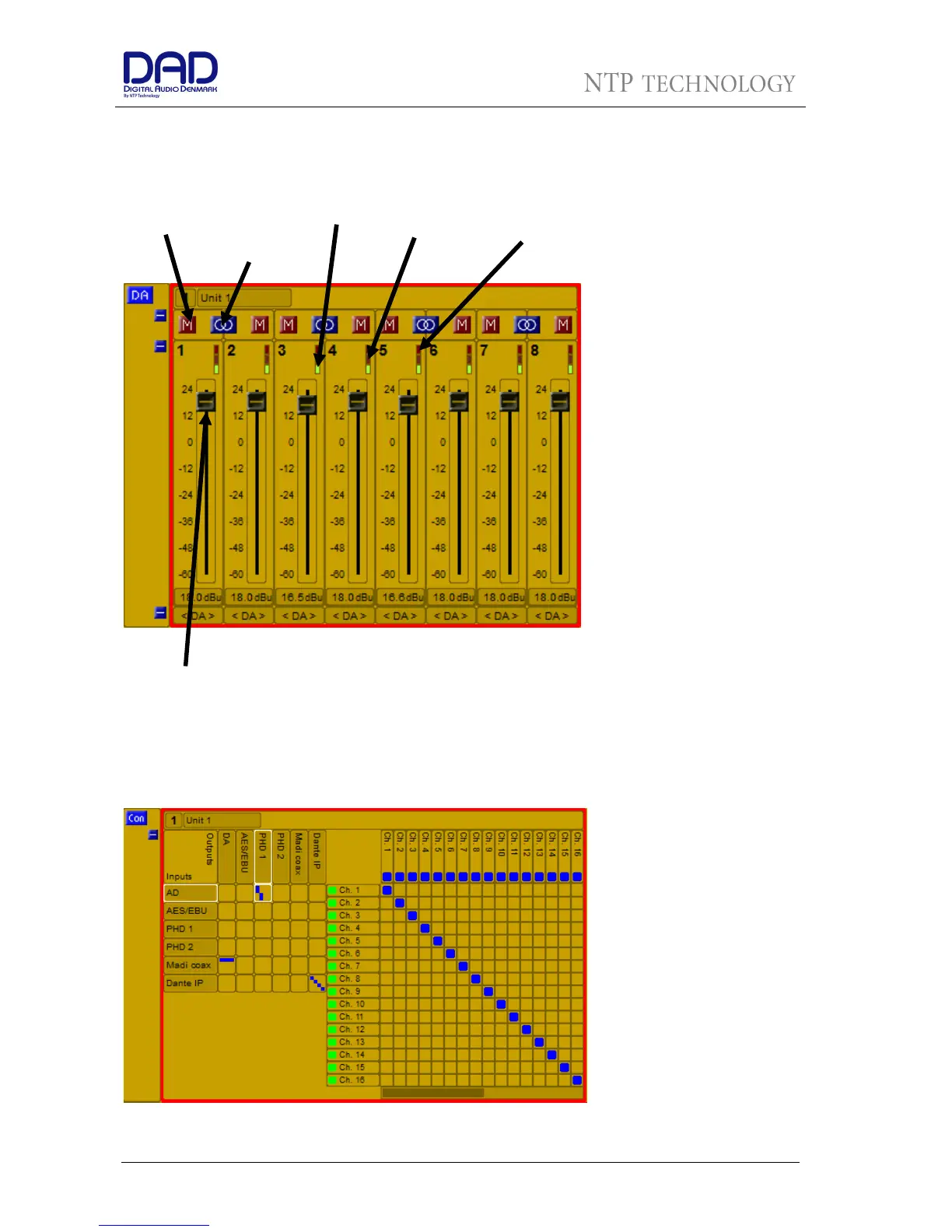
DA Section
The DA section refers to DA cards in the AX32. If there are no DA cards, the section will be blank.
The above screendump shows the DA section.
Connections
The setting in the DADman matrix is shown below
The left side of the frame and
the horizontal lines are the
inputs, and top side and the
vertical lines are the outputs.
DADman will show the
available inputs and outputs
which will reflect the actual
installed options and the
number of channels available
as a result of configuration and
the actual sample rate of the
AX32.
The matrix consists of an
overview matrix to the left and
a detailed matrix, to the right,
which appears when you select
a cross point between two
interfaces in the overview matrix. A cross point is set by clicking in the junction of the mono input and
Mute
Output level
Mono/stereo
selection
Signal
above -


 To Next Page