
 Need help?
Do you have a question about the DAD AX32 and is the answer not in the manual?
Covers essential safety precautions and warnings for using the apparatus.
Lists the comprehensive capabilities and features of the AX32 converter system.
Explains the modular design and block diagram of the AX32 converter system.
Details the internal and external clock modes and synchronization capabilities.
Describes the flexible signal routing matrix and its patching principles.
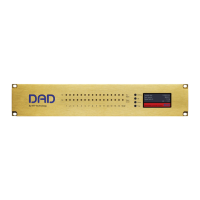
Identifies the physical layout, LED indicators, and status display on the front panel.
Explains the display content, operating buttons, and alarm status indications.
Details the recovery and restore default modes accessed via the reconfig button.
Guides on setting up network connectivity and IP addresses for the AX32 using DADman.
Covers navigation elements like the top bar, file menu, and options for configuration.
Provides an overview of the main functional windows within the DADman software.
Explains how to adjust MIC gain, clipping levels, and other parameters in the AD section.
Details output level controls and signal status indicators in the DA section.
Describes the matrix interface for patching signals between various inputs and outputs.
Covers settings for clock source, sample rate adaptation, and sync termination.
Details configuration for Pro Tools HD and MADI Coax interfaces.
Explains MADI modes, frame rates, and frame sizes for optical interfaces.
Provides a basic introduction to network communication and principles.
Discusses UTP cables (CAT5e, CAT6) and RJ45 connectors for network links.
Explains network devices, IP addresses, and the need for unique device addresses.
Shows a screenshot and details of the DADman network settings window for IP configuration.
Clarifies how subnet masks identify devices on the same or different network subnets.
Identifies all physical connectors and slots on the rear panel of the AX32 unit.
Details digital I/O ports and the connection for the Dual SFP optical MADI module.
Lists pin assignments for AES11 Sync, Ethernet RJ45, and AES/EBU D-sub connectors.
Lists optional analogue cards and details pin assignments for D-sub connectors.
Lists technical audio parameters for analogue input and output performance.
Covers supported digital formats, synchronization, and network interface specifications.
Details power, chassis dimensions, weight, and airflow.
Outlines operating temperature, humidity, and EMC compliance standards.
Guides on initial setup for connecting AX32 with Pro Tools via Audio-MIDI Setup.
Details MIDI settings in DADman and Mic Preamps configuration in Pro Tools.
Lists specific AX32 controls manageable from Pro Tools, including mic/DI select and fader.
 General
| Brand | DAD |
|---|---|
| Model | AX32 |
| Category | Media Converter |
| Language | English |

 To Next Page