12
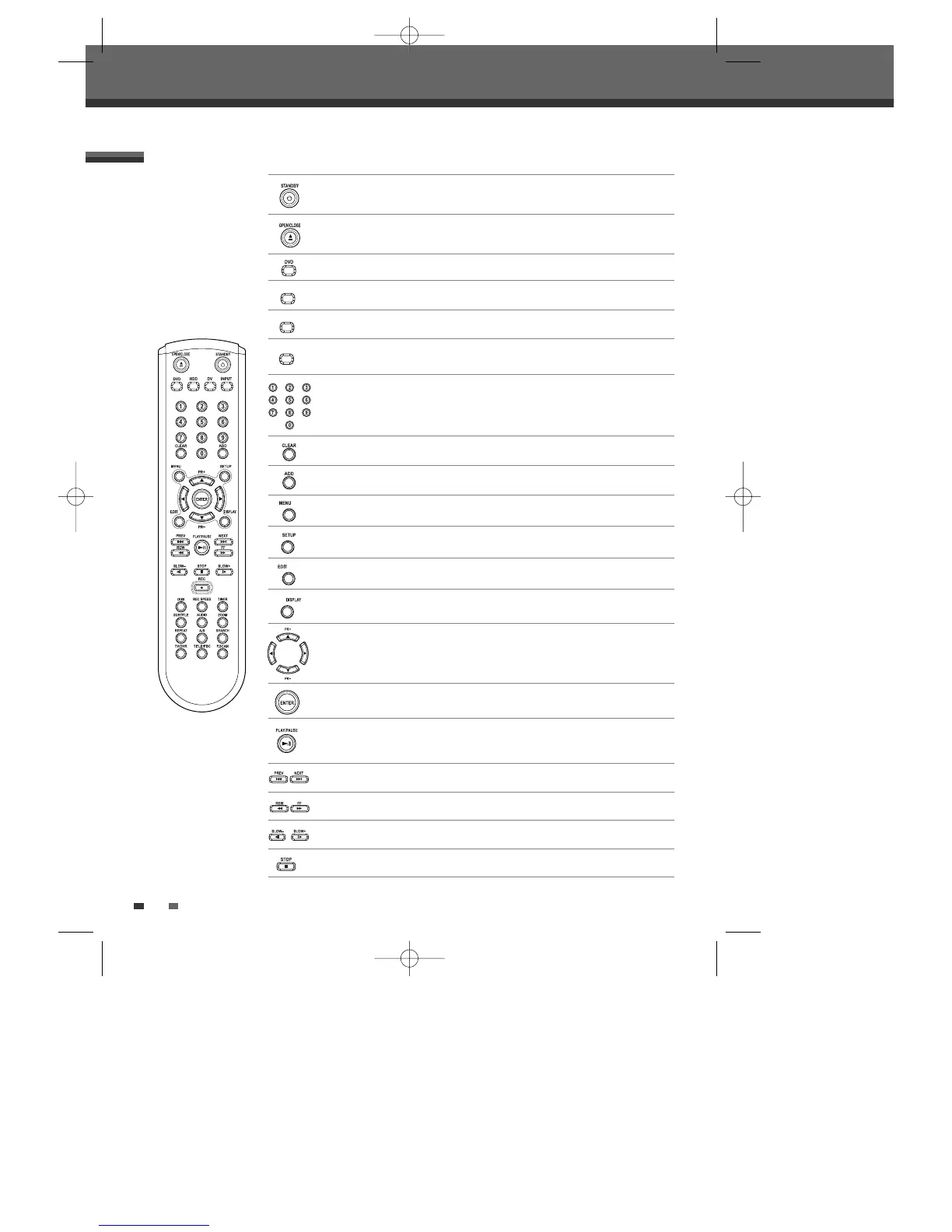
Remote Control
Identification of Controls
- Turns the HDD/DVD Recorder on and off.
- Locks the front panel by pressing and holding it over 5 seconds.
Opens and closes the disc tray.
Selects DVD mode.
Switches the HDD/DVD Recorder input to RF (Tuner), AV1, AV2, AVF or S-
VIDEO.
Adds the title in Dubbing or Copying menu.
Accesses media browser (or title menu) or return to previous menu.
Displays or exits the main setup menu.
Confirms menu selections.
- œ √…† : Selects menu options.
- PR +/– : Selects channels.
Displays the edit menu for DVD or HDD.
Displays information about the currently loaded disc, HDD or TV channel.
- Selects numbered options in menus.
- Selects TV channels.
Clears previous setting of timer-recording or file name.
- Starts playback.
- Pauses playback or recording temporarily. Press again to exit Pause mode.
Stops playback or recording.
Searches backward/forward.
Skips to the next or previous chapter/track.
Increases or decreases the slow motion speed when playing a DVD or HDD.
DG-M12D1P-SA(GB) 2005.11.1 11:27 AM ˘ ` 12 mac001 1200DPI 100LPI



 To Next Page