48
Media files Copying
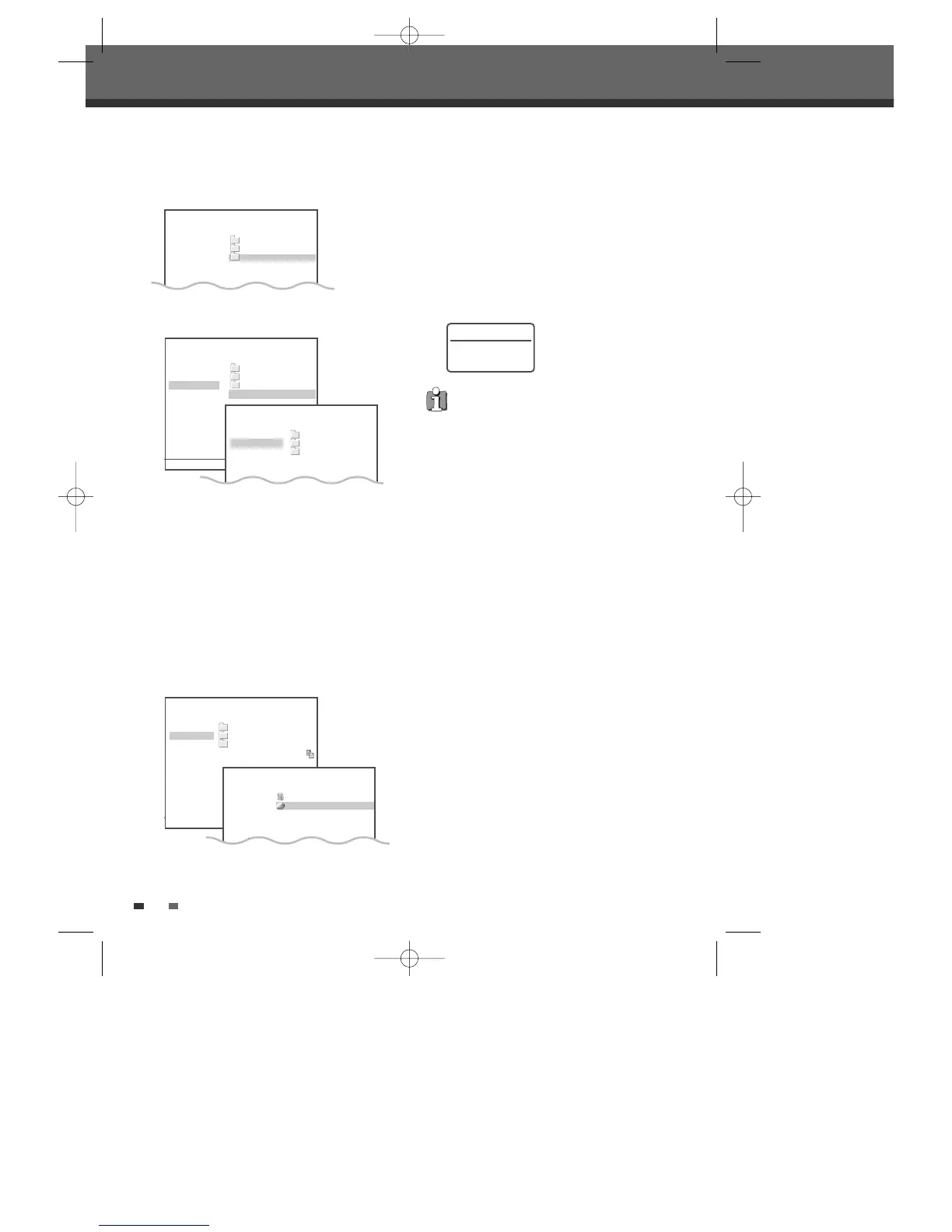
- Open : Open the media and folder you want to
copy to.
- Copy Here : Copy to the media immediately
after confirmation message.
- Create folder : Create folder in the media you
want to copy to.
6
After selecting the destination to be copied, select
'Copy here' and press [ENTER].
Select 'YES' and press [ENTER] to confirm, the
Copy process will be started.
Copy Completed
- Copy Folder : Copy folders including all files in
the folder.
- Rename Folder
Select the title you want to copy using [
…†
]. Then
select 'Edit‘ using [
…†
] and press [ENTER].
3
Select 'Copy‘ using [
…†
] and press [ENTER]. Or
just press [DUB].
Using the same procedure as Dubbing, repeat
the process; select the titles using [
…
†] and
press [ADD], you can add as many titles you
want. ‘Media Copy’ will appear.
4
Select 'Done' and press [ENTER] after selecting all
the titles you want to copy, and then 'Media
Copy - Select Destination' appears.
5
Select the media you want to copy to and press
[ENTER].
HDD Music
Play DVIX/
View Info 1/
Edit MU/
02_LIVIN ON PRAYER.MP3
4572 MB Free 4 Items 4/4 …†
Move-…† Select-ENTER Back-MENU
HDD Music
Delete DVIX/
Copy 1/
Create Folder MU/
02_LIVIN ON PRAYER.MP3
HDD Media Copy
Remove DVIX/
Done 1/
MU/
02_LIVIN ON PRAYER.MP3
Copy : 1 files
7MB
4572 MB Free 4 Items 4/4 …†
Move-…†œ √ Select-ENTER Back-MENU Exit-SETUP
HDD Media Copy - Select Destination
Open HDD
Copy Here DVD
Create Folder
Copy : 1 files
296 KB
HDD Music
Create Folder DVIX/
Delete Folder 1/
Copy Folder MU/
Rename Folder 02_LIVIN ON PRAYER.MP3
• DivX copy works only in Divx model.
• To format a DVD±RW disc that contains
media files (mp3, jpg), press [SETUP] to return
to DVD-EE MODE. Press [REC] and then [YES]
to confirm, the disc format will be started.
• When the copy process is completed the tray
will open automatically.
• HDD Media (Picture,Music) capacity is
limited to 10% of HDD. (Approx. 16GB for
160GB Model, 8GB for 80GB Model)
DG-M12D1P-SA(GB) 2005.11.1 11:27 AM ˘ ` 48 mac001 1200DPI 100LPI



 To Next Page