PR
PR
V
O
L
V
O
L
MENU
P
R
E
V
P
R
S
C
R
E
E
N
S
I
Z
E
19
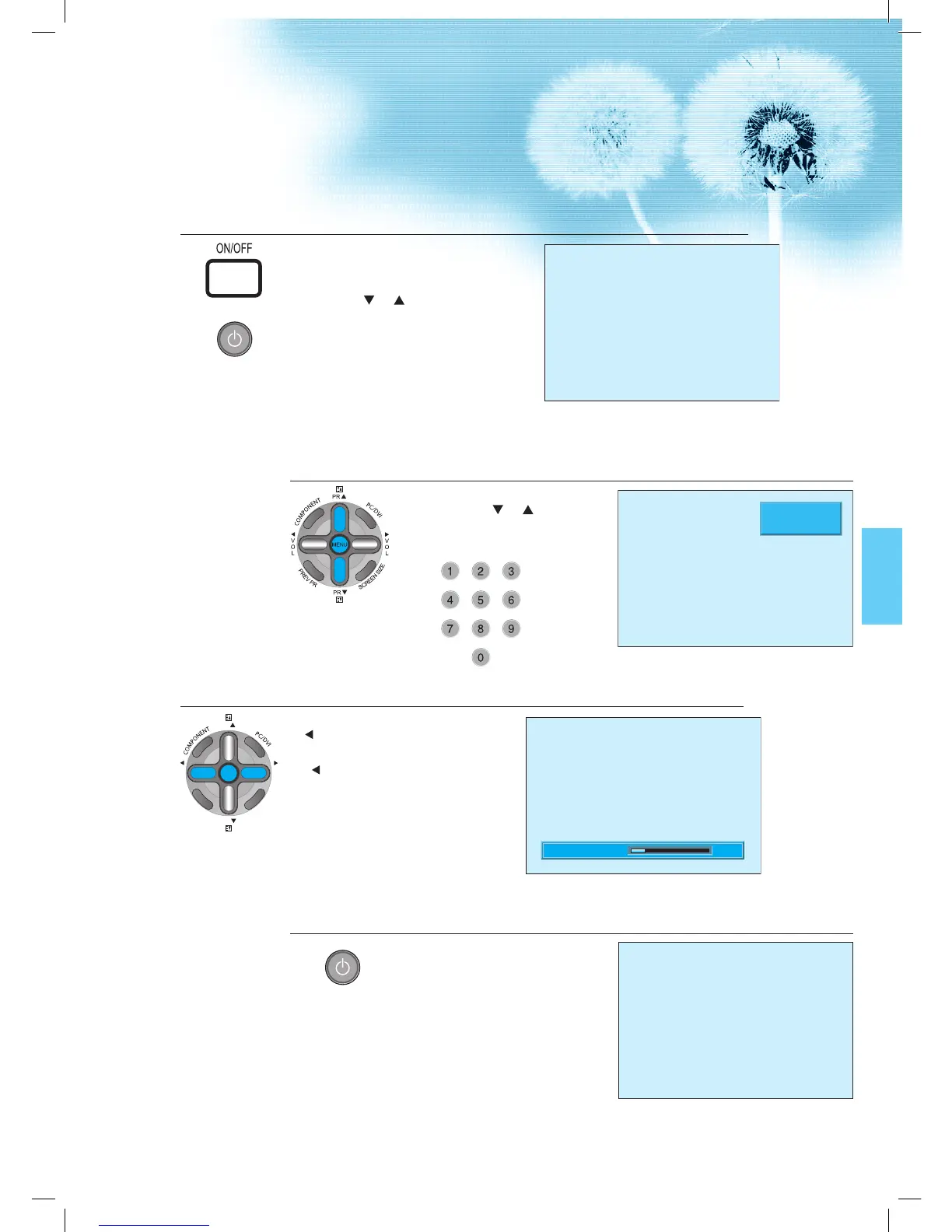
Press the “ON/OFF” button.
• Press the “ON/OFF” button of the
PDP unit.
• The LED of the PDP unit turns red colour.
• Press the “
PR ”, power button of the
remote control, or any button on the
keypad of the PDP unit.
• The LED of the PDP unit turns “green”
colour and the TV turns on.
• To watch analog TV broadcasts, select
the correct input, i.e. ‚PR’ in the on screen
display box.
1
Select Program.
• Select the desired program by
pressing the „ PR ” ,button or
the number button.
Ex) Program 09
2
Adjust Volume.
• Sound reduces if pressing the
“ VOL” button.
• Sound increases if pressing the
“
VOL” button.
3
Press the “Power” Button to Turn the TV off.
• TV turns off and the LED of
the PDP unit changes to red
colour.
4
PR 09 _ _ _ _
MONO PM 12 : 00
Volume 10

 To Next Page
 Loading...