64
Off-Time and Wake time setting
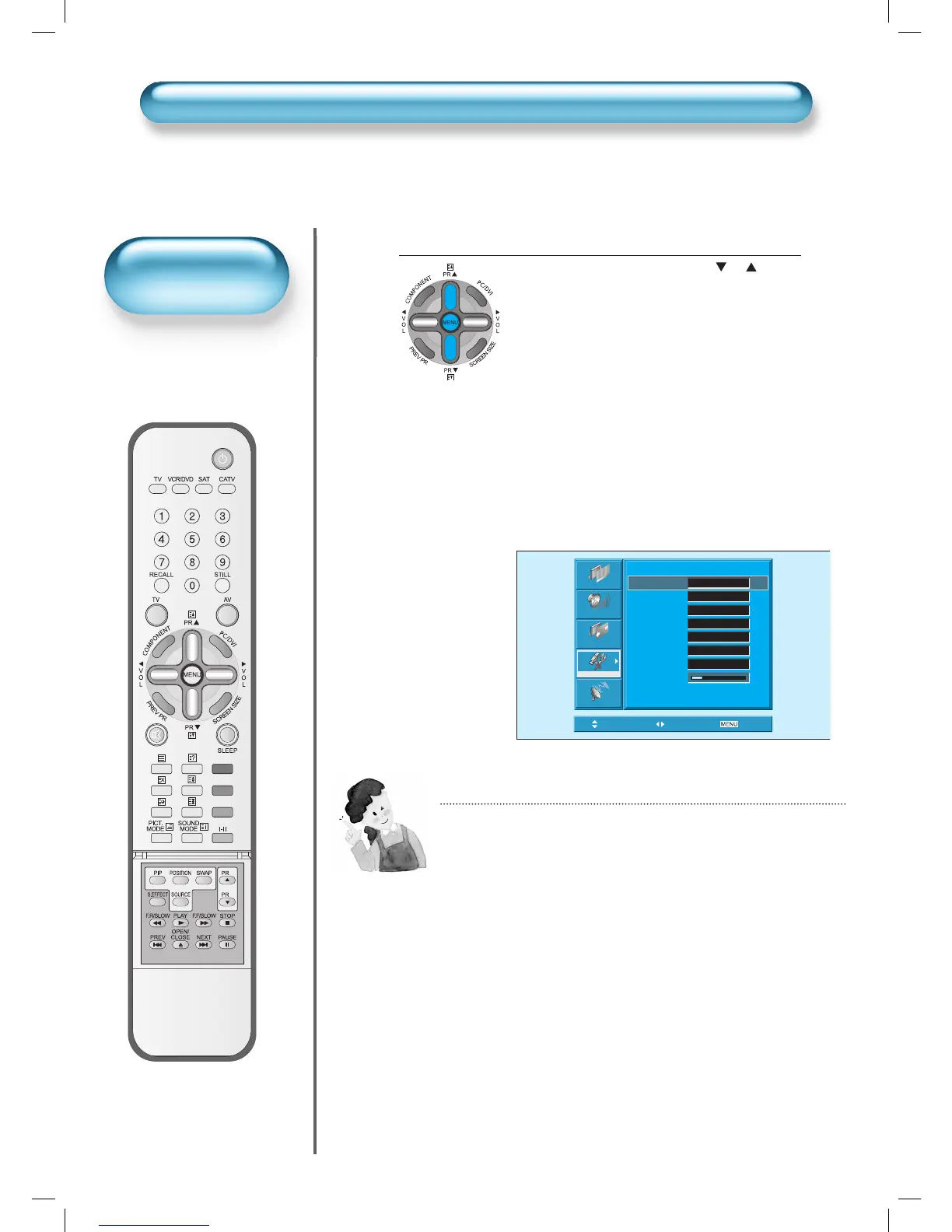
• Select Functions by pressing the “ PR ” but-
ton. First, set [Clock]- current time, and then You
can setup off-time and wake time.
• [Clock] : Adjust the desired hour and minute
with “◄VOL►” button.
• [Auto Clock] : Automatically setting the cur-
rent time by teletext signal.
• [Off Time] and [Wake Time] Setting methods
are same as [Clock] setting method.
• [Off Timer] and [Wake Timer] : Setting [On]
and [Off] of each Timer.
• [Wake Prog.] and [Wake Vol. ] : Setting
channel and volume when TV is turned on by
[Wake Timer].
4
Time Setting
Time Setting Functions
1) This time memory function automatically turns the TV set “On”
or “Off”at a desired time. Once set up, this function works every
day unless the set time is canceled or the TV set is unplugged.
Therefore, this function could be used for a “Get up” alarm (Wake
up Call) by setting up the time for “On” in the morning.
2) However, if you once power off with ON/OFF in the PDP unit, the
Current time (Clock) will be reset.
Picture
Sound
Screen
Feature
Install
Time Setting
Clock AM 11:50
Auto Clock On
Off Timer Off
Off Time AM 12:00
Wake Timer Off
Wake Time AM 12:00
Wake Prog. 2
Wake Vol. 19
Move Select
Exit
• The “Current time”
must be set up ahead
of setting up other time
memories.
Time Setting



 To Next Page