10
PREPARATIONS BEFORE OPERATION
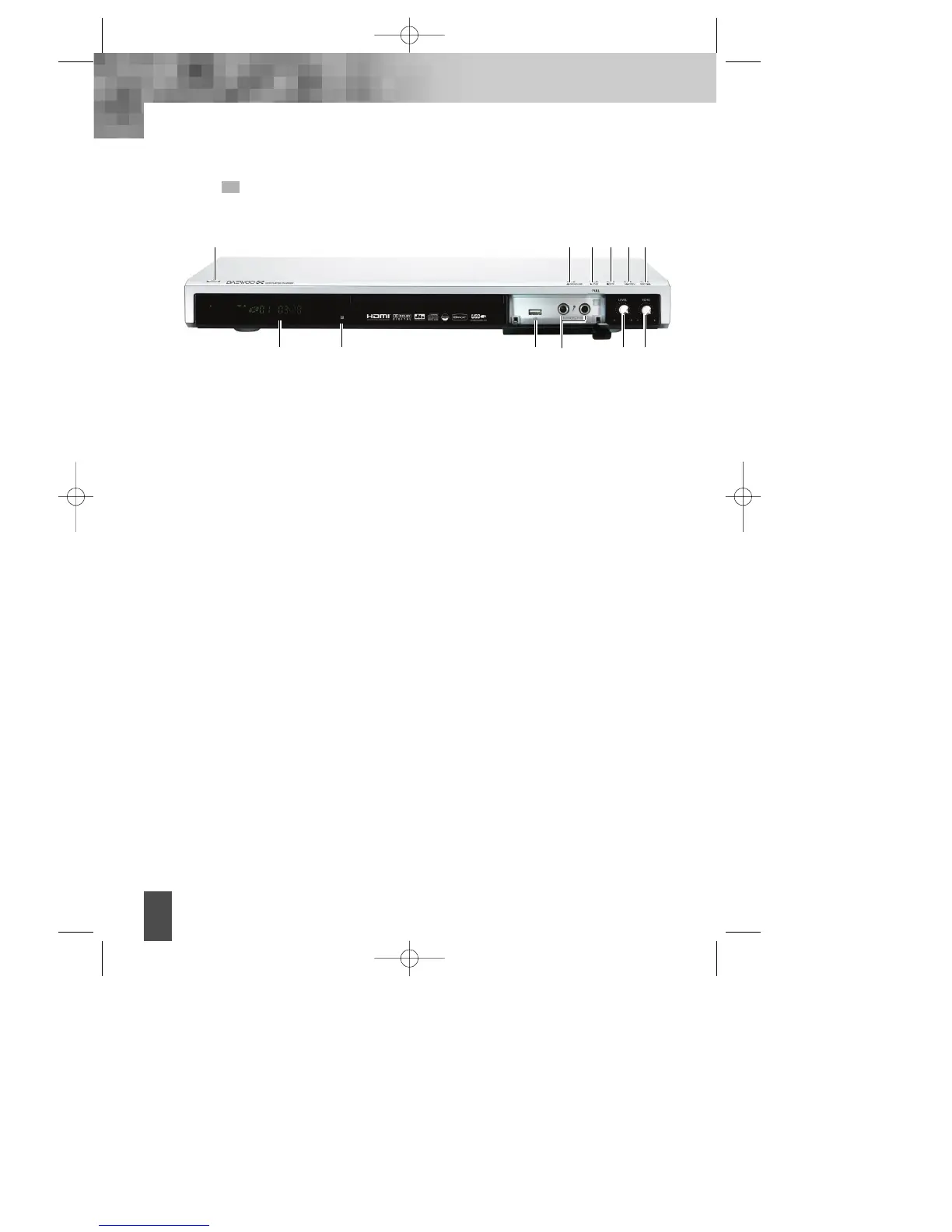
FRONT PANEL
! STANDBY/ON button
To switch the unit On or Off when connected to AC power outlet
@ OPEN/CLOSE button
To open or close the disc tray.
# PLAY button
To play the loaded disc. Press this button to go to the preferred item when the menu is
displayed on the TV screen.
$ STOP
% PREV button
To skip back from the current chapter or track.
^ NEXT button
To skip forward to the next chapter or track.
& Microphone Jack 1& 2
* Microphone volume adjustment knob.
( Microphone Echo adjustment knob.
) REMOTE SENSOR
Receives a light signal from the remote control.
1 DISPLAY
Displays operation status.
2 USB port
@! # $ % ^
* ()1 2
&
DV- 2500H English for agon 2006.10.25 11:6 PM ˘`10



 To Next Page