12
PREPARATIONS BEFORE OPERATION
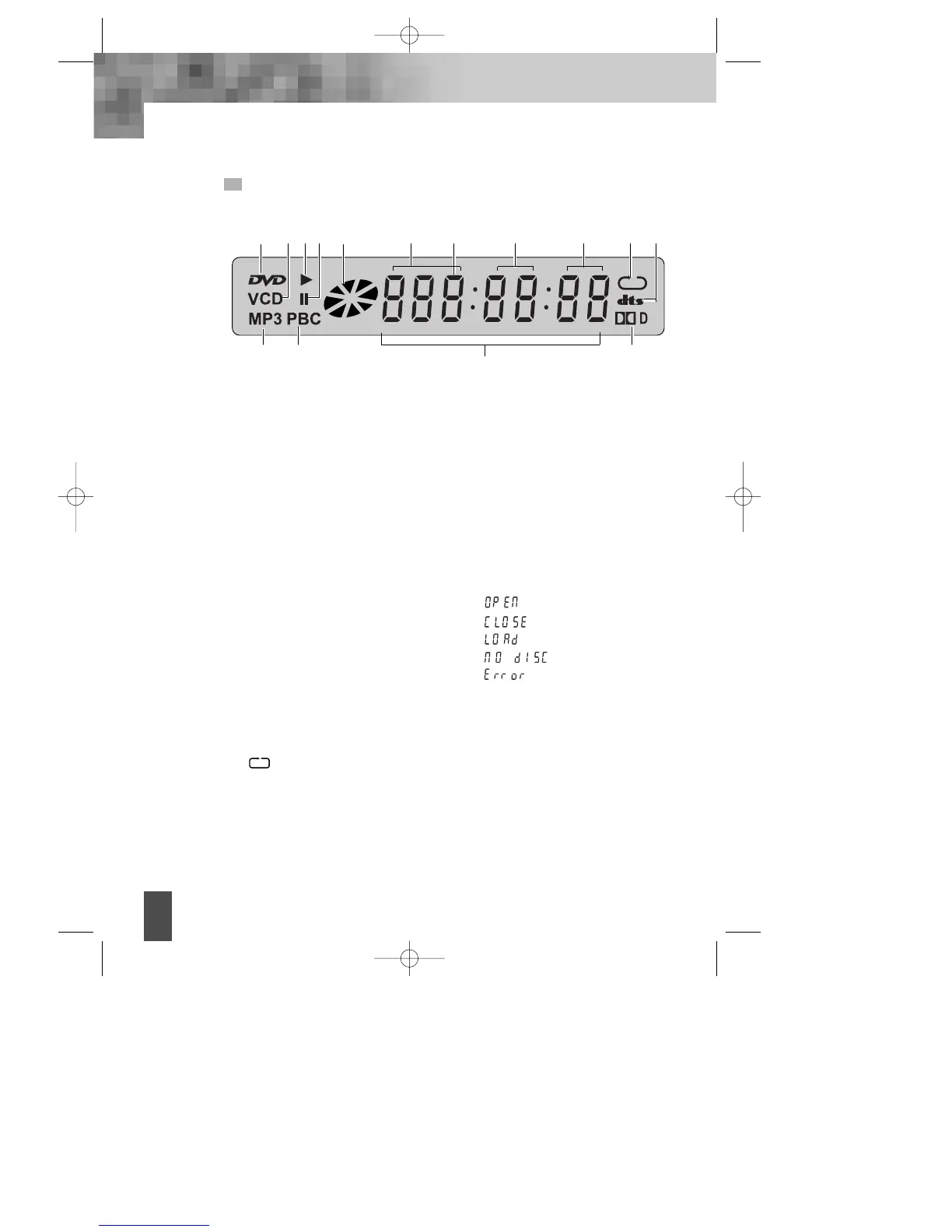
VFD
! Recognized DISC TYPE indicator
: DVD
@ Recognized DISC TYPE indicator
: VCD
# PLAY indicator
$ PAUSE indicator
% DISC LOAD/PLAY indicator
This indicator is lit up after
recognizing the disc.
^ DVD/CD/MP3 indicator
Indicates the title, chapter or track
number.
& DVD/CD/MP3 indicator
Indicates the hour.
* DVD/CD/MP3 indicator
Indicates the minutes.
( DVD/CD/MP3 indicator
Indicates the seconds.
) REPEAT MODE indicator
: In case you want to play a
chapter, track, title or disc
repeatedly.
1 DVD AUDIO STREAM indicator
: dts digital out
2 Recognized DISC TYPE indicator
: MP3
3 PBC indicator
This indicator is lit up in selecting PBC
ON while this indicator disappears in
selecting PBC OFF.
4 NUMBER/ CHARACTER indicator
Chapter, track number, and time are
displayed in loading DVD/CD disc,
while track number and time are
displayed in loading MP3.
: Tray is opened
: Tray is closed
: Disc is loaded
: There is no disc in tray
: Disc has some error
5 DVD AUDIO STREAM indicator
Indicates the audio type of the
disc under playing is DOLBY
DIGITAL.
2
4
53
! #@ % ^
& ) 1* (
$
DV- 2500H English for agon 2006.10.25 11:6 PM ˘`12



 To Next Page