18
BASIC OPERATIONS
FAST PLAY
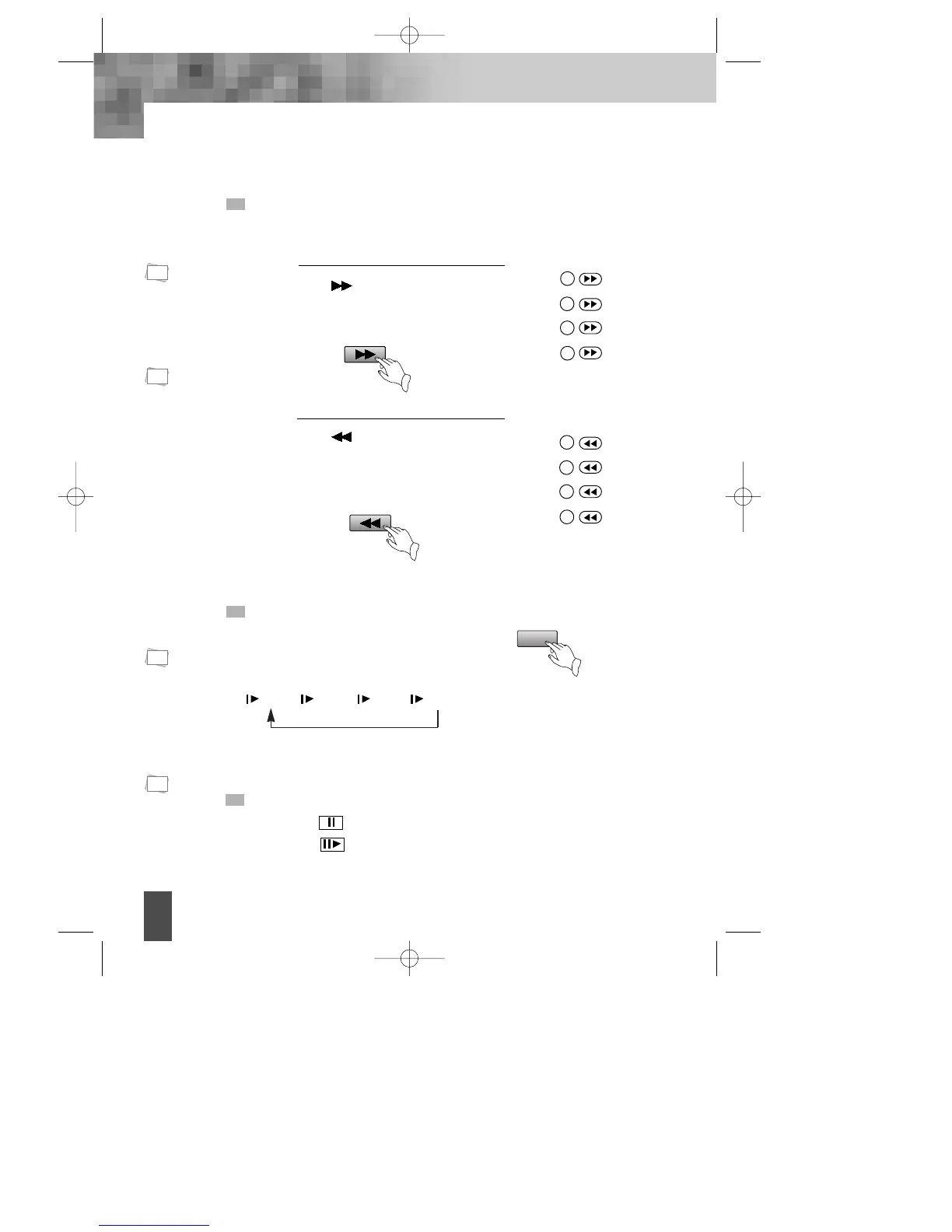
When playing disc, you may play it forward fast or reverse it fast to find what you need.
Press to play forward fast. Each
time you press the button, the speed of
picture changes like the right sides.
1
Press to reverse the disc fast.
Each time you press the button, the
speed of picture changes like the
right sides.
2
Press PLAY to play
normally when
playing fast.
The marked FAST
PLAY speed on
owner’s manual
and real fast play
speed can be
different
depending on
which disc you
play.
Press PLAY to
play normally .
Press PLAY to
play normally .
SLOW PLAY
Enjoy slow motions by the following steps.
Press "SLOW" button to play slowly.
SLOW
PAUSE/ STEP
Press PAUSE on the remote control to make the playback pause.
Pressing STEP again moves the picture forward frame by frame.
N
Note:
N
Note:
N
Note:
N
Note:
X2
X4
X8
X16
1
2
3
4
X2
X4
X8
X16
1
2
3
4
1/2 ➝ 1/4 ➝ 1/6 ➝ 1/8
DV- 2500H English for agon 2006.10.25 11:6 PM ˘ `18



 To Next Page