错误!使用“开始”选项卡将 Heading 1,l1,H1,Title1,Normal + Font: Helvetica,Bold,Space Before
12 pt,Not Bold,Heading One,h1,Head1,Head,1,Numbered,nu,Level 1 Head,1st level,Section He
ad,Sec1,h11,1st level1,h12,1st level2,h13,1st level3,h14,1st level4,h15,1st level5,h16,h17 13
Set VTH room number.
VTH room number consists of 1~6 numbers, letters, or
their combinations.. It shall be consistent with room
number configured at VTH.
When there are master VTH and extensions, to realize
group call function, master VTH short no. shall end with
“#0”, whereas extension VTH short no. shall end with #1,
#2 and #3. For example, if master VTH is 101#0,
extensions will be 101#1, 101#2…
Signaling interactive use in SIP system. Adopt default value.
Table 2-3
2.2.2 VTH Settings
2.2.2.1 Initialization
For the first time, please initialize the password and bind Email. Password is used to enter
project setting interface, while Email is used to retrieve your password when you forget it.
Power on the device.
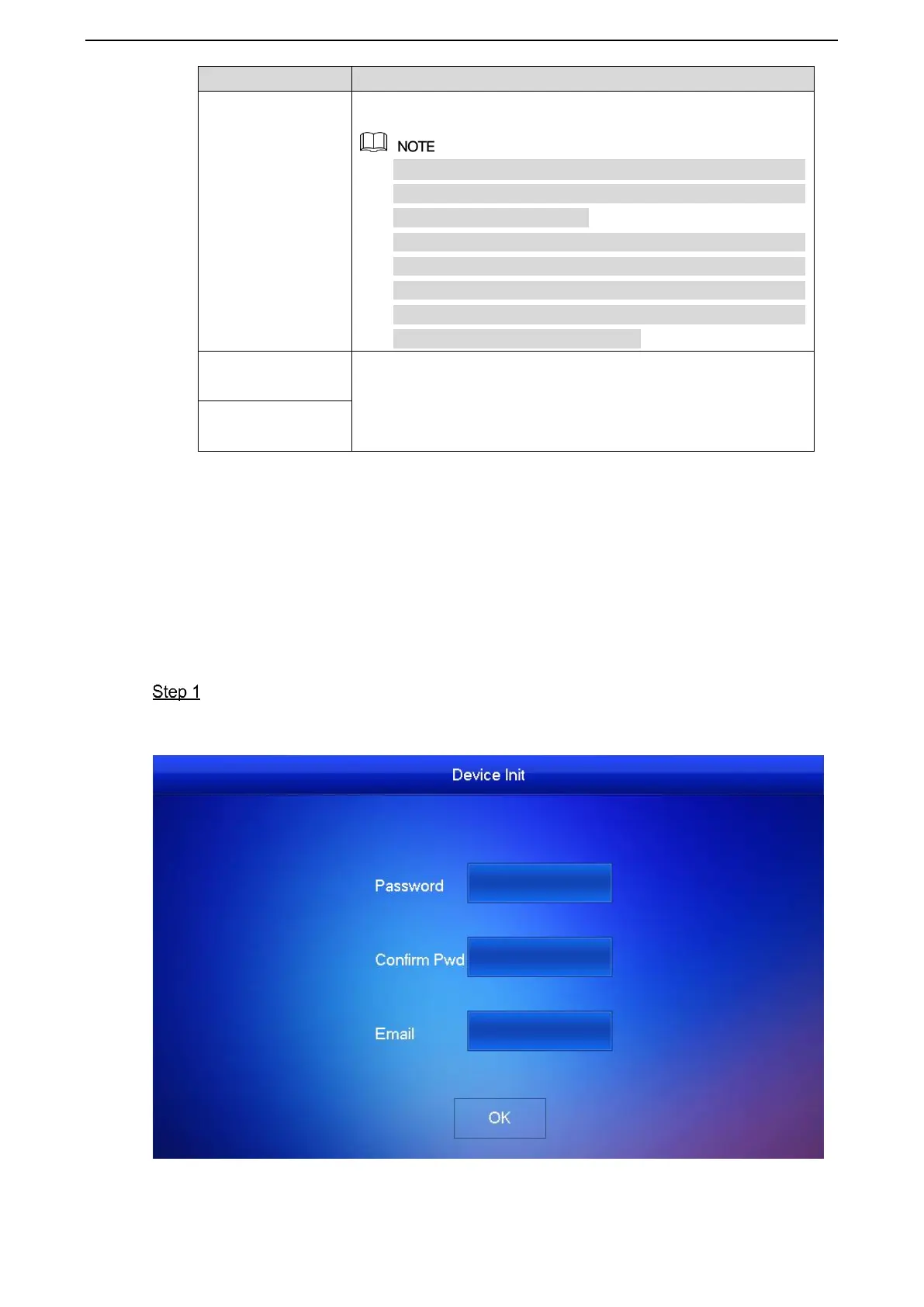
The system displays “Welcome” and enters “Initialization” interface, as shown in Figure
2-11.


 To Next Page
 Loading...