FDXS09/12LVJU, CDXS15/18/24LVJU SiUS181305E
127 Remote Controller
Reference Refer to the following pages for detail.
Note: Refer to the operation manual of applicable model for detail. You can download operation manual
from DISTRIBUTOR’S PAGE:
DISTRIBUTOR’S PAGE Product Information Operation/Installation Manual
(URL: http://global.daikin.com/Daikin/global/Distributors_admin/user_mng/login.php
)
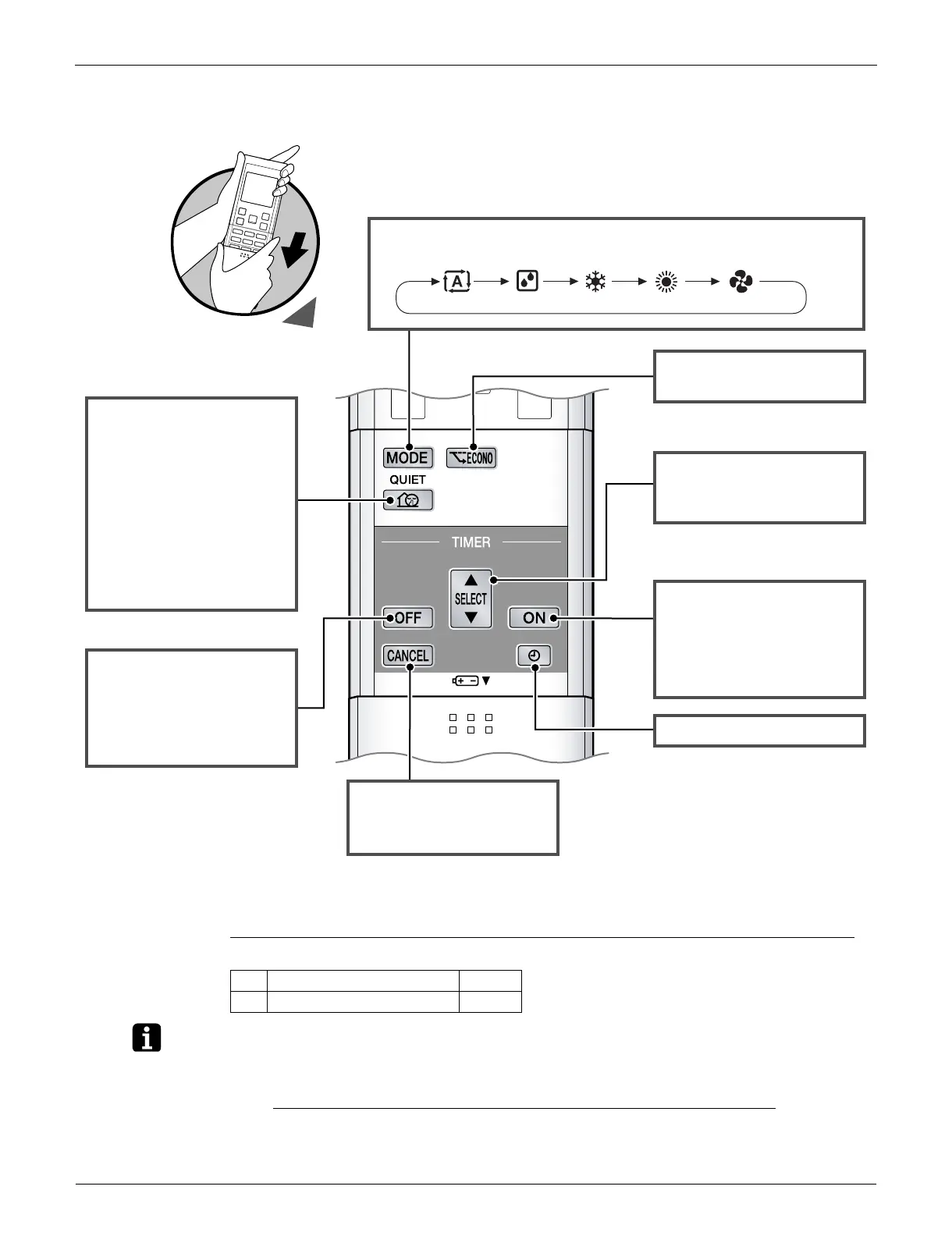
OFF TIMER button
• ECONO operation.
ON TIMER button
SELECT button
MODE button
• Selects the operation mode.
Open the Front Cover
ECONO
2
button
• Press this button and adjust
the day and time with the
SELECT button.
Press this button again to
complete TIMER setting.
CLOCK
3
button
• Changes the ON/OFF TIMER
settings.
TIMER CANCEL
button
• Cancels the timer setting.
• Press this button and adjust
the day and time with the
SELECT button.
Press this button again to
complete TIMER setting.
QUIET button
• OUTDOOR UNIT QUIET
operation.
• QUIET operation is not
available in FAN and DRY
operation.
• QUIET operation and
POWERFUL operation
cannot be used at the same
time. Priority is given to the
function you pressed last.
(R18862)
AUTO DRY COOL HEAT FAN
2 ECONO operation P.69
3 Clock setting P.74





 To Next Page