Operation manual BRC1E52A7
43
4PW71265-1 – 10.2011
Electricity consumption
1
Return
Energy Saving Options 2/2
Off Timer
Electricity consumption
Setting
2/2
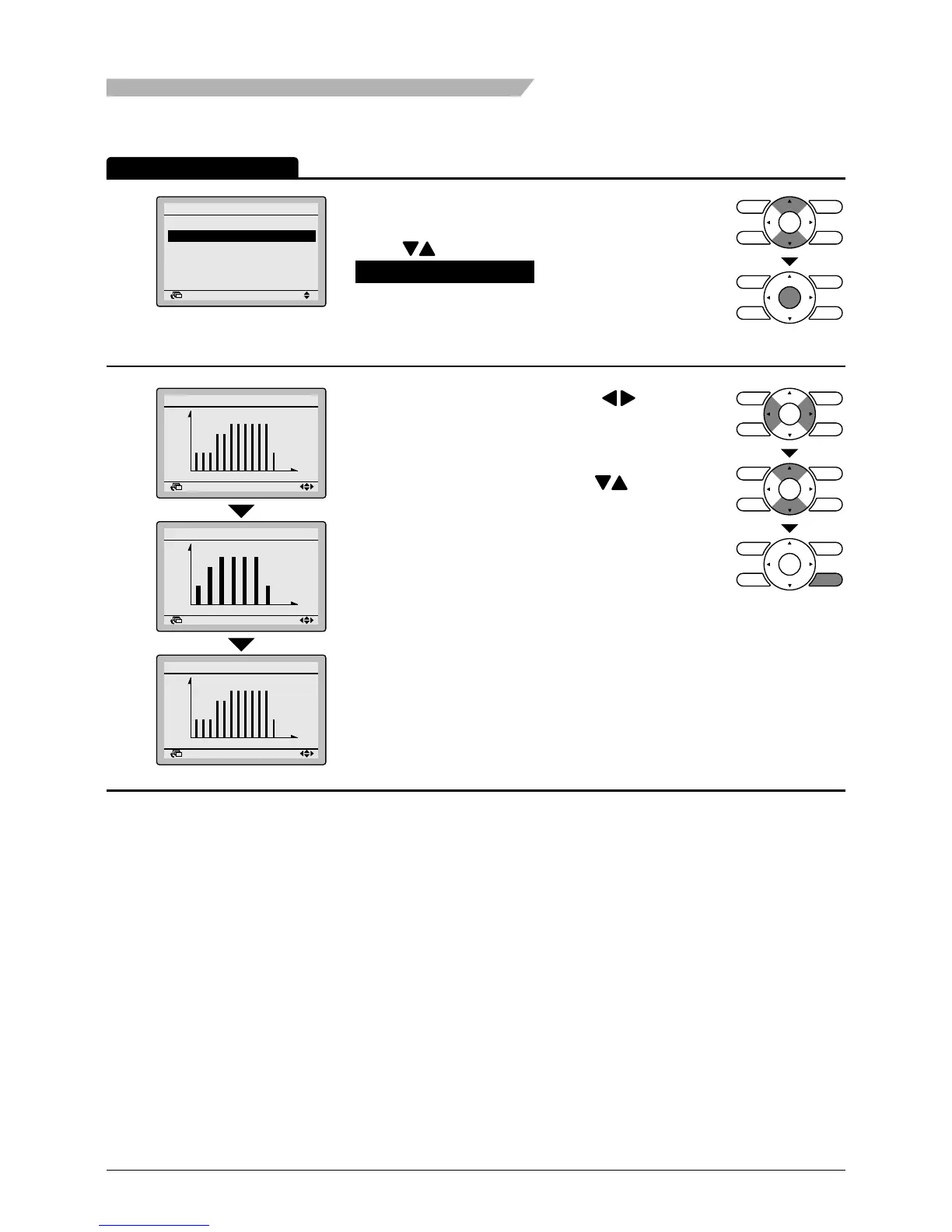
• Bring up the Energy Saving Options settings
screen (see page 36).
• Press buttons to select
Electricity consumption on the Energy Saving
Options settings screen.
Press Menu/Enter button to display the Electricity
consumption settings screen.
2
Return
Electricity consumption
Today
0 6 12 18 24
1
kWh
Total
10.5 kWh
Return
Electricity consumption
This week
S M T W T F S
10
kWh
Total
60.2 kWh
Return
Electricity consumption
This year
0 3 6 9 12
1
kWh
Total
150 kWh
• Move the indicating screen using buttons.
Today > Yesterday > This week (1 week) > Last
week (1 week) > This year (1 year) > Last year
Change the items and values located in the upper
right of the indication area using buttons.
Press cancel button to return to the previous
screen.
Operation Method
Menu Manipulation



 To Next Page