Installer reference guide BRC1E53
13
4P419250-1 – 2015.10
Power-on
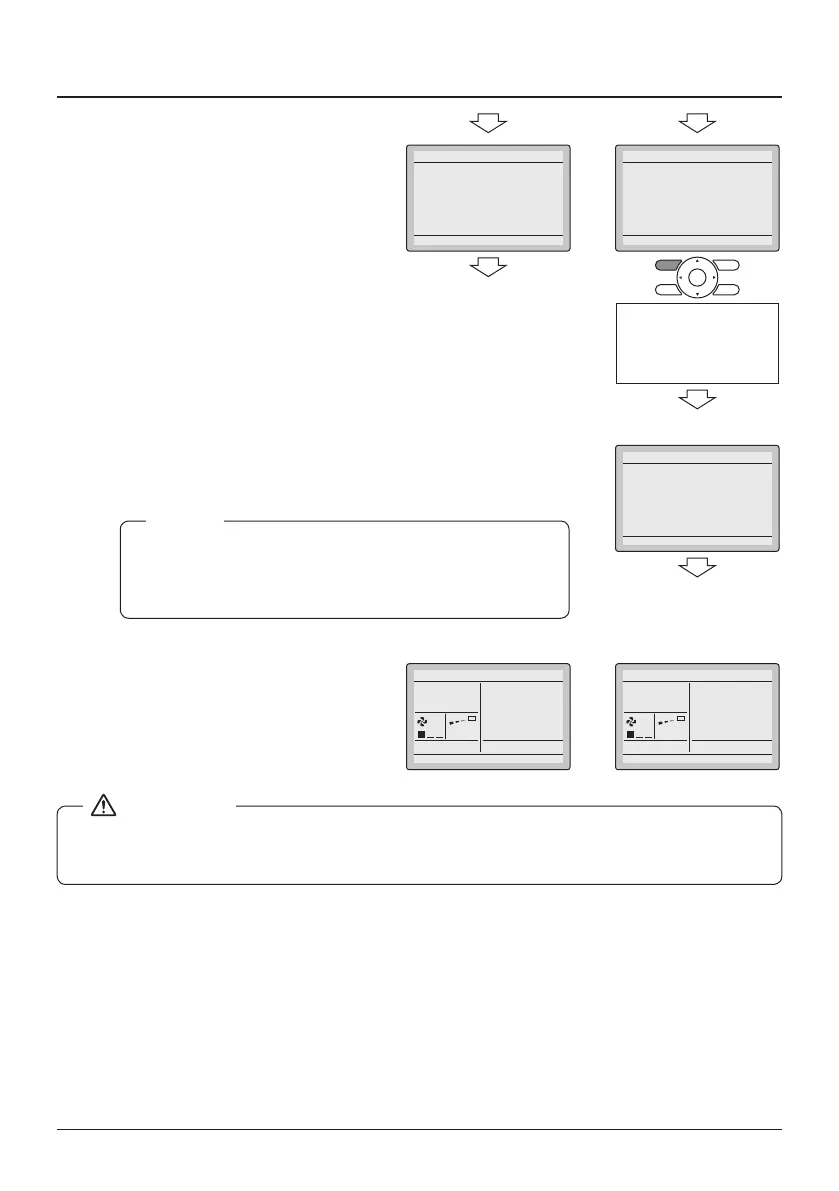
5-6 If the sub remote controller is not
set when powering on when one
indoor unit is controlled by two
remote controllers, "Error
code U5" is displayed in the
connection checking screen.
5-7 Select the sub remote controller
by pressing the Operation Mode
Selector button of either one of
the remote controllers for
4 seconds or longer.
5-6
Error Code U5
Checking the connection.
Please stand by.
Main RC
5-6
5-7
Error Code U5
Checking the connection.
Please stand by.
Main RC
Press and hold the
Operation mode selector
button of the sub remote
controller for 4 seconds or
longer.
5-8 When the display is changed from
Main RC to Sub RC, the setting is
completed
If the Basic screen is not displayed more than 2 minutes
after the "Sub RC" display, turn off the power and check
the wiring.
NOTE
5-8
Sub RC
Checking the connection.
Please stand by.
<Basic screen> <Basic screen>
5-9 The Basic screen is displayed.
5-9
Fan
5-9
Fan
It's only possible to use a main and a sub remote controller of the same type. For example, do
not combine BRC1E52* with BRC1E53*.



 To Next Page