Installer reference guide BRC1E53
33
4P419250-1 – 2015.10
Prohibit Mode
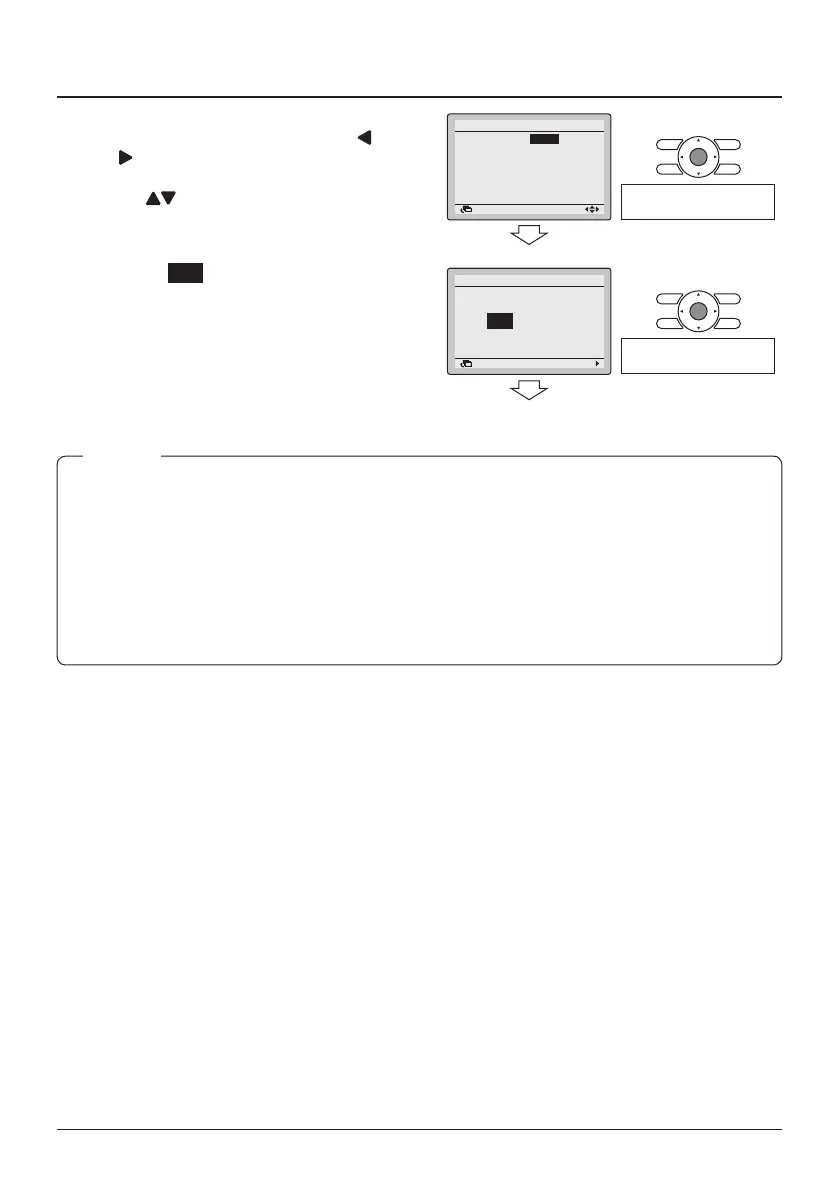
16-5 Select “Fan”, “Cool”, “Heat”, “Auto”,
“Dry” or “VentClean” by using the
(Left/Right) buttons and “Enable/
Disable” the selected mode by using
the (Up/ Down) buttons.
16-6 Press the Menu/Enter button.
The conrmation screen is displayed.
16-5
16-6
SettingReturn
Fan
Cool
Heat
Auto
Dry
VentClean
:Enable
:Enable
:Enable
:Enable
:Enable
:Enable
Prohibit Mode
Press the Menu/Enter
button.
16-7 Select Yes and press the Menu/
Enter button. The settings are
conrmed and the Basic screen
returns.
16-7
SettingReturn
Save the settings?
Prohibit Mode
NoYes
<Basic screen>
Press the Menu/Enter
button.
● When the currently active mode is locked, this mode will still be active upon returning to the
Basic screen. Only when the mode is changed, the disabled mode will not be available
anymore. When all modes are locked, it is not possible to change to another mode other than
the currently active mode.
● If you want to restrict the number of operable modes on the sub remote controller, start with
only connecting this controller to the unit. Make sure that this controller is set to "main" (factory
default) rst, change the restrictions to the setting you prefer and only then set the remote
controller to "sub".
NOTE



 To Next Page