EDUS721438 Operation Manual
BRC1E73 33
3P243520-7N
English 29
2
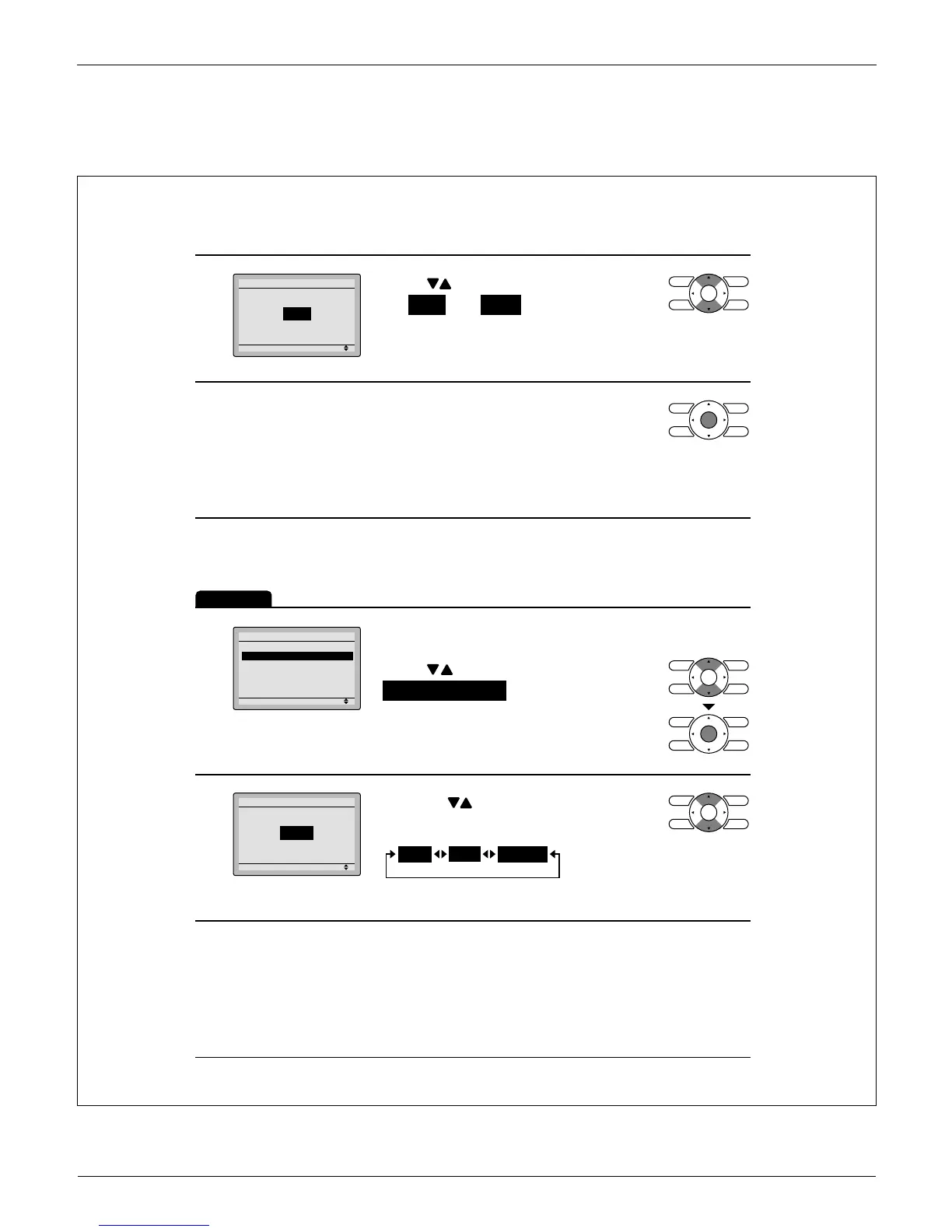
Setting
Ventilation Rate
Ventilation
High
Press Ɣ buttons to toggle between
the Low and High settings.
Only modes that can be set are displayed.*
3
Selecting and confi rming the desired Ɣ
ventilation rate will take you back to the
basic screen.
(Pressing Cancel button takes you back to the
previous screen without changing the ventilation
rate.)
Changing the ventilation mode
Operation
1
Setting
Ventilation
Ventilation Rate
Ventilation Mode
Display the ventilation screen. Ɣ
(See page 28.)
Press Ɣ buttons to select
Ventilation Mode on the ventilation
screen.
Press Menu/OK button to display the
ventilation mode screen.
2
Setting
Ventilation Mode
Ventilation
Auto
Pressing Ɣ buttons cycles through the
settings in the order shown below.
Bypass
ERV
Auto
Only modes that can be set are displayed.*



 To Next Page