EDUS721438 Installation Manual
BRC1E73 75
5.10 Confirming Registered Details
5.11 Clock & Calendar
3P243521-7L
20 English
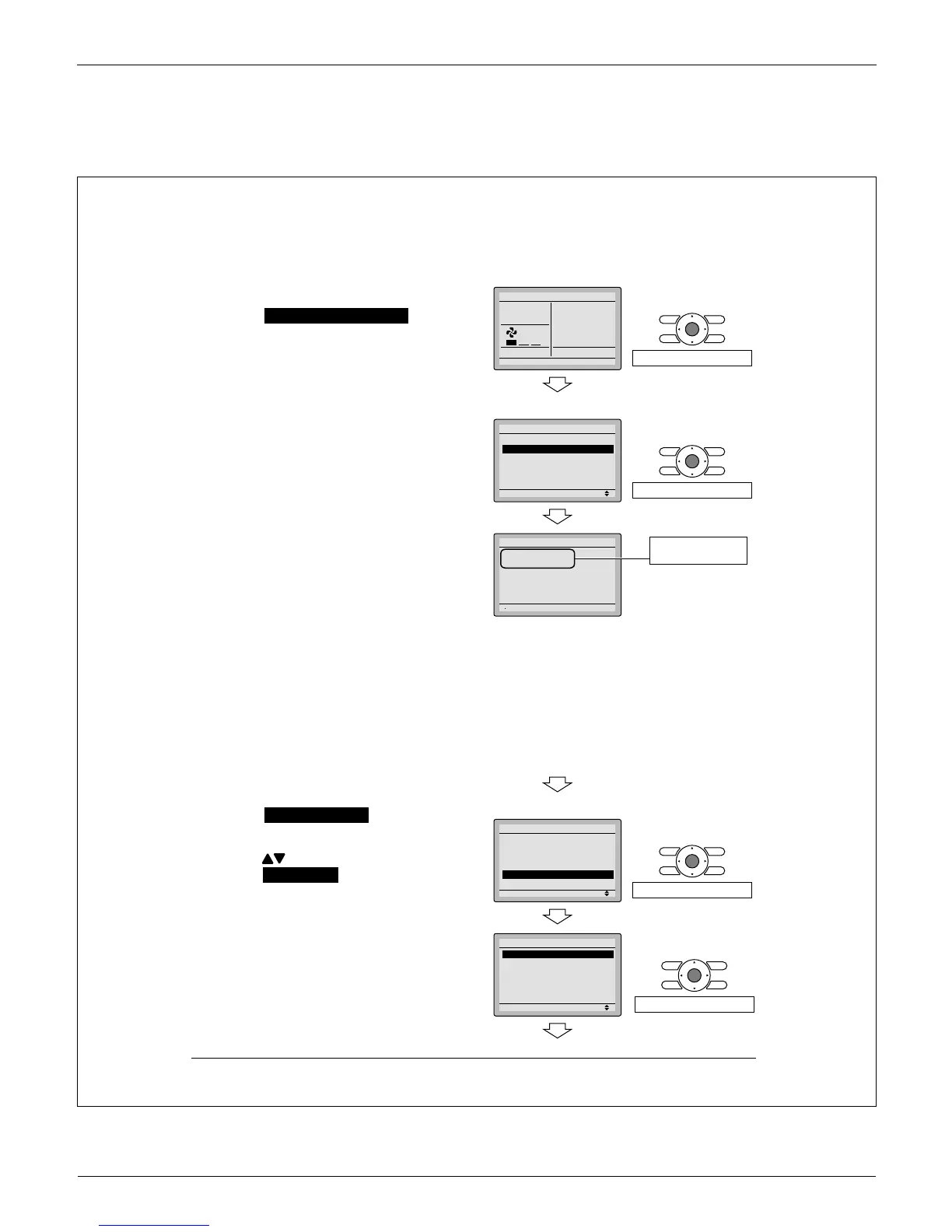
Confi rming Registered Details10.
10-1 Press Menu/OK button in the basic
screen.
Main menu is displayed.
Select Maintenance Information in the
main menu, and press Menu/OK
button.
Press 10-2 Cancel button twice.
The basic screen returns.
Clock & Calendar11.
11-1 Press Menu/OK button in the basic
screen.
Main menu is displayed.
Select Clock & Calendar in the main
menu, press Menu/OK button.
Press
11-2 buttons to
select Date & Time on the clock &
calendar screen.
The date & time screen will appear ∗
when Menu/OK button is pressed.
<Basic screen>
110-
Cool
Return Setting
Set to
68F
Press Menu/OK button.
<Main menu screen>
Setting
Main Menu
Filter Auto Clean
Maintenance Information
Configuration
Current Setting
Clock & Calendar
Daylight Saving Time
2/3
Press Menu/OK button.
Maintenance Information
Contact Info
0123-456-7890
Indoor Model
–––
/000
Outdoor Model
–––
/000
Registered details
are displayed.
<Basic screen>
<Main menu screen>
111-
Setting
Main Menu
Filter Auto Clean
Maintenance Information
Configuration
Current Setting
Clock & Calendar
Daylight Saving Time
2/3
Press Menu/OK button.
211-
Setting
Clock & Calendar
Date & Time
12H/24H Clock
Press Menu/OK button.



 To Next Page