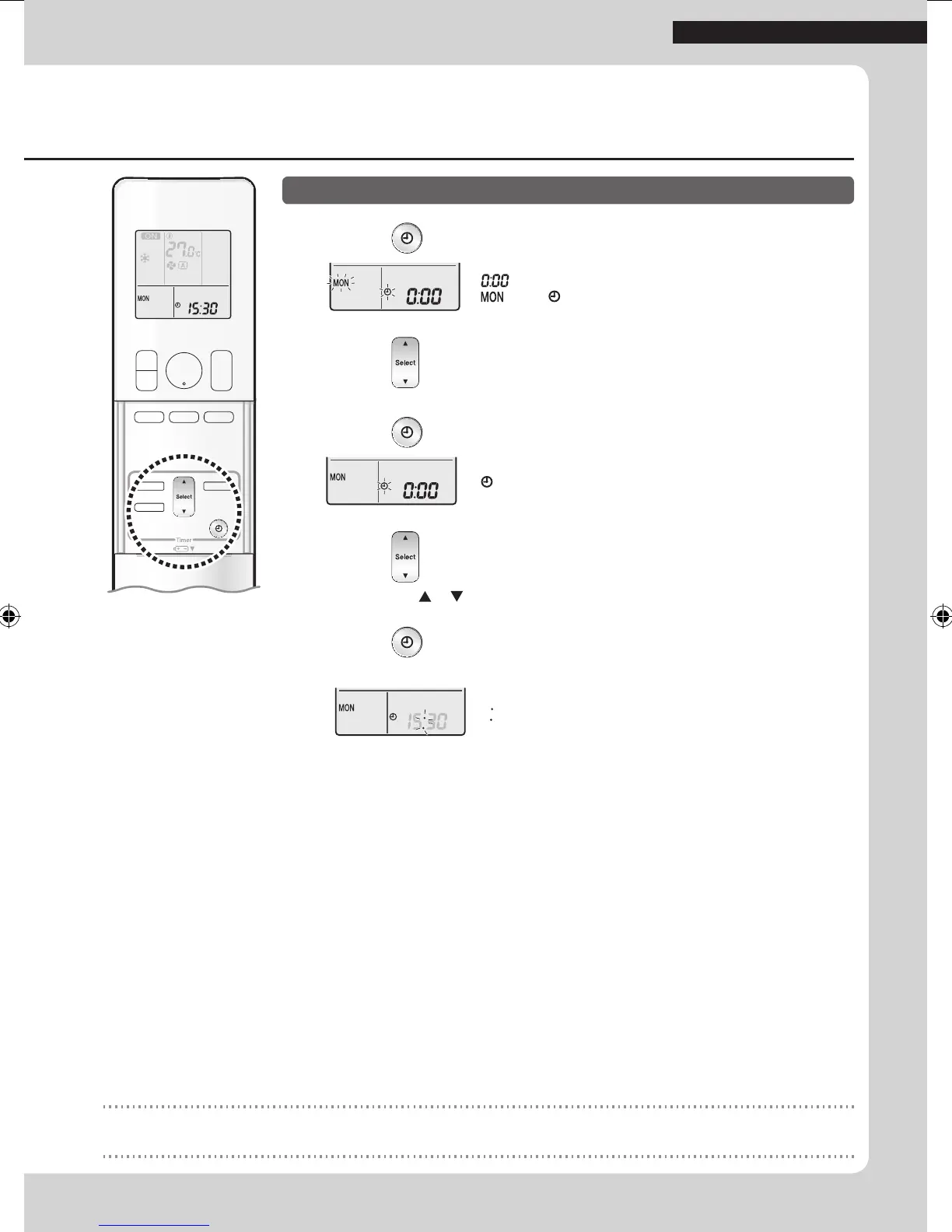
1. Press .
“ ” is displayed on the LCD.
“
” and “ ” blink.
2. Press to set the current day of the week.
3. Press .
“ ” blinks.
4. Press to set the clock to the present time.
• Holding down or rapidly increases or decreases the displayed time.
5. Press .
• Point the remote controller at the indoor unit when pressing the buttons.
“ ” blinks.
NOTE
Note on setting the clock
• If the indoor unit’s internal clock is not set to the correct time, the ON/OFF TIMER will not operate punctually.
6
Read before Operation
01_EN_3P477582-2.indd 6 6/14/2017 14:12:44




 To Next Page