ON/OFF TIMER Operation
Timer functions are useful for automatically switching the air conditioner on or off in
the morning or at night. You can also use the ON TIMER and OFF TIMER together.
To use ON TIMER with a 24 hour clock display
(24 HOUR ON/OFF TIMER)
• Check that the clock is correct.
If not, set the clock to the present time.
Page 6
• To set the ON TIMER in an hours remaining display.
Page 15
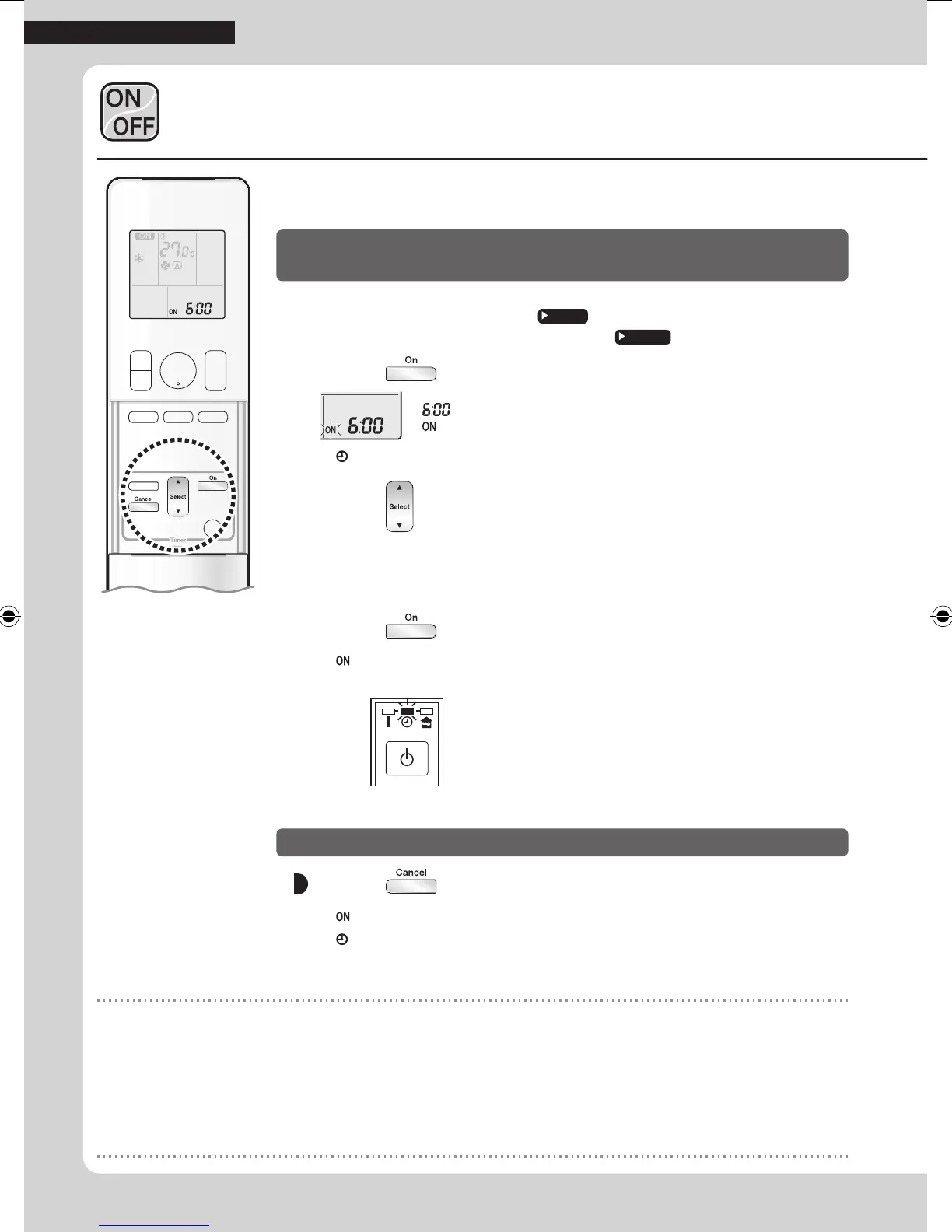
1. Press .
“ ” is displayed on the LCD.
“
” blinks.
• “
” and day of the week disappear from the LCD.
2. Press until the time setting reaches the point
you like.
• Each pressing of either button increases or decreases the time setting by 10 minutes.
Holding down either button changes the setting rapidly.
3. Press again.
• “ ” and setting time are displayed on the LCD.
• The TIMER lamp lights orange.
Display
To cancel ON TIMER operation
Press .
• “ ” and setting time disappear from the LCD.
• “
” and day of the week are displayed on the LCD.
• The TIMER lamp goes off.
NOTE
Notes on TIMER operation
• When TIMER is set, the present time is not displayed.
• When using the ON/OFF TIMER to start/stop operation, the actual operation start/stop time may differ from the time set. (Maximum of
about 10 minutes)
In the following cases, set the timer again.
• After the circuit breaker has turned off.
• After a power failure..
• After replacing the batteries in the remote controller.
13
TIMER Operation
01_EN_3P477582-2.indd 13 6/14/2017 14:12:47



 To Next Page