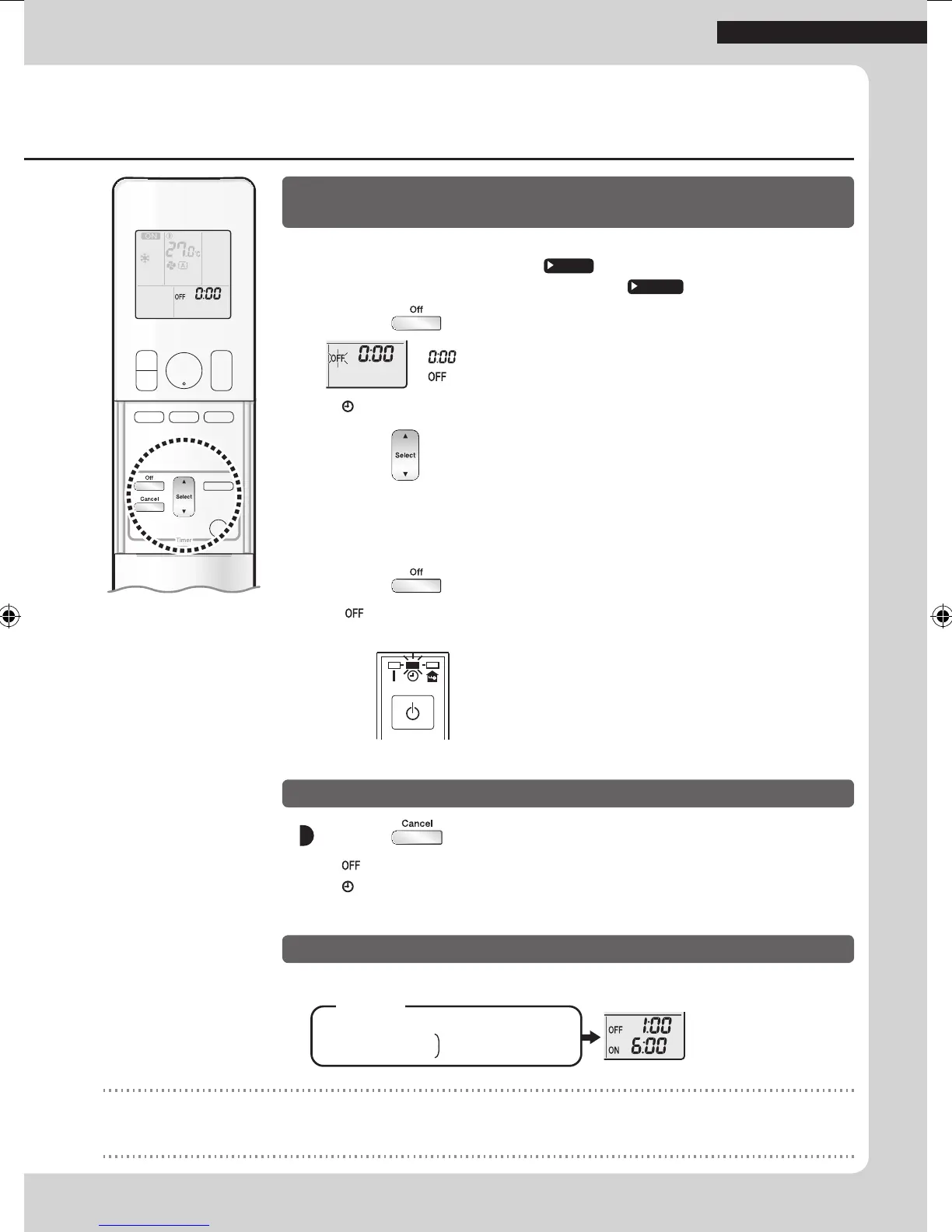
To use OFF TIMER with a 24 hour clock display
(24 HOUR ON/OFF TIMER)
• Check that the clock is correct.
If not, set the clock to the present time.
Page 6
• To set the OFF TIMER in an hours remaining display.
Page 15
1. Press .
“ ” is displayed on the LCD.
“
” blinks.
• “
” and day of the week disappear from the LCD.
2. Press until the time setting reaches the point
you like.
• Each pressing of either button increases or decreases the time setting by 10 minutes.
Holding down either button changes the time setting rapidly.
3. Press again.
• “ ” and setting time are displayed on the LCD.
• The TIMER lamp lights orange.
Display
To cancel OFF TIMER operation
Press .
• “ ” and setting time disappear from the LCD.
• “
” and day of the week are displayed on the LCD.
• The TIMER lamp goes off.
To combine ON TIMER and OFF TIMER operation
• A sample setting for combining the 2 timers is shown below.
(Example)
Present time: 22:00 (The unit is operating)
OFF TIMER at 1:00
ON TIMER at 6:00
Combined
NOTE
NIGHT SET mode
• When the OFF TIMER is set, the air conditioner automatically adjusts the temperature setting (0.5°C up in COOL, 2.0°C down in
HEAT) to prevent excessive cooling (heating) during sleeping hours.
14
TIMER Operation
01_EN_3P477582-2.indd 14 6/14/2017 14:12:48



 To Next Page