10 | Wireless LAN adapter installation
Installer reference guide
46
FTXTP-M_FTXTP-N
Daikin room air conditioner
4P728168-4 – 2023.03
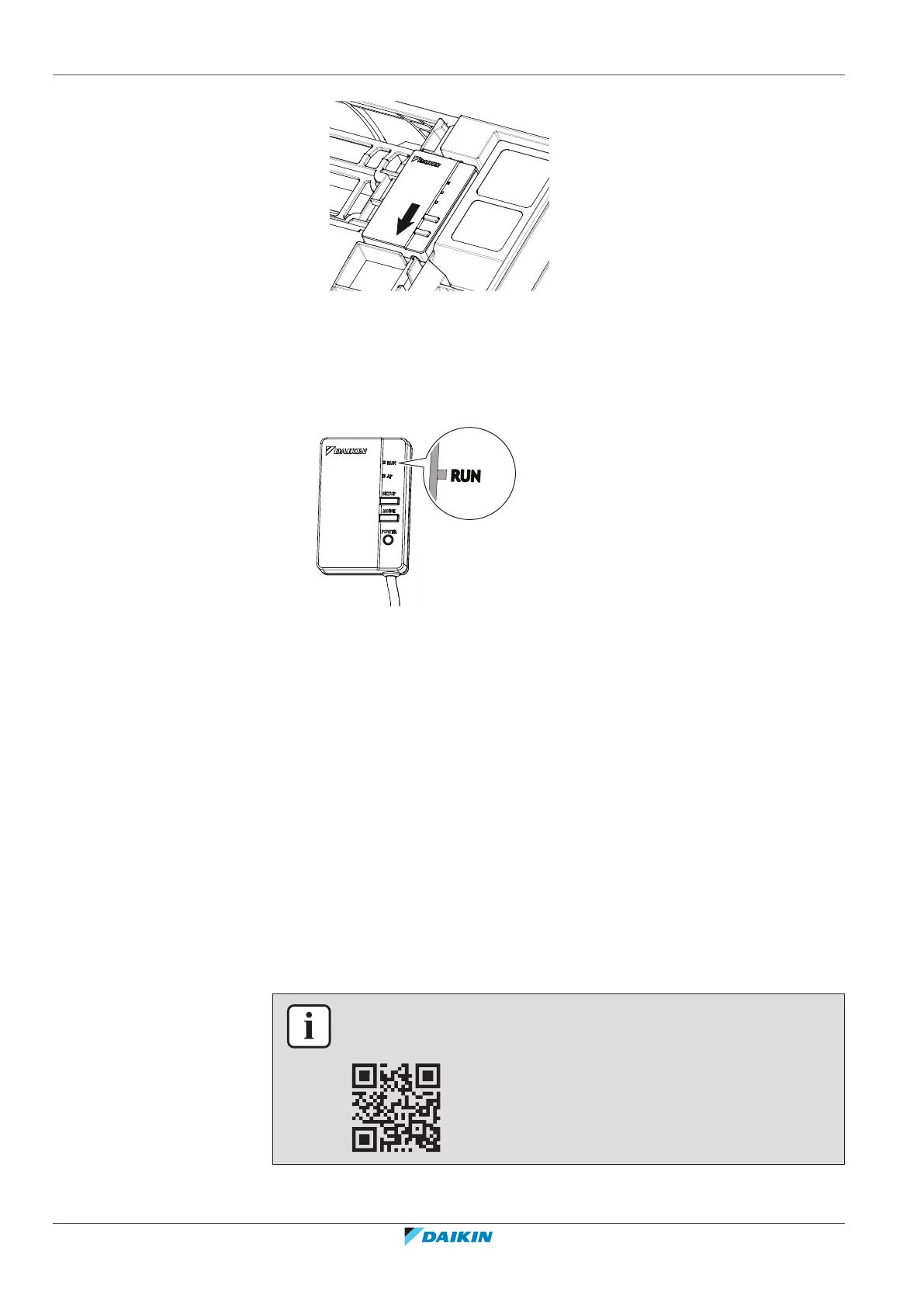
3 To remove the adapter, perform the installation steps in reverse order.
10.1.3 To check the functionality of the adapter
1 Turn on the power supply and check that the RUN lamp of the product blinks.
10.2 Setting the wireless LAN
The customer is responsible for providing:
▪ Smartphone or tablet with minimum supported version of Android or iOS,
specified on app.daikineurope.com
▪ Internet line and communicating device, such as modem, router, etc.
▪ Wireless LAN access point.
▪ Installed free ONECTA application.
10.2.1 To install the ONECTA app
1 Go to Google Play (for Android devices) or the App Store (for iOS devices) and
search for "ONECTA".
2 Follow the directions on the screen to install the ONECTA app.
INFORMATION
Scan the QR code to download and install the ONECTA app on your mobile phone or
tablet:



 To Next Page