DHOS-CS-IM-2107004D 9
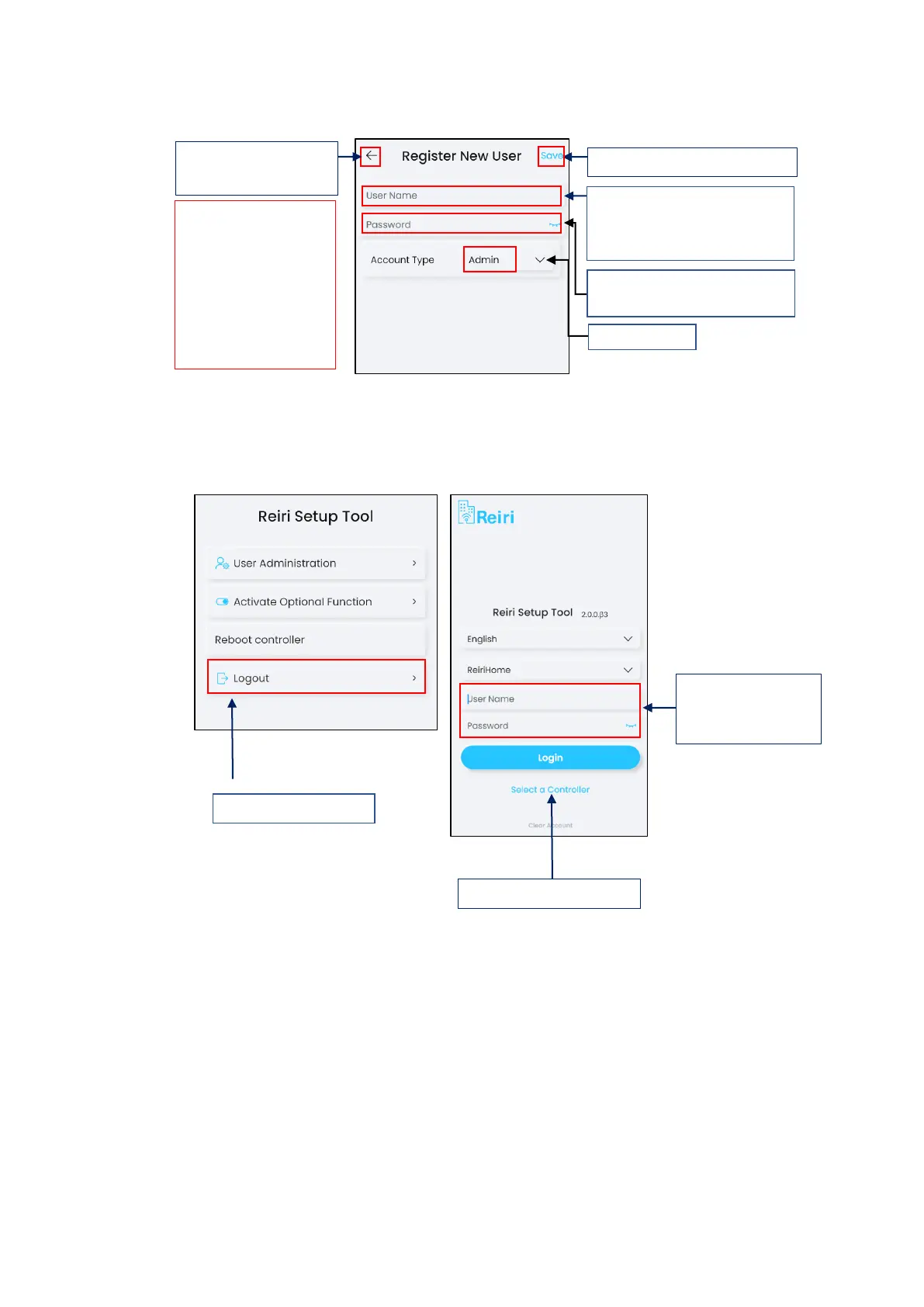
f) Enter new admin username and password. Save and return to previous page.
*NOTE: Create at least 2 admin accounts. One for engineer to setup and maintain the
controller. The other is for customer use. The engineer’s admin account can be used to save
the customer’s account should the customer forget the password.
g) Logout of Reiri Setup tool and login again using newly created admin account.
h) Controller settings is important for the setting the identification of this controller in Reiri
user app. Tap “Controller Settings” in the main menu after login. Refer to “Chapter 3.5.2
Controller Settings” for details.
Enter choice of “Username”
(Limited to characters a-z, A-Z,
numbers 0-9, “_”)



 To Next Page