DHOS-CS-IM-2107004D 20
3.5.3 Time and Date
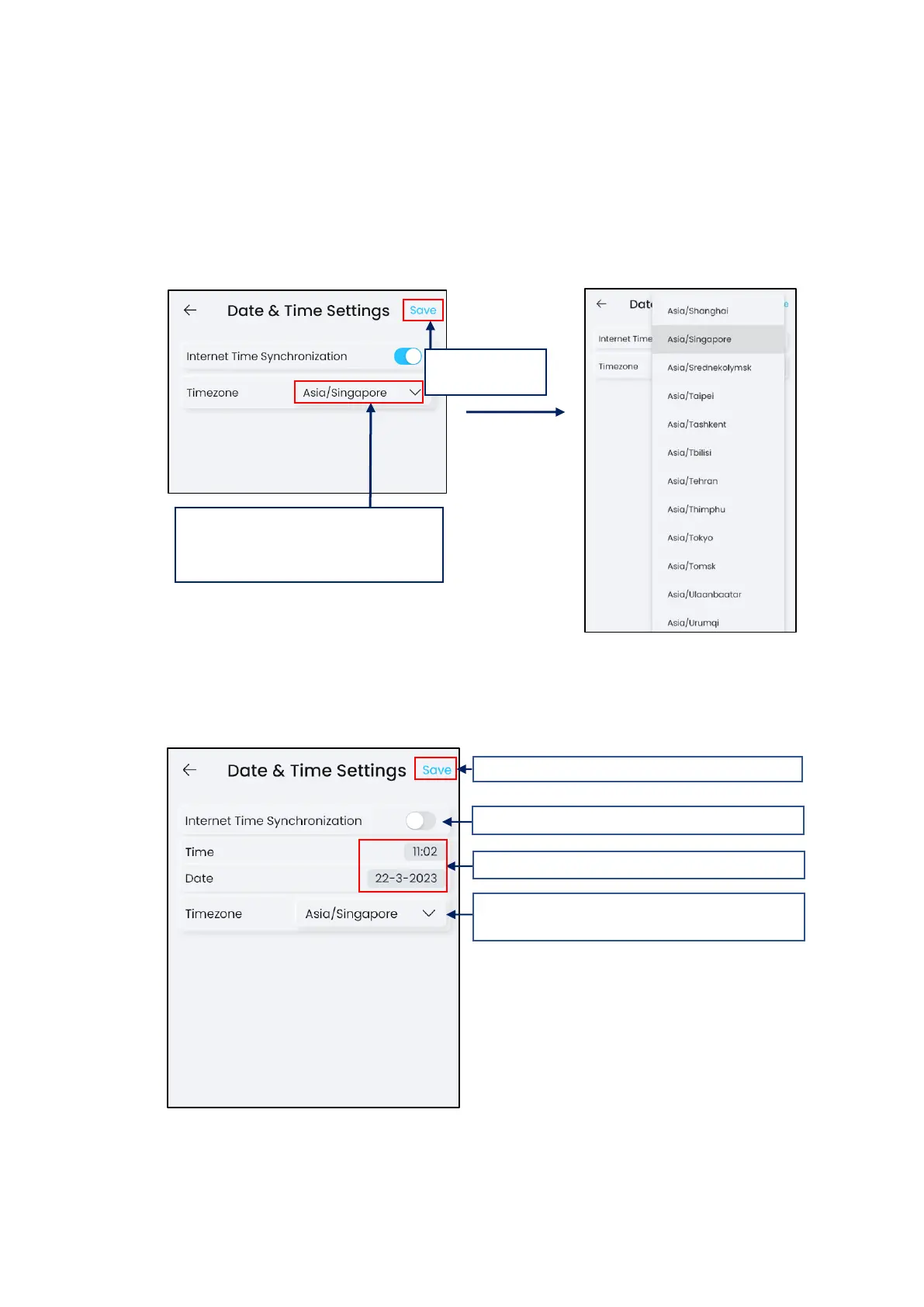
Time and Date settings to allow controller’s time to be accurate and hence able to run
schedules on time. Check the time zone for an accurate representation of the region the
controller is installed.
Internet Time Synchronization allows time sync with Internet Time Servers for accuracy
(Default: Enabled)
*NOTE: Internet access MUST always be available on the connected network for Internet
Time Synchronization with Internet Time Server.
If controller have no internet access / cannot access internet time servers, user can manually
set the date and time.
This setting will only take effect after a reboot.
1. Check Time Zone region. If required
different region, tap and select correct
region from list
3. Check Time Zone region. If required different
region, tap and select correct region from list.



 To Next Page