DHOS-CS-IM-2107004D 1
Part 1 – Hardware Setup
1. Hardware Installation
Before you start installing the Reiri for Home (Lite Version), complete the following preparation.
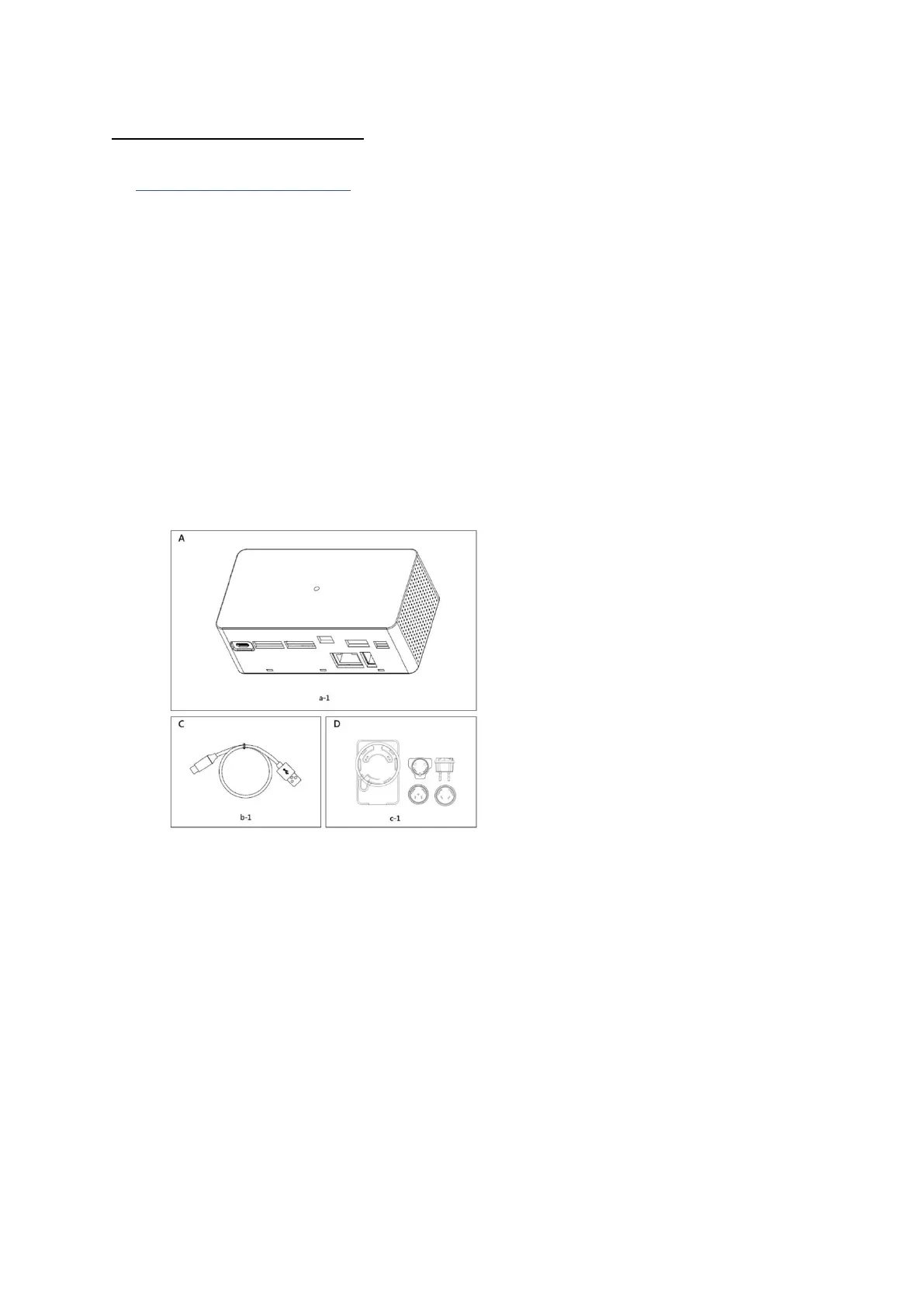
• Check that the Reiri for Home (Lite Version) comes with all accessories.
• Confirm where the terminals and switches of the Reiri for Home (Lite Version) are located.
• Check that an appropriate space for installing the Reiri for Home (Lite Version) is available.
1.1 Checking that all accessories are included
Based on the following accessory list, check that all accessories for the Reiri for Home (Lite
Version) are included. Should there be any missing or defective parts, contact your dealer where
you have purchased the product.
<Accessories included with Reiri for Home (Lite Version)>
A (a-1) DCPH02 body (1 pc.)
B (b-1) USB A-Micro USB cable
C (c-1) Interchangeable Plug Power Adapter



 To Next Page