EasyManua.ls Logo

Daikin DCPH02 - Reiri Setup Tool Functions

Daikin DCPH02
44 pages
Print Icon
To Next Page IconTo Next Page
To Previous Page IconTo Previous Page
Loading...
DHOS-CS-IM-2107004D 15
3.5 Reiri Setup Tool Functions
3.5.1 User Administration
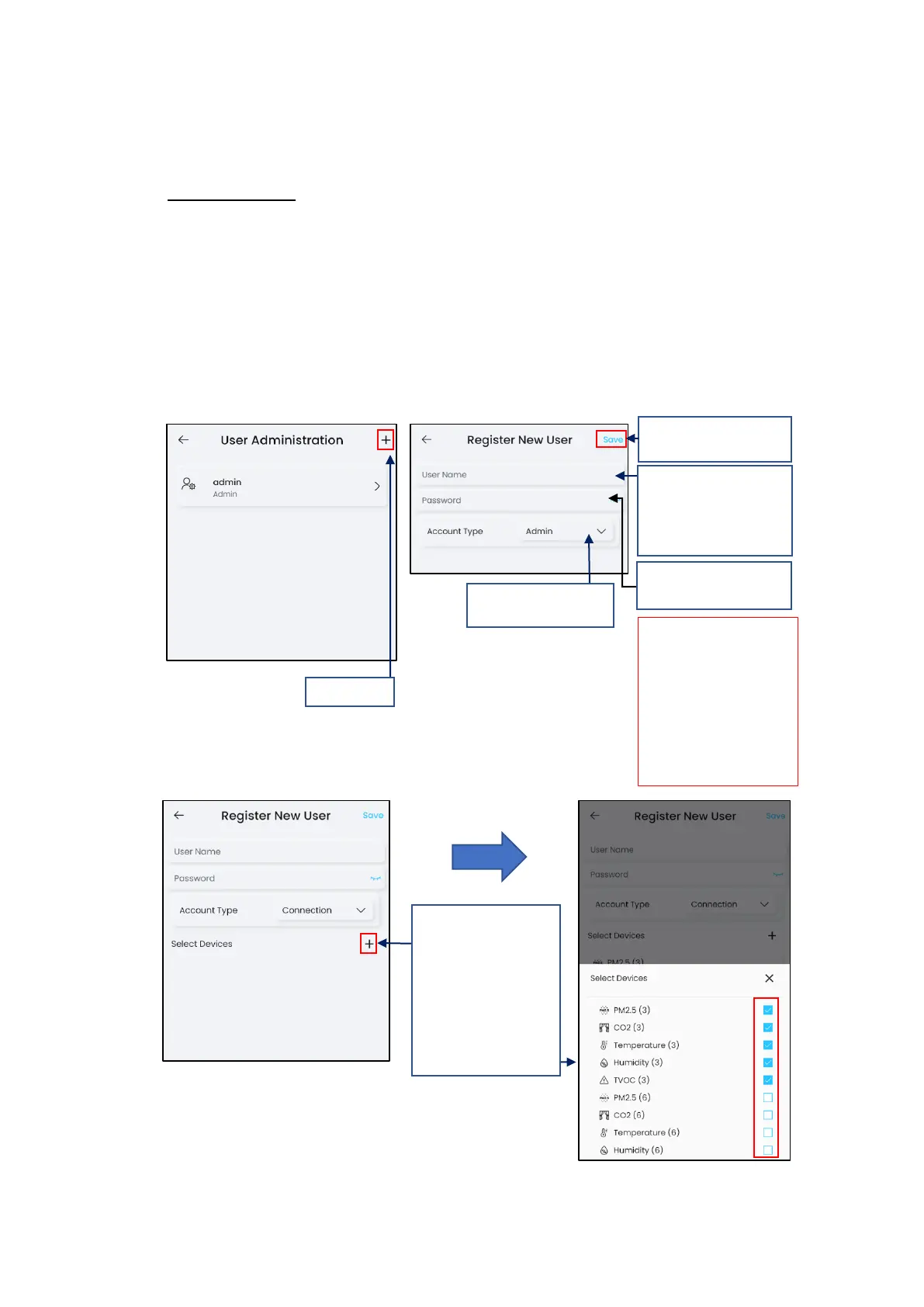
Register New User
This function creates new accounts for users to access Reiri. There are 2 account classes that
can be created in Reiri Setup Tool Admin and Connection.
Admin class is administrator for the controller. Account holder can login to app to use all
functions and points.
Connection class is used when other Reiri controller access Reiri for Home using “Reiri
Controller” function.
*NOTE: Admin account can also be created in the user app.
Connection Class Settings

3. Enter Password and
re-enter to verify
5. Tap “Save” to save
changes
Password at least 10
characters.
A mixture of uppercase,
lowercase, numbers and
special characters.
Minimum 2 types.
Do not use / , “ ‘ ;
1. Tap “+”
2. Enter Username
(Limited to characters
a-z, A-Z, numbers 0-9,
“_”)
4. Select “Admin” or
“Connection”.
4.1 Tap on “+” to
select point name(s)
to be assigned to the
connection account.
Tap on point name(s)
to unselect.

Related product manuals