EasyManua.ls Logo

Daikin DCPH02 - User Manual

Daikin DCPH02
44 pages
Print Icon
To Next Page IconTo Next Page
Loading...
DHOS-CS-IM-2107004D
Reiri for Home
(Lite Version)
Installation Manual
Model
DCPH02
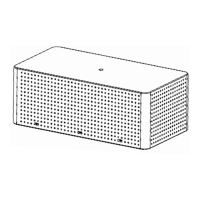
Reiri for Home (Lite Version) Lite is smart centralised controller that provide AC solution for
residential application. It offers full control of Daikin air-conditioning system in one screen through
Reiri for Home (Lite Version) mobile app.
Question and Answer IconNeed help?

Do you have a question about the Daikin DCPH02 and is the answer not in the manual?

Summary

Part 1 Hardware Setup

Hardware Installation

Covers preparation for installing the Reiri for Home (Lite Version), including checking accessories, understanding dimensions, and selecting an installation place.

Connection

Details how to connect the Reiri controller via RS485, LAN cable, and USB ports to compatible devices like DCPA01 and Modbus devices.

Part 2 Reiri Controller Setup

Reiri Controller Setup

Guides the overall process of setting up the Reiri controller, including hardware preparation and initial activation using the Reiri Setup Tool.

Hardware Preparation

Details the requirement to connect the Reiri controller to a router with internet access for activation purposes.

Controller Setup

Steps for setting up and activating the controller using the Reiri Setup Tool app, including login and user account creation.

Controller Settings

Configuration options for Cloud Connection, Network (IP, DNS), Email Server, and Controller Information to customize controller behavior.

Activate Optional Function

Guides on activating optional features, including setting up activator accounts, activating the controller, and managing option keys.

Connection Settings for Compatible Devices

Guides on pairing compatible devices such as DCPA01, D-Mobile Adaptors, and DAMA IOT Modules with the Reiri controller.

Customise Point Attributes

Explains how to customize management points using Point Type and Point Usage for effective data display and operational use in the user app.

Reiri Setup Tool Functions

Overview of Reiri Setup Tool functions, including User Administration, Controller Settings, Time/Date, Activate Optional Function, and Device Connection Settings.

Device Connection Settings

Guides on configuring device connection settings for management points, including DIII-Net, D-Mobile, and DAMA IOT module connections.

Point Settings

Details on customizing point attributes like name, icon, and usage for individual management points, including AC Management Point.

Backup and Restore

Provides functions for backing up and restoring controller settings and databases, useful for replicating configurations across multiple controllers.

Clear Account

Details the process for clearing all user accounts and passwords from the Reiri controller, useful for forgotten credentials.

Part 3 Additional Setup Information

DCPA01 Installation (to ODU;IDU)

Explains the DCPA01 adaptor's role as an interface translating DIII-Net and Modbus protocols for unit monitoring and control.

Finding Network Information

Guides users on locating essential network parameters like gateway, DNS, and subnet mask using the ipconfig/all command in Windows.

Summary

Part 1 Hardware Setup

Hardware Installation

Covers preparation for installing the Reiri for Home (Lite Version), including checking accessories, understanding dimensions, and selecting an installation place.

Connection

Details how to connect the Reiri controller via RS485, LAN cable, and USB ports to compatible devices like DCPA01 and Modbus devices.

Part 2 Reiri Controller Setup

Reiri Controller Setup

Guides the overall process of setting up the Reiri controller, including hardware preparation and initial activation using the Reiri Setup Tool.

Hardware Preparation

Details the requirement to connect the Reiri controller to a router with internet access for activation purposes.

Controller Setup

Steps for setting up and activating the controller using the Reiri Setup Tool app, including login and user account creation.

Controller Settings

Configuration options for Cloud Connection, Network (IP, DNS), Email Server, and Controller Information to customize controller behavior.

Activate Optional Function

Guides on activating optional features, including setting up activator accounts, activating the controller, and managing option keys.

Connection Settings for Compatible Devices

Guides on pairing compatible devices such as DCPA01, D-Mobile Adaptors, and DAMA IOT Modules with the Reiri controller.

Customise Point Attributes

Explains how to customize management points using Point Type and Point Usage for effective data display and operational use in the user app.

Reiri Setup Tool Functions

Overview of Reiri Setup Tool functions, including User Administration, Controller Settings, Time/Date, Activate Optional Function, and Device Connection Settings.

Device Connection Settings

Guides on configuring device connection settings for management points, including DIII-Net, D-Mobile, and DAMA IOT module connections.

Point Settings

Details on customizing point attributes like name, icon, and usage for individual management points, including AC Management Point.

Backup and Restore

Provides functions for backing up and restoring controller settings and databases, useful for replicating configurations across multiple controllers.

Clear Account

Details the process for clearing all user accounts and passwords from the Reiri controller, useful for forgotten credentials.

Part 3 Additional Setup Information

DCPA01 Installation (to ODU;IDU)

Explains the DCPA01 adaptor's role as an interface translating DIII-Net and Modbus protocols for unit monitoring and control.

Finding Network Information

Guides users on locating essential network parameters like gateway, DNS, and subnet mask using the ipconfig/all command in Windows.

Daikin DCPH02 Specifications

General IconGeneral
BrandDaikin
ModelDCPH02
CategoryHome Automation
LanguageEnglish

Related product manuals