DHOS-CS-IM-2107004D 41
<1 DCPA01 adaptor connected>
5. Finding Network Information (Gateway, DNS, Subnet)
To find the IP settings for gateway, DNS, subnet mask, connect to the same network as the controller
by WiFi or Ethernet cable using a computer.
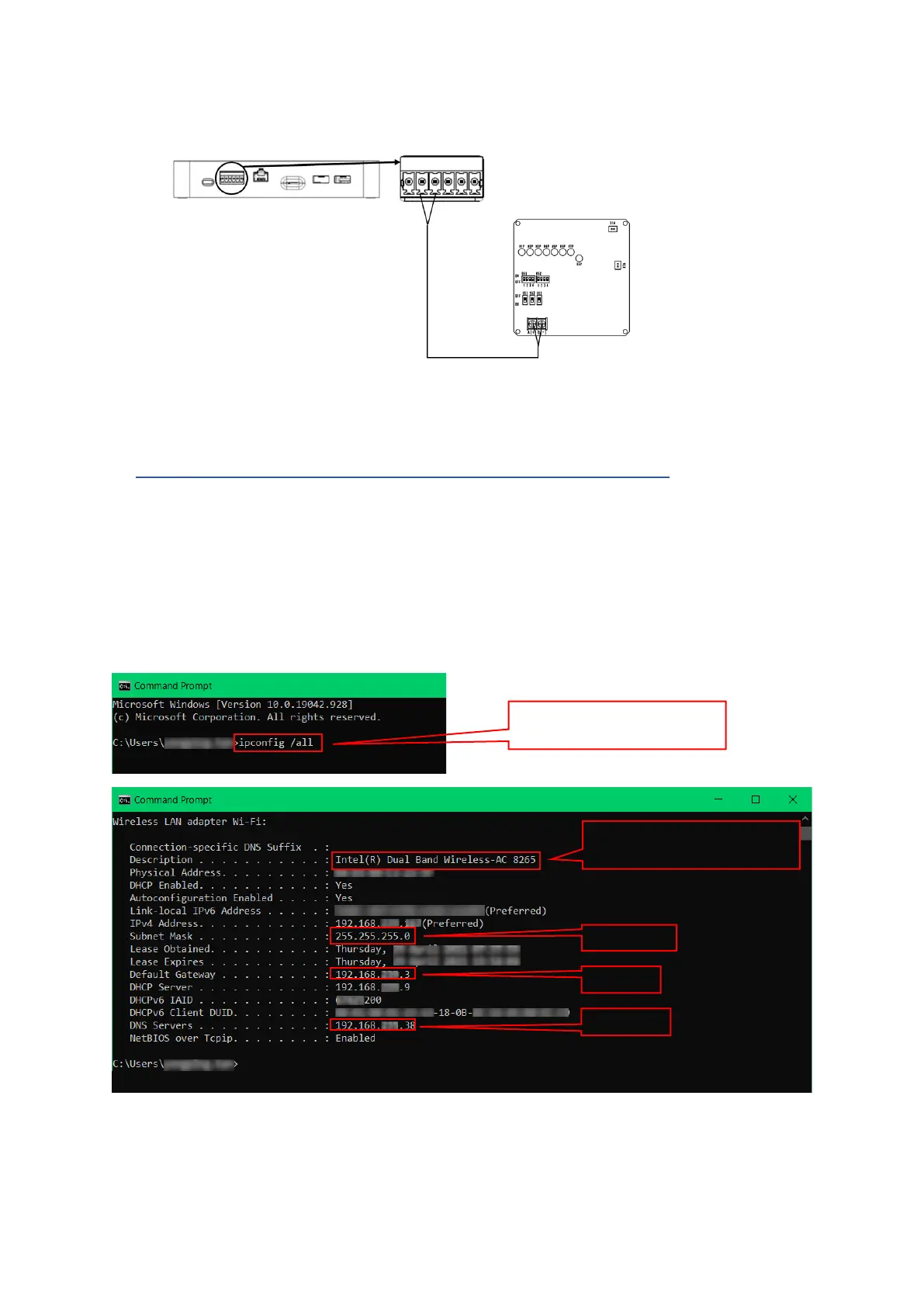
In Windows, run command prompt. At the command line, enter “ipconfig/all” and press enter.
Look for the connected device (WiFi adaptor card or Ethernet card) and record the details for
controller network settings. Example shows connection via WiFi so network settings will come from
the WiFi adaptor card.



 To Previous Page