DHOS-CS-IM-2107004D 24
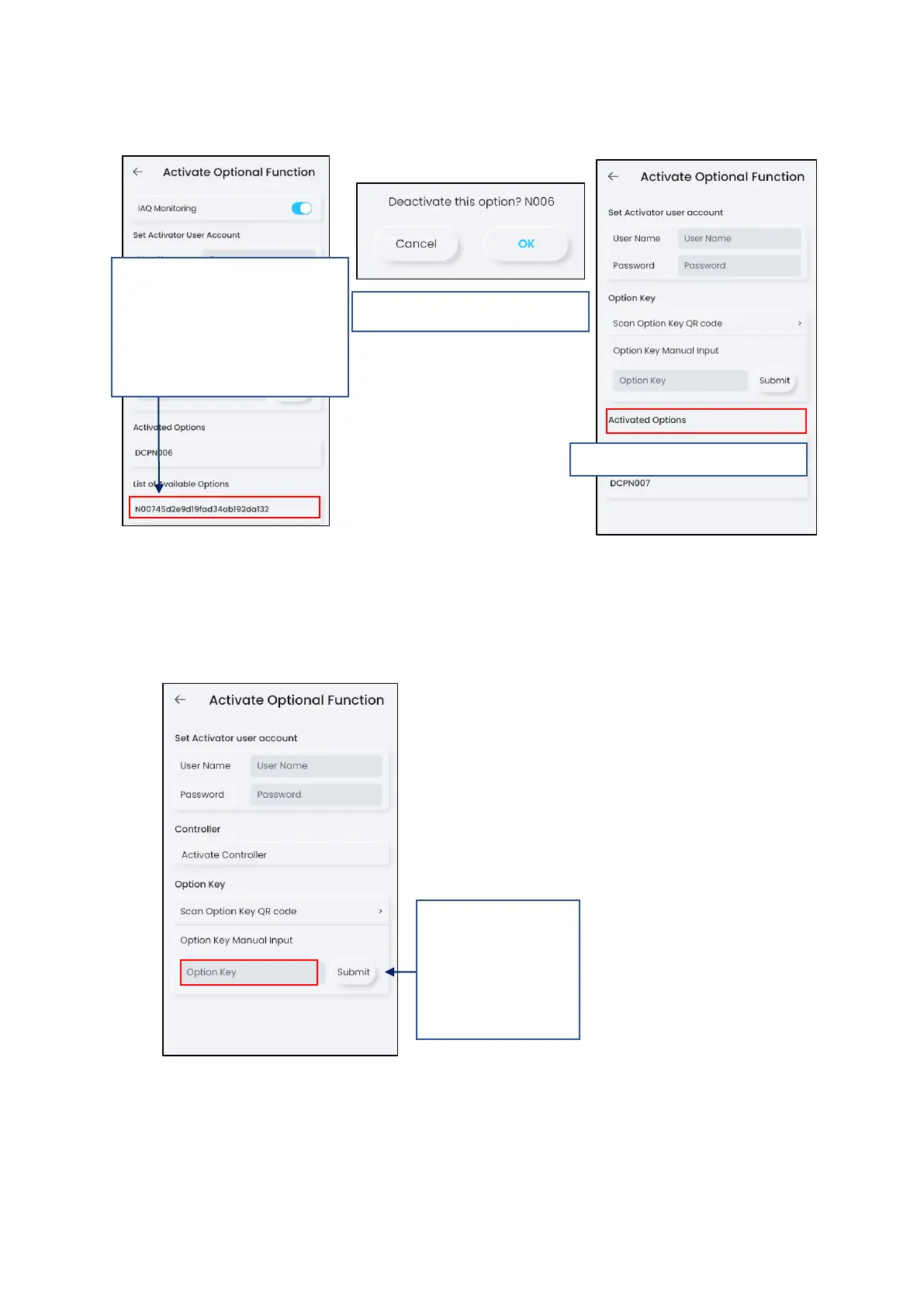
*NOTE: If same option is already activated or the option cannot be used for the controller,
the key will not be able to tap.
If QR code is unable to be scanned, manual entry of code is available.
*NOTE: When a wrong option ID is activated, the activated option can be deactivated from
controller and the deactivated ID can be reused.
3. Upon successful scan of the QR
code, the software ID will be listed
in the “List of Options Available”.
Tap the ID to activate onto the
controller.



 To Next Page