ESIE17-19C | Part 5. Appendix 5.1. Field setting
Optimized Heating 4
19/08/19 | Version 1.1 Page 103
5.1. Field setting
5.1.1. Indoor unit
5.1.1.1. How to activate fireplace logic
5.1.1.2. Only for FTXTA-A
5.1.1.2.1 To control heating mode only
Prerequisite: Stop operation of the unit.
1. Press , and simultaneously.
2. Press .
3. Select SU.
4. Press to confirm.
5. Press .
6. Select 19.
7. Press to confirm.
8. Press .
9. Select 1 (0: factory setting, 1: heating only).
10. Press to confirm.
5.1.1.2.2 To adjust target set temperature in heating operation
Target temperature= remote controller set temperature + 2.5°C.
For example:
Remote controller set temperature= 20°C
Target temperature= 20°C + 2.5°C= 22.5°C
Thermo off temperature= 24.5°C
1. Press , and simultaneously.
2. Press .
3. Select SU.
4. Press to confirm.
5. Press .
6. Select 7.
7. Press to confirm.
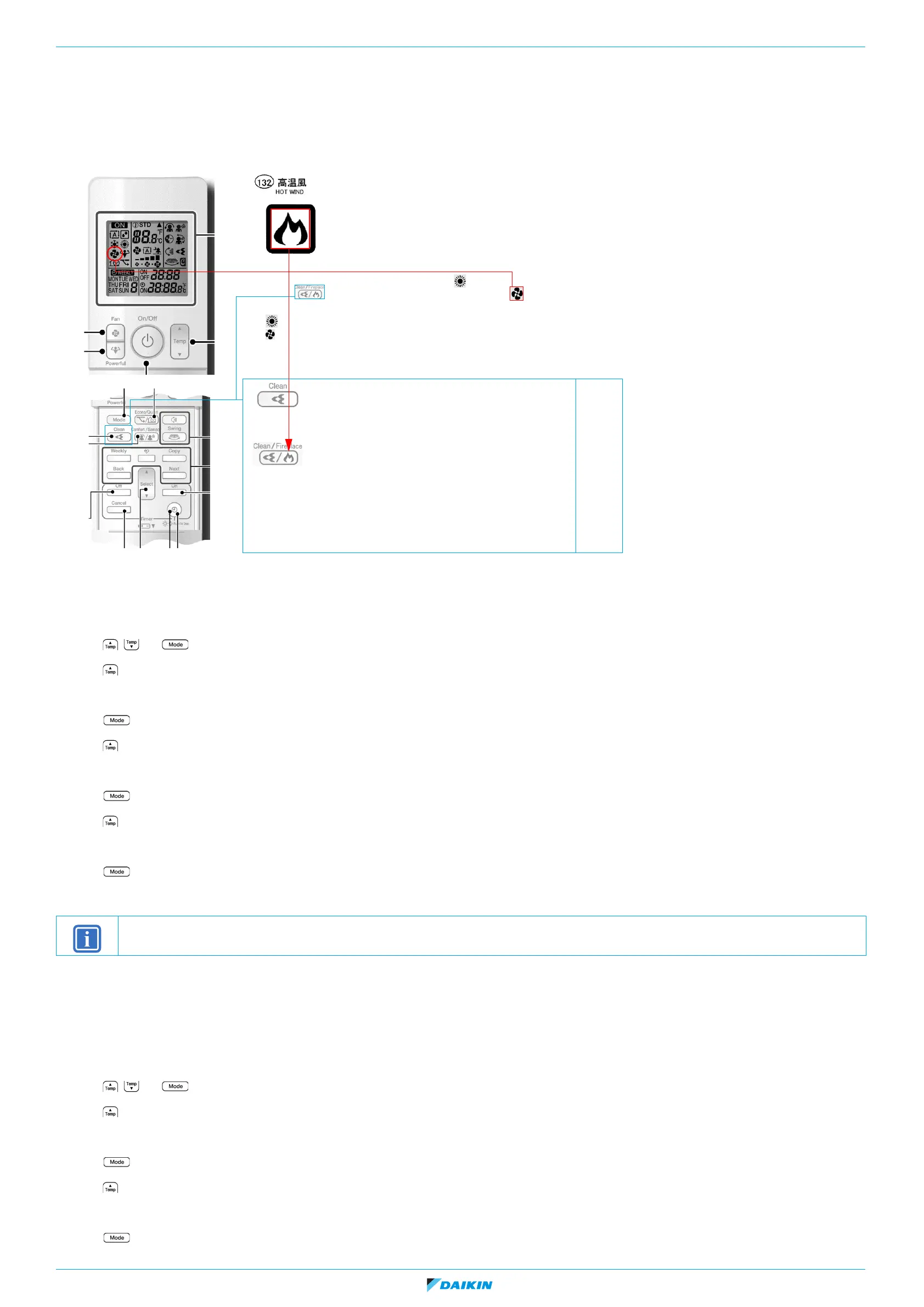
For symbol use 'hot wind' without the frame.
How to activate ‘fireplace logic’:
1. Set unit to heating mode - symbol for heating on display light continuously.
2. Set by button ‘fireplace function’
→ symbol for fan will start light continuously, it indicates on R/C active fire place logic.
So active ‘fireplace logic’ on R/C is indicate by:
• heating symbol continuously light
• fan symbol continuously light
Original button:
• 1
st
push - streamer activated
• 2
nd
push - streamer deactivated
New proposal of button:
• 1
st
push - only streamer activated
• 2
nd
push - only fireplace logic activated
• 3
rd
push - streamer and fireplace logic activated
• 4
th
push - streamer and fireplace deactivated
New proposal for streamer / fireplace
button, caption.
INFORMATION
When there is a big difference between the indoor room temperature and the set temperature in heating mode, adjust the target set temperature field setting.















 To Next Page