22
English
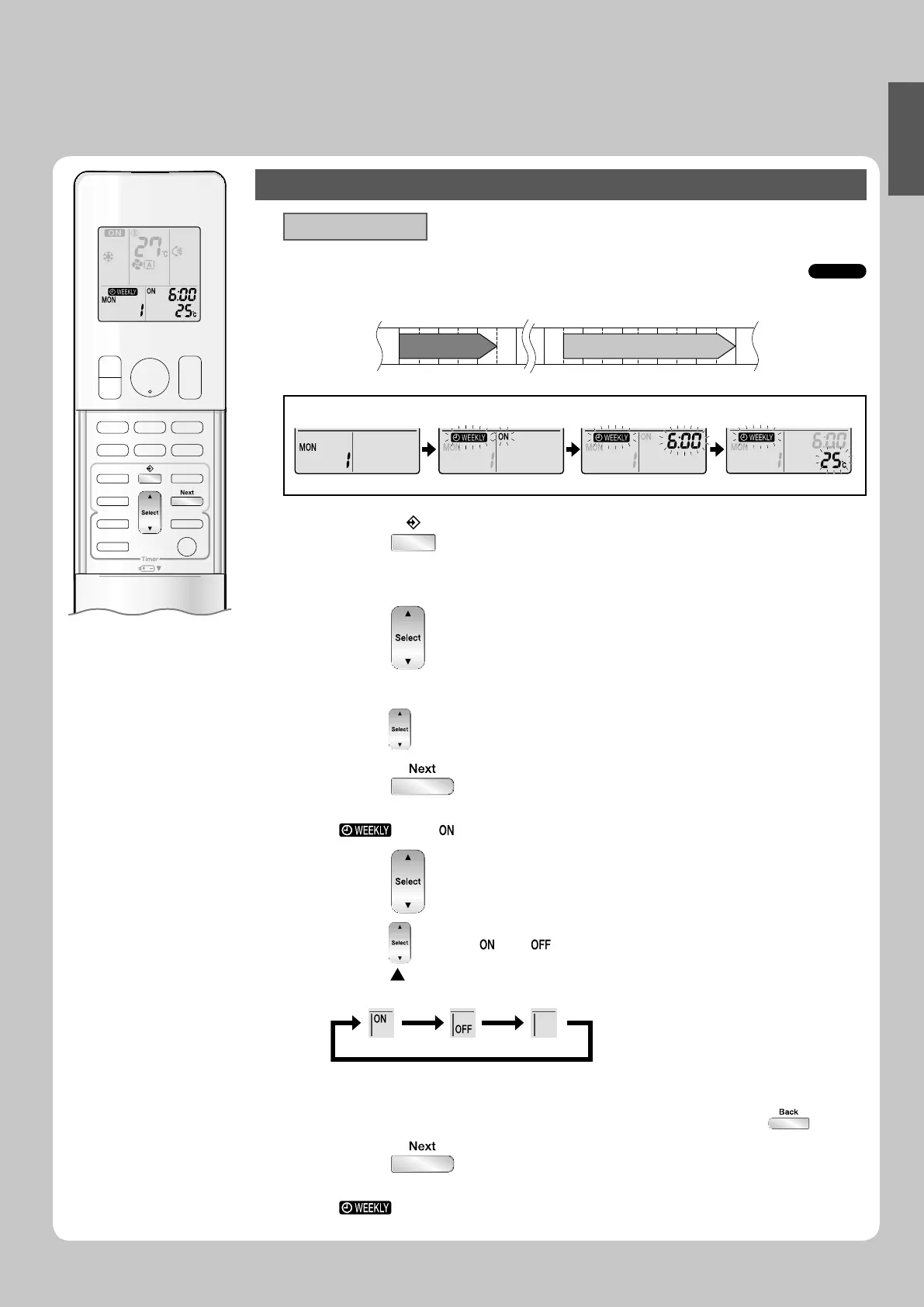
To use WEEKLY TIMER operation
Setting mode
Make sure the day of the week and time are set. If not, set the day of the week and time. •
Page 10
►
6:00 8:30 17:30 22:00
25°C 27°C
Program 1 Program 2 Program 3 Program 4
ON OFF ON OFF
[Monday]
Setting Displays
Day and number ON/OFF Time Temperature
Press 1. .
The day of the week and the reservation number of the current day will be displayed.•
1 to 4 settings can be made per day. •
Press 2. to select the desired day of the week
and reservation number.
Pressing • changes the reservation number and the day of the week.
Press 3. .
The day of the week and reservation number will be set.•
“ •
” and “ ” blink.
Press 4. to select the desired mode.
Pressing • changes “ ” or “ ” setting in sequence.
Pressing
alternates the following items appearing on the LCD in rotational
sequence.
ON TIMER OFF TIMER blank
In case the reservation has already been set, selecting “blank” deletes the reservation. •
Go to step •
9 if “blank” is selected.
To return to the day of the week and reservation number setting, press • .
Press 5. .
The ON/OFF TIMER mode will be set. •
“ •
” and the time blink.
01_EN_3P276869-1A.indb 2201_EN_3P276869-1A.indb 22 8/8/2012 4:18:24 PM8/8/2012 4:18:24 PM







 To Next Page