14
English
Adjusting the Airfl ow Direction
and Rate
You can adjust the airfl ow direction to increase your comfort.
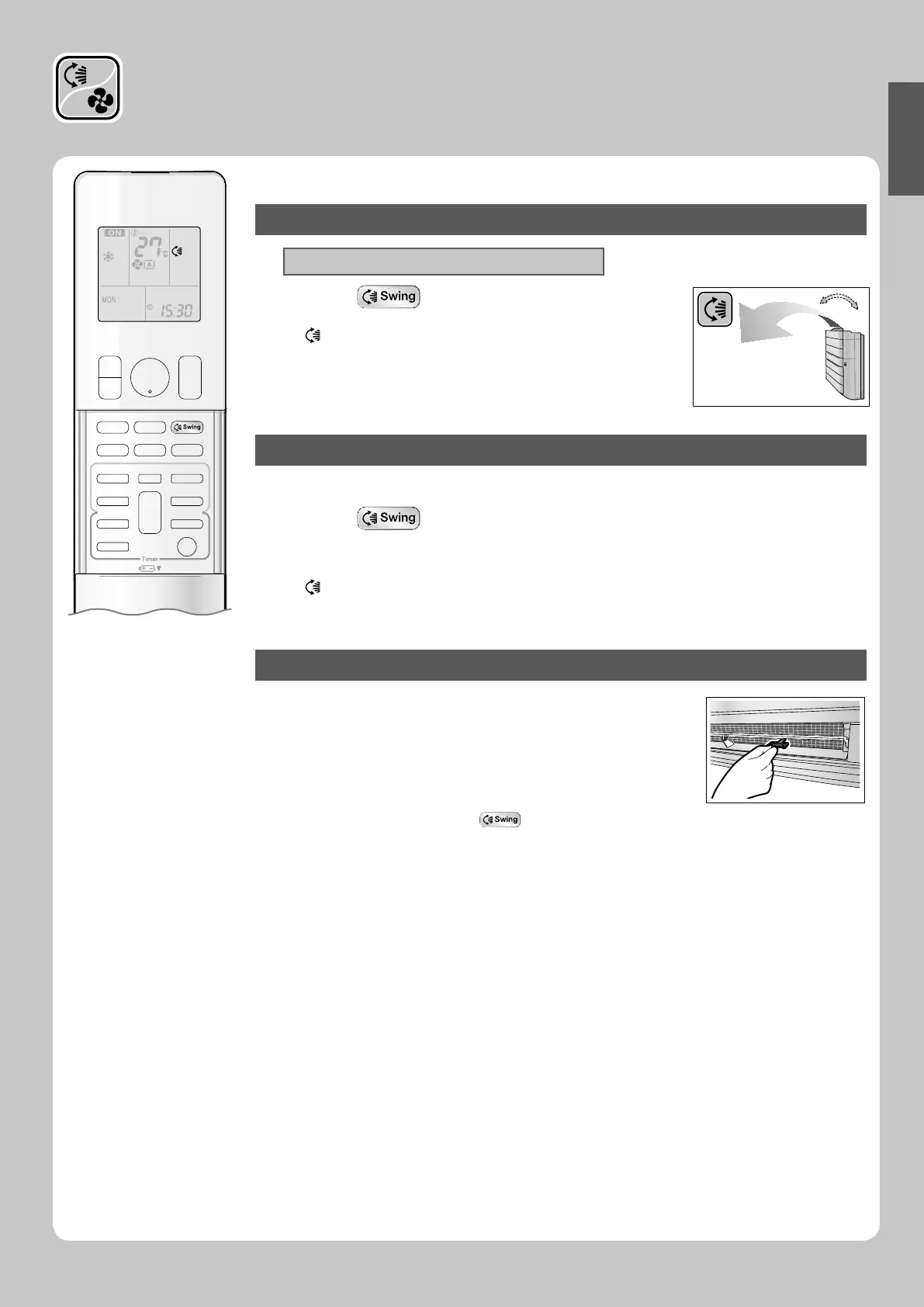
To start auto swing
Upper and lower airfl ow direction
Press .
“ • ” is displayed on the LCD.
The fl ap (horizontal blade) will begin to swing. •
To set the fl ap at desired position
This function is effective while fl ap is in auto swing mode.•
Press when the fl ap has reached the
desired position.
“ • ” disappears from the LCD.
To adjust the louvers at desired position
Hold the knob and move the louvers.
You will fi nd a knob on the left-side and the right-side blades.•
When the unit is installed in the corner of a room, the direction •
of the louvers (vertical blades) should be facing away from the
wall.
If they face the wall, the wall will block off the wind, causing the
cooling (or heating) effi ciency to drop.
If the fl ap is in the way, press •
on the remote controller to
move the fl ap out of the way and then adjust the louvers.
01_EN_3P276869-1A.indb 1401_EN_3P276869-1A.indb 14 8/8/2012 4:18:16 PM8/8/2012 4:18:16 PM






 To Next Page