26
English
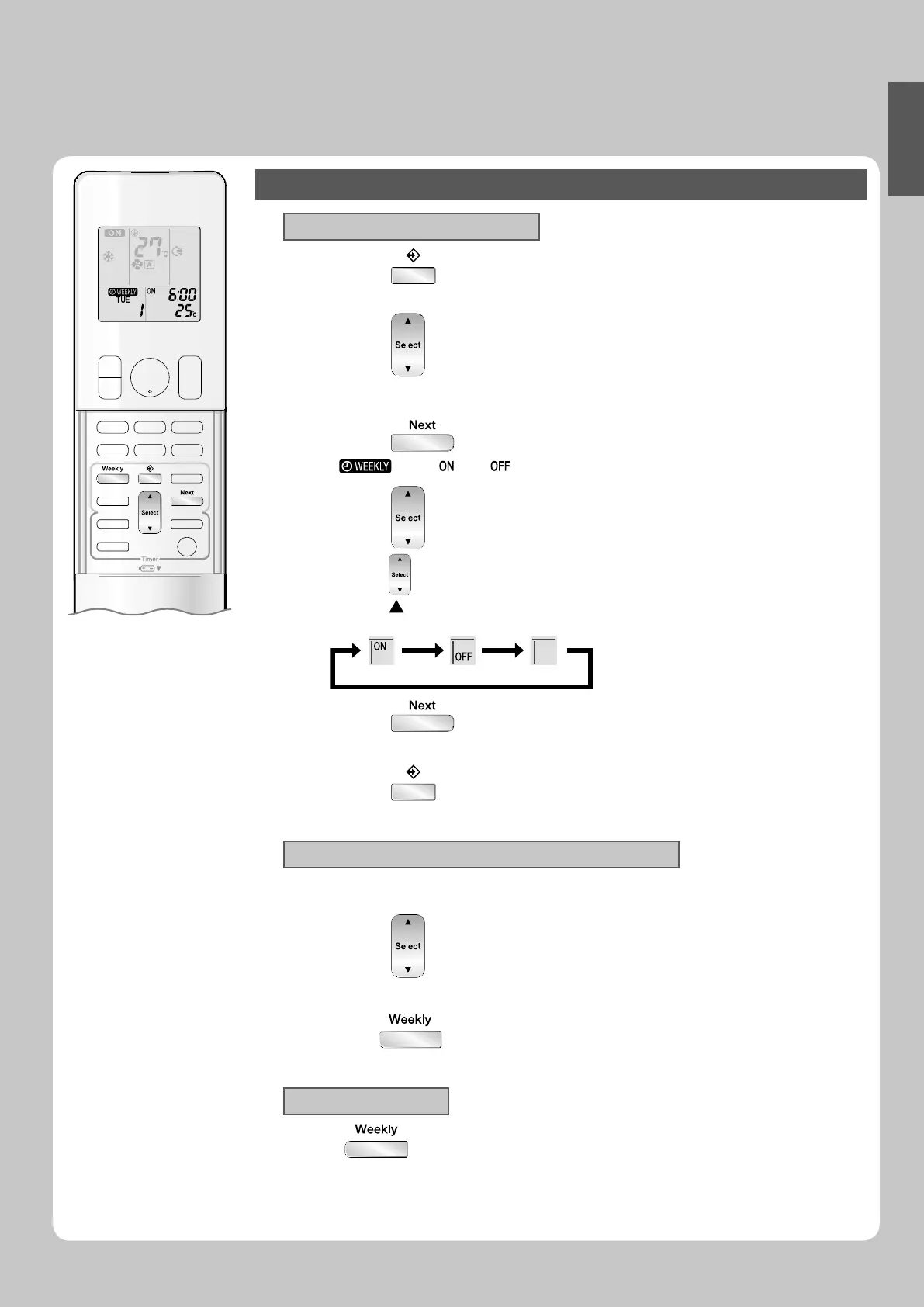
To delete reservations
The individual reservation
Press 1. .
The day of the week and the reservation number will be displayed.•
Press 2. to select the day of the week and the
reservation number to be deleted.
Press
3. .
“ • ” and “ ” or “ ” blink.
Press 4. and select “ blank ”.
Pressing • changes ON/OFF TIMER mode.
Pressing alternates the following items appearing on the LCD in rotational sequence.
The reservation will be no setting with selecting “blank”.•
Press 5. .
The selected reservation will be deleted.•
Press 6. .
If there are still other reservations, WEEKLY TIMER operation will be activated.•
The reservations for each day of the week
This function can be used for deleting reservations for each day of the week.•
It can be used while conf irming or setting reservations.•
Press 1. to select the day of the week to be
deleted.
Hold
2. for 5 seconds.
The reservation of the selected day of the week will be deleted.•
All reservations
Hold for 5 seconds while normal display.
Be sure to direct the remote controller toward the indoor unit and check for a receiving tone.
•
This operation is not effective while WEEKLY TIMER is being set.•
All reservations will be deleted.•
01_EN_3P276869-1A.indb 2601_EN_3P276869-1A.indb 26 8/8/2012 4:18:29 PM8/8/2012 4:18:29 PM






 To Next Page