Need help?
Do you have a question about the Daikin Madoka BRC1H519W7 and is the answer not in the manual?
Details the purpose and audience of this installer and user reference guide.
Explains the meaning of safety warnings, caution notices, and information symbols used.
Provides a brief overview of the content and structure of the manual.
Crucial safety instructions for installers regarding installation and wiring.
Important safety guidelines for users concerning operation and maintenance.
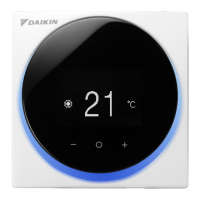
Details the function of each button on the Madoka wired remote controller.
Lists and describes the various status icons displayed on the controller screen.
Explains the behavior and function of the controller's status indicator light.
Covers fundamental controller operations like home screen and main menu navigation.
Describes available operation modes (Cooling, Heating, Fan Only, Dry, etc.) and how to set them.
Details how to set and understand temperature setpoints for different operation modes.
Instructions for setting the date and time on the remote controller.
Covers settings for airflow direction and fan speed for optimal comfort.
Explains ventilation modes and rates for heat reclaim ventilation units.
Information on advanced operations typically handled by the Madoka Assistant app.
General information on system maintenance, service, and warning indicators.
Guidance on identifying and resolving system errors and malfunctions.
Procedure for responding to and stopping refrigerant leak alarms.
Instructions for unpacking the controller and its accessories from the box.
Specifies the necessary requirements and standards for controller wiring.
Outlines the stages involved in installing the remote controller.
Steps and considerations for physically mounting the controller's rear casing.
Detailed instructions and precautions for connecting the controller's electrical wiring.
Procedure and safety notes for closing the controller after installation.
Instructions and precautions for safely opening the controller for access.
Information on how the controller is designated as master or slave.
Details the function of each button on the Madoka wired remote controller.
Lists and describes the various status icons displayed on the controller screen.
Explains the behavior and function of the controller's status indicator light.
Covers fundamental controller operations like home screen and main menu navigation.
Describes available operation modes (Cooling, Heating, Fan Only, Dry, etc.) and how to set them.
Details how to set and understand temperature setpoints for different operation modes.
Instructions for setting the date and time on the remote controller.
Covers settings for airflow direction and fan speed for optimal comfort.
Explains ventilation modes and rates for heat reclaim ventilation units.
Information on advanced operations typically handled by the Madoka Assistant app.
Access to advanced settings and configurations for installers.
Procedures for updating the controller's firmware via app or tool.
Introduction to the Madoka Assistant app's capabilities and features.
Steps to pair the Madoka Assistant app with the remote controller via Bluetooth.
Defines different user access levels (Basic, Advanced, Installer) for app functionality.
Allows trying out app functions in a simulated safe environment.
Overview of all available functions and settings accessible through the app.
Critical safety warnings and procedures before performing maintenance.
Information on how the controller indicates maintenance needs and displays warnings.
Procedure for clearing warning screens after maintenance is completed.
Instructions on how to clean the exterior of the remote controller.
Guidance on identifying and responding to indoor unit error codes.
Illustrations showing typical system wiring and connection layouts.
 General
| Brand | Daikin |
|---|---|
| Model | Madoka BRC1H519W7 |
| Category | Remote Control |
| Language | English |

 To Next Page