11
Useful Functions
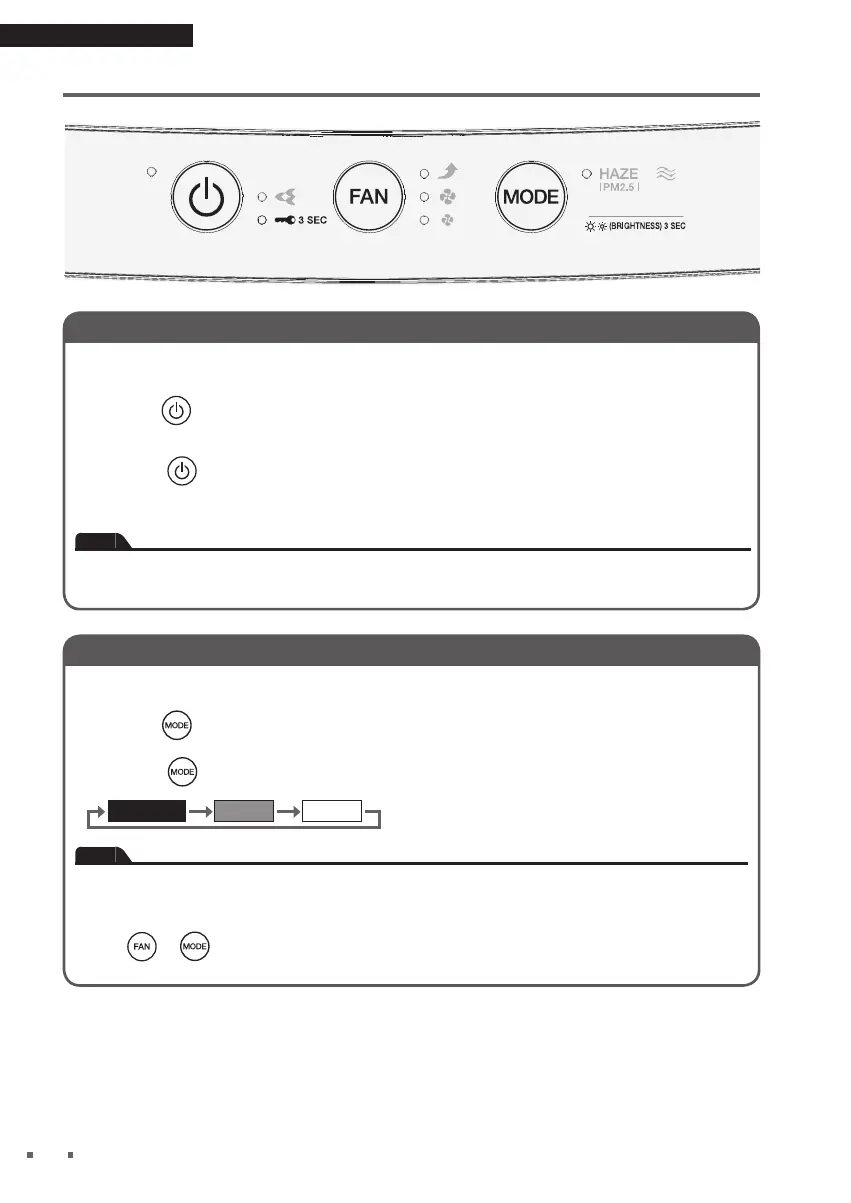
Adjusting Indicator Lamp Brightness
Indicator lamp brightness is adjustable.
Hold down for about 3 seconds.
• Hold down
for about 3 seconds again to cycle between settings.
Note
• This function is useful if the lamps bothers you during sleep hours etc.
• The ON-OFF lamp does not turn off even if the brightness is set to OFF.
These lamp will be set to DIM.
•
If the or
is pressed when brightness is set to OFF, brightness will change to DIM and
return to OFF after about 10 seconds.
Using the Child Proof Lock
Button operation is restricted preventing misoperation by small children.
Hold down
for about 3 seconds.
• Hold down
for about 3 seconds again to turn off Child Proof Lock.
• When Child Proof Lock is active, operations will be restricted. When any button is pressed,
only a tone (3 short beeps) will sound, preventing misoperation by small children.
Note
• If the unit is unplugged when Child Proof Lock is active, Child Proof Lock will turned off.
• The Child Proof Lock lamp [blue] lights up when the function is active.
Useful Functions
1-3P664947-1-OM-MC30YVM7-HAZE-DAIKIN_EN.indd 111-3P664947-1-OM-MC30YVM7-HAZE-DAIKIN_EN.indd 11 12/10/2021 3:18:30 PM12/10/2021 3:18:30 PM



 To Next Page