Streamer Output Settings
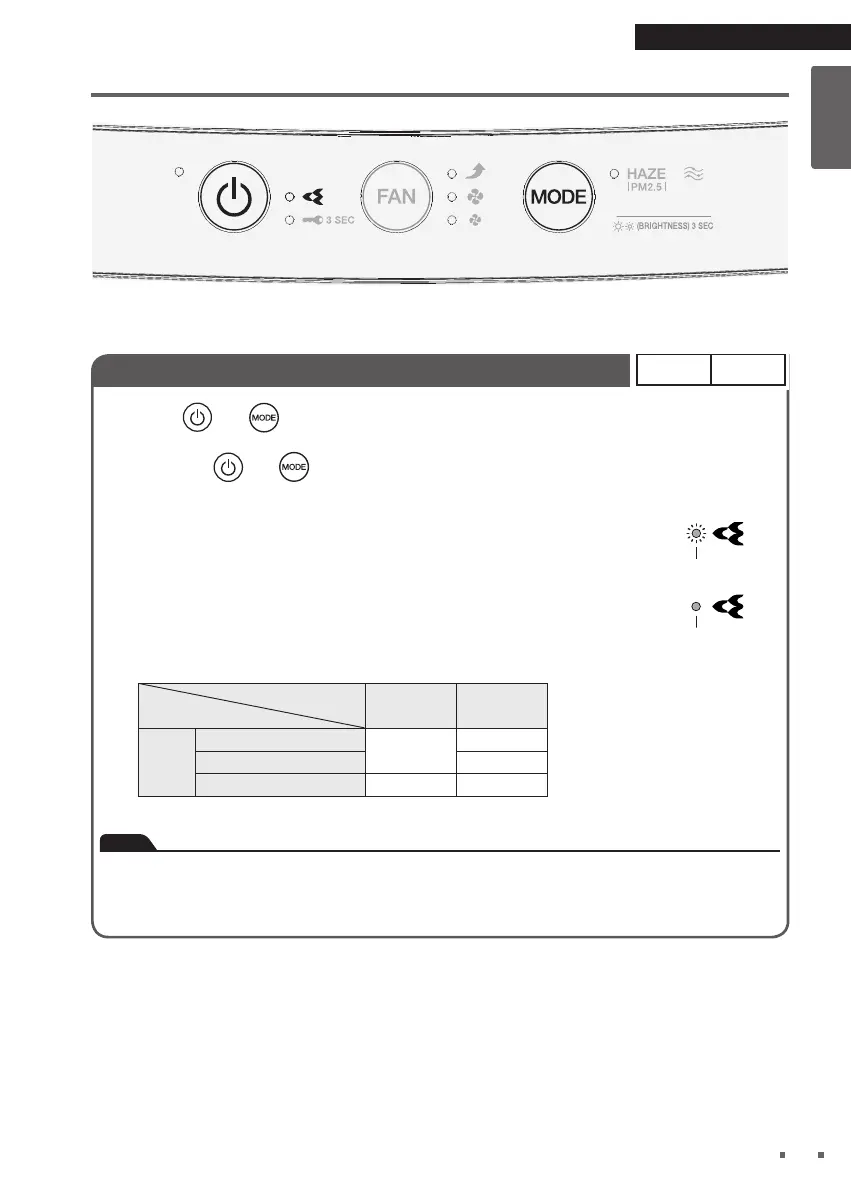
Hold down and for about 3 seconds with the power supply plug inserted and the
unit turned off.
• Each time
and
are held down for about 3 seconds, the setting switches between
Regular and Low.
[When the setting is changed to Low]
A short beep sounds and the Streamer lamp blinks for about 5 seconds.
[When the setting is changed to Regular]
A short beep sounds and the Streamer lamp lights up for about 5 seconds.
Operation status of Streamer
Streamer output setting
FAN setting
Regular Low
**The Streamer operation status
ON–OFF means that the Streamer
turns ON and OFF depending on
the time control.
FAN
Quiet
ON–OFF**
OFF
Standard ON–OFF**
Turbo ON ON
Note
• It is recommended that the Streamer be set to Regular as deodorising capacity is reduced
when set to Low.
• Settings are remembered even if the unit is unplugged.


 To Next Page