17
IM 1365-1
WWW.DAIKINAPPLIED.COM
FIRMWARE UPDATING PROCEDURE
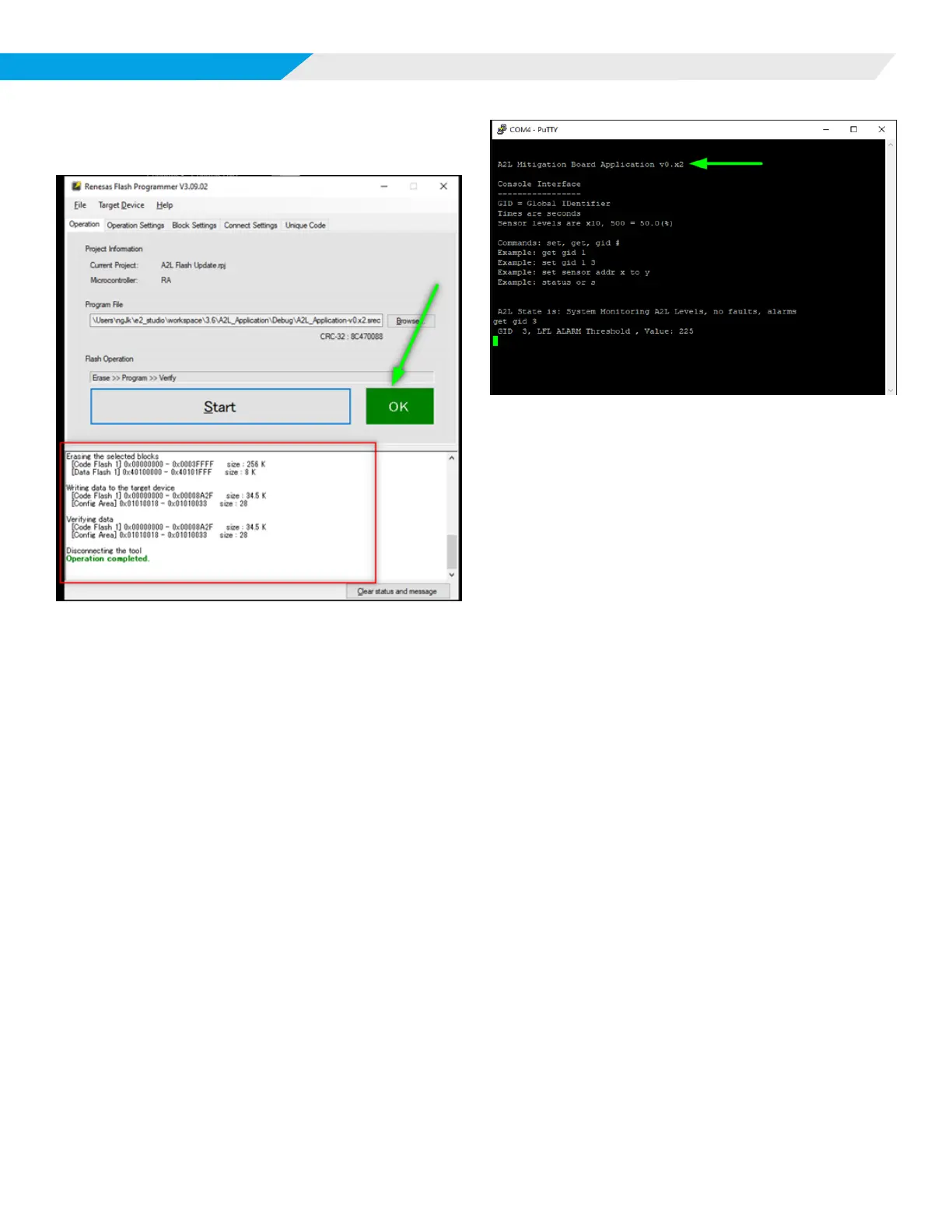
4. A successful programming operation will display as shown
in Figure 8.
Figure 8: Operation Complete Example
NOTE: If there is an “NG” for “no good” instead of OK, checks
include if the board is in BOOT mode and it has been
reset. The BCD display should be o.
Verify and Return to Normal Operation
1. Put the switch back in “RUN” and press the “RESET” again
to start the newly programmed rmware.
2. Close the Flash Programmer and start a console interface
such as “PUTTY”.
3. Press enter and the newly revised rmware should respond
with the proper version of rmware just loaded as shown in
Figure 3.
Figure 9: Com4 - PuTTY Example













 To Next Page