FIRMWARE UPDATING PROCEDURE
MT6210 A2L MITIGATION CONTROLDAIKIN APPLIED
16
Firmware Updating Procedure
Renesas Flash Programmer
The MT6210 has the Renesas RA2L1 microcontroller which has
an embedded bootloader to allow updating functional rmware
over a serial interface. This bootloader interface uses serial
channel 9 (SCI-9). The mode switch and mode button are used
together to invoke the bootloader interface functionality.
1. Install the Renesas Flash Programmer
The programmer can be downloaded from Renesas:
https://www.renesas.com/us/en/software-tool/renesas-
ash-programmer-programming-gui
2. Download the programmer to your computer, unzip and
install.
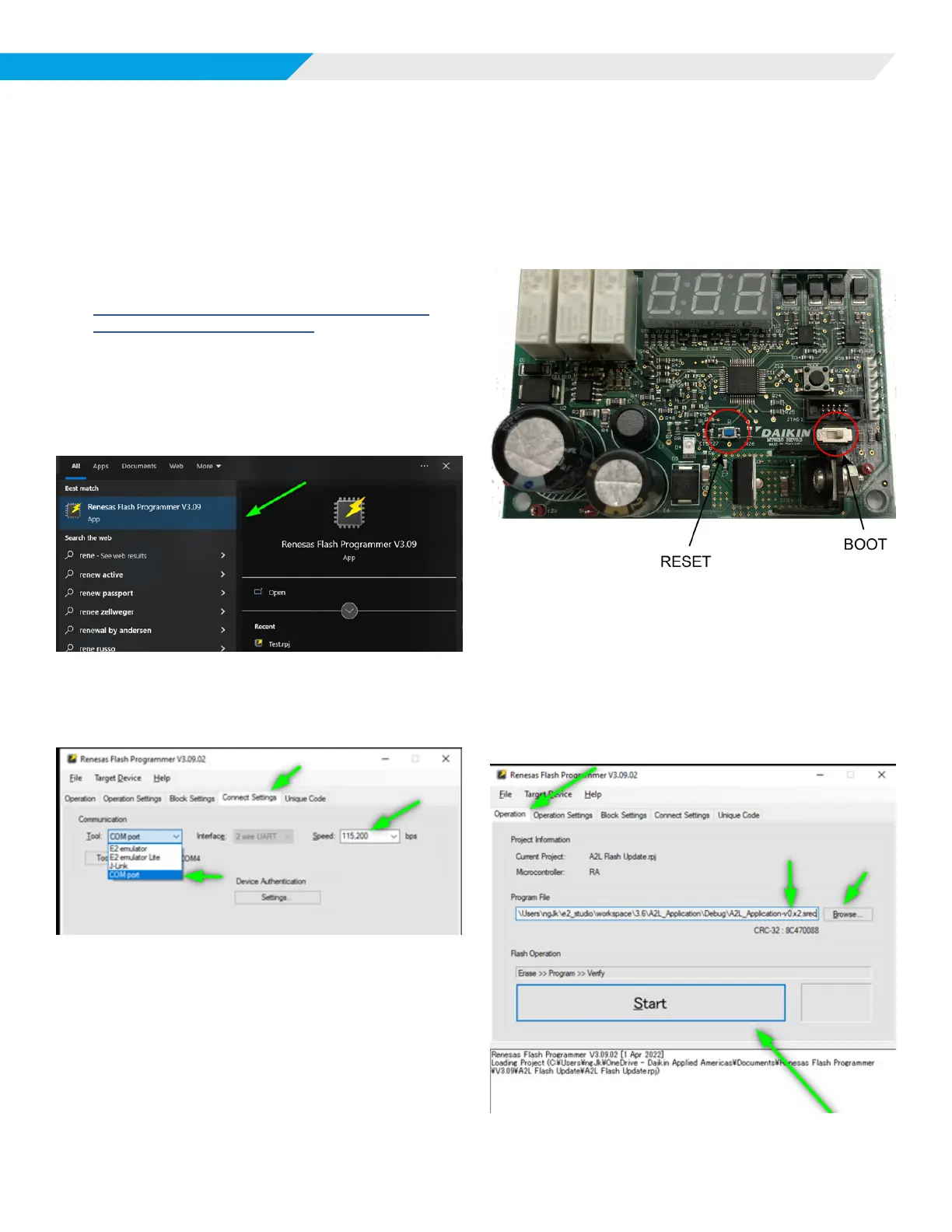
3. Start the Renesas Flash Programmer:
Start->Renesas Flash Programmer
Figure 4: Renesas Flash Programmer Screen
4. Select the Connect Settings
Select the COM port and Speed settings shown.
Figure 5: Connect Settings Screen
Programming
Updating the rmware is accomplished with the following steps:
1. Connect the 6-pin serial cable with the FTDI to USB
interface to the board.
2. Set the mode switch to “BOOT”, then press the “RESET”
button.
Figure 6: BOOT and RESET Buttons
3. Initiate the programmer.
Select the Operation tab of the Renesas Flash
Programmer.
Select the programming le, type “srec”.
Press the Start button.
The programming sequence will commence.
Figure 7: Operation Tab













 To Next Page