7
OPERATIONOPERATION
Cooling · Heating · Fan Operation
Thisoperationmanualdescribestheexplanationforacaseinwhichthewiredremotecontrollerisused.
Whenusingthewirelessremotecontroller,refertotheattachedoperationmanual.
• Changeover cannot be made with a remote controller whose display shows “ ” (changeover under master
control).
• When the display “ ” (changeover under master control) ashes, refer to page 12.
• For protecting the mechanism, supply the power for 6 hours at rst, then operate the air conditioner.
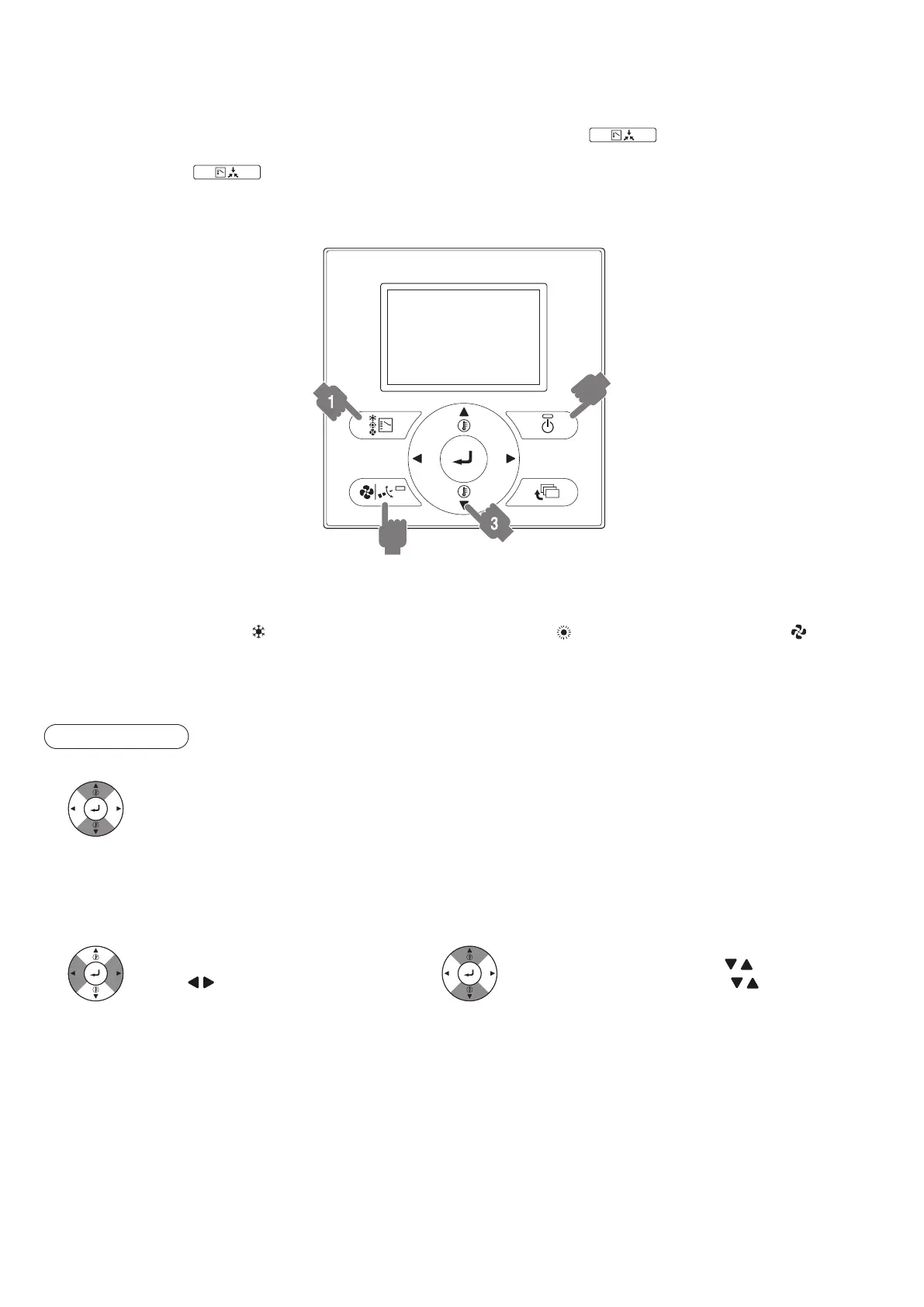
BRC1E62
2
4,5
1. Pressmodeselectorbuttonseveraltimesandselecttheoperationmodeofyourchoiceasfollows.
Cooling Operation.......“
”
Heating Operation.......“
”
Fan Operation......“
”
2. PressON/OFFbutton.
Operation lamp lights up and the system starts operation.
ADJUSTMENT
3. Presstemperaturesettingbuttonandprogramthesettingtemperature.
Each time this button is pressed,
the temperature setting rises or lowers 1°C.
NOTE:
• Set the temperature within the operation range shown in the table on page 6.
• The temperature cannot be set in the fan operation.
4,5.Pressairowsettingbutton.
To select air level or direction setting,
press “ ” buttons.
• With air level selected, use “ ” buttons.
• With direction selected, use “ ” buttons.
NOTE:
• In the heating operation, the fan stops during defrosting or at start up. It does not indicate any abnormality.
• Refer to page 10 for airow direction adjust (only for FXCQ, FXFQ, FXHQ, FXAQ).
01_EN_3P344160-13U.indd 7 06-Oct-20 2:42:05 PM



 To Next Page