10
OPERATION
AdjustingtheAirowDirection
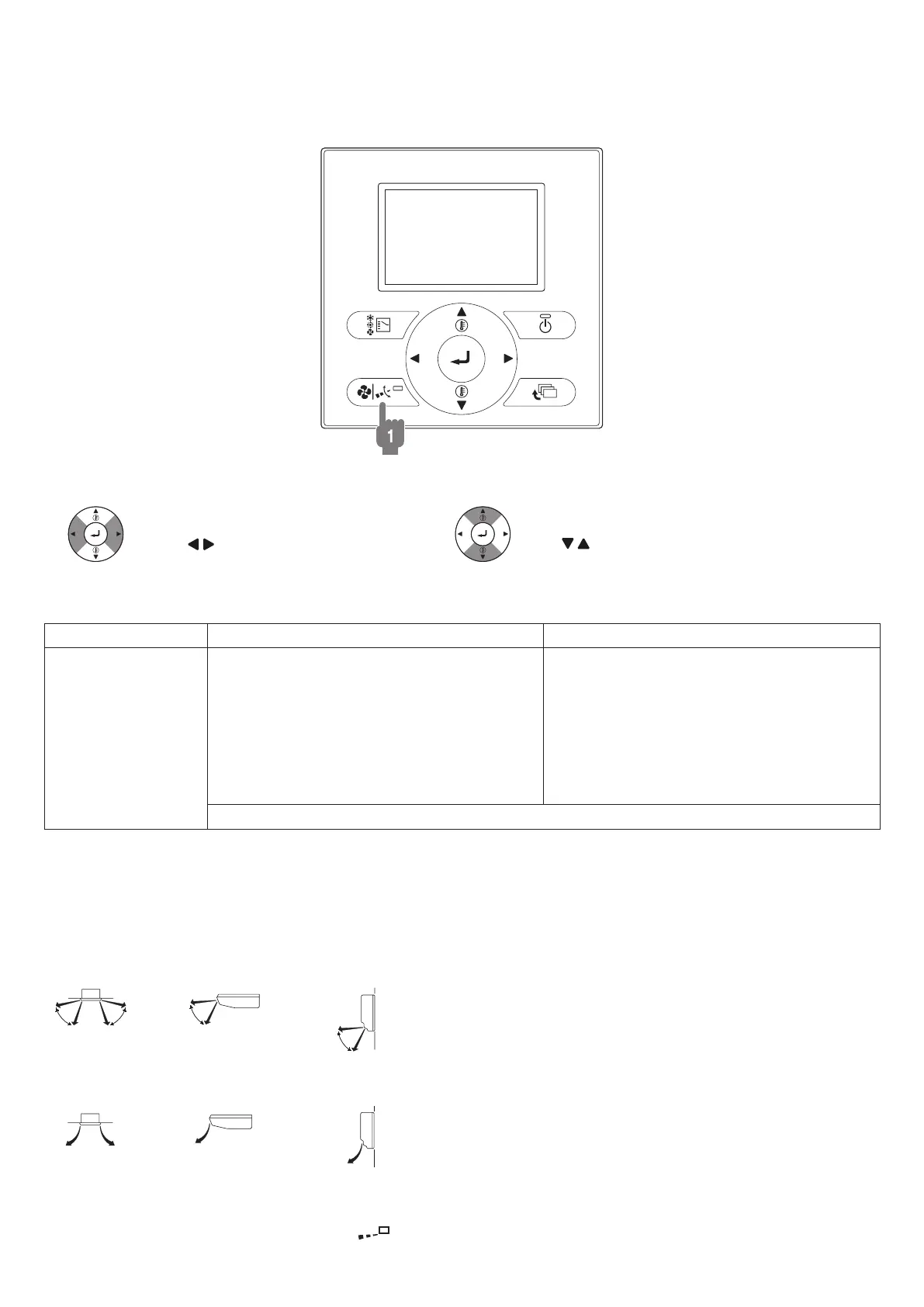
• Press the airow setting button to adjust the airow angle. (only for FXCQ, FXFQ, FXHQ, FXAQ)
BRC1E62
1. Pressairowsettingbutton
To select air level or direction setting,
press “ ” buttons.
With direction selected,
use “ ” buttons.
Movementoftheairowap
For the following conditions, microcomputer controls the airow direction so it may be different from the display.
Operationmode Cooling Heating
Operation conditions
• When room temperature is lower than the set
temperature
• When continuous operation with downward
airow is performed at the time of cooling
with a ceiling-suspended or a wall-mounted
unit, the microcomputer may control the ow
direction, and then the user interface
indication will also change.
• When room temperature is higher than the
set temperature
• At defrost operation
• When operating continuously at horizontal airow direction
The airow direction can be adjusted in either of the following ways.
• Automatic
The airow ap adjusts its position itself.
• Fixed airow direction
The airow direction can be xed by the user.
<Automatic>
FXCQ, FXFQ
FXHQ
FXAQ
<Fixedairowdirection>
FXCQ, FXFQ
FXHQ
FXAQ
ATTENTION:
•
The movable limit of the ap is changeable. Contact your Daikin dealer for details. (Only for FXCQ, FXFQ, FXHQ and FXAQ.)
• Avoid operating in the horizontal direction “ ” which may cause dew or dust to settle on ceiling.
01_EN_3P344160-13U.indd 10 06-Oct-20 2:42:05 PM



 To Next Page