16
TROUBLE SHOOTING
Checkthefollowingbeforerequesting
service
Symptom Action and contact
Safety equipment such as fuses, circuit
breakers, leakage breaker, etc. are set
off occasionally.
Do not set power switch to on.
Operating switch function is not secure. Set power switch to off.
Water leaks from the air conditioner. Stop operation.
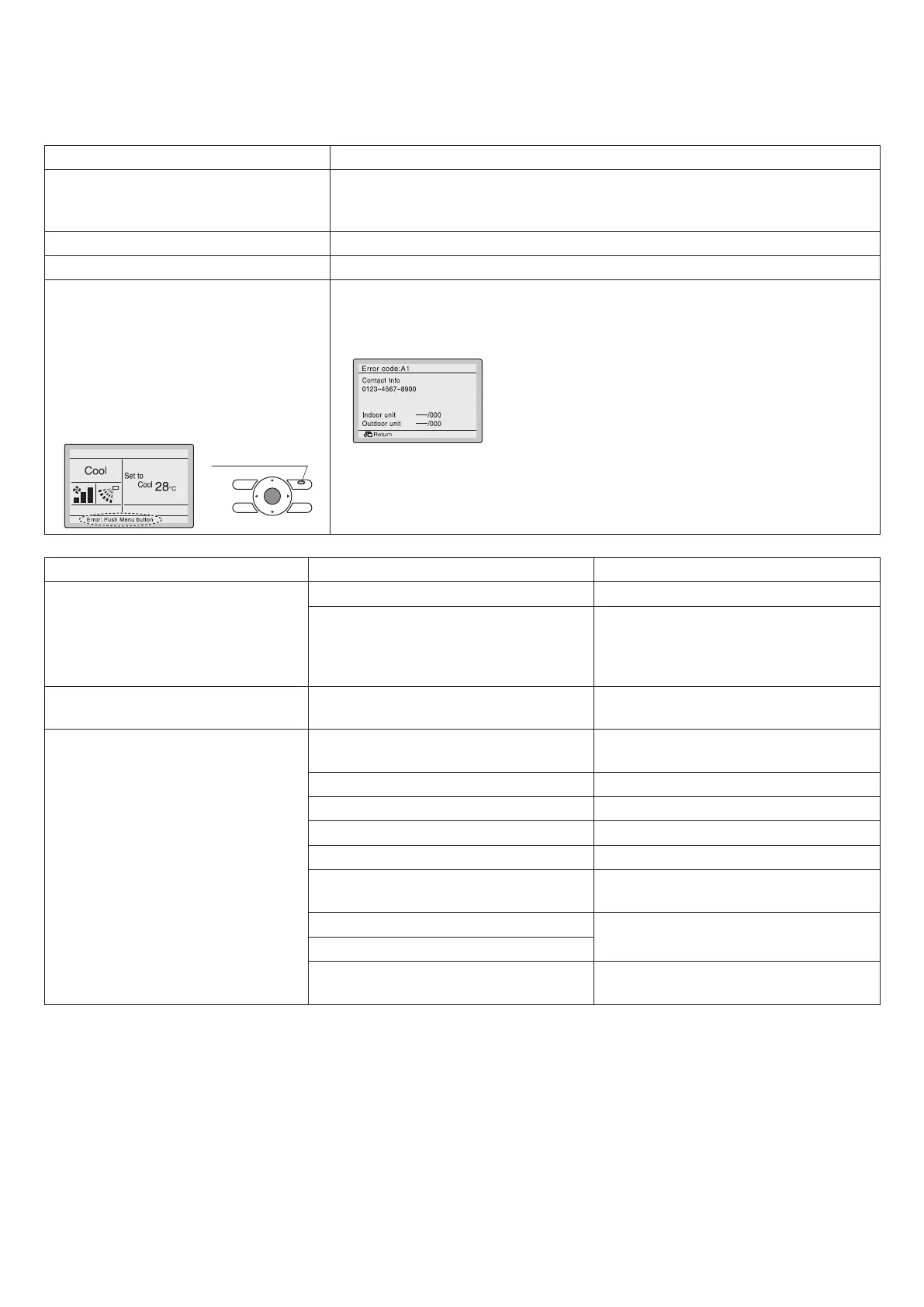
• If a malfunction occurs, either one of
the following messages will appear on
the Basic screen during operation.
“Error: Push Menu button.”
* The Operation lamp will blink.
“Warning: Push Menu button.”
* The Operation lamp will not blink.
Return Setting
Operation lamp
• Press Menu/Enter button.
• The Error code blinks and the contact address and model name will appear.
• Notify your local dealer of the Error code and Model name.
Symptom Cause Remedy
Themachinedoesnotworkatall. Blown fuse or open breaker Replace the fuse or close the breaker.
Power outage If the main power supply is turned off
during operation, operation will restart
automatically after power turns back
again.
Themachinerunsbutstops
soon.
Blocked air inlet or air outlet of the
indoor or outdoor unit
Remove the obstacle.
Themachinedoesnotwork
properly.
Blocked air inlet or air outlet of indoor
or outdoor unit
Remove the obstacle.
Improper temperature setting See page 7.
Low fan speed setting See page 7.
Improper airow direction
See page 10.
Window or door open Close.
Direct sunshine Put up a curtain or blind over the
window.
Too many people in the room
–
Too many heat sources in the room
If the air lter clogged. Refer to the instruction manual of the
indoor unit, and clean the air lter.
NOTE:
• Check the above items, and if the problem still cannot be xed, contact your dealer for repair, stating the symptom(s)
and the model name.
01_EN_3P344160-13U.indd 16 06-Oct-20 2:42:06 PM



 To Next Page