13
OPERATION
Howtodesignatethemasterremotecontroller
1. Press the mode selector button of the current master user interface for 4 seconds. In case this procedure was not yet
performed, the procedure can be executed on the rst user interface operated. The display showing
“ ” (changeover under master control) of all slave user interfaces connected to the same outdoor unit ashes.
2. Press the mode selector button of the controller that you wish to designate as the master user interface. Then
designation is completed.
This user interface is designated as the master user interface and the display showing “
” (changeover under
master control) vanishes. The displays of other user interfaces show “ ” (changeover under master control).
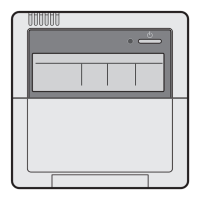
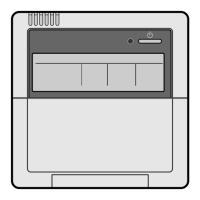
Inthecaseofwirelessremotecontrollers
1. Continuously press the
modeselector
buttonofthecurrentmasterindoorunitfor4seconds.
Thetimerlampashesinallindoorunitsconnectedtothesameoutdoorunit.
2.
Pressthemodeselectorbuttonoftheindoorunitthatyouwishtodesignateasthemasterindoorunit.
A“beep”soundisissued,andthetimerlampturnsoff.Thisindoorunitisdesignatedasthemasterunit.
3. Press the
modeselector
buttonofthemasterindoorunitseveraltimes,andselecttheoperationmodethatyou
wish.
Every time the mode selector button is pressed, the indication is changed over in the sequence “fan” → “dry” →
“cooling” → “heating”.
The indication in other slave indoor unit is changed over while following up the indication in the master indoor unit.
1. Whenmasterremotecontroller(inwhich“ ” is
not displayed) is set to “cooling” or “heating”
Otherslaveremotecontrollers(inwhich“ ” is
displayed)
• The operation mode is changed over to the mode
selected in the master remote controller.
Displayinslaveremotecontrollers
1. The set temperature selected in the same mode at the
previous time is displayed.
2. The initial setting is displayed.
(When the mode is set for the rst time.)
Cooling: 28°C Heating: 22°C
• However, changeover to the fan operation and
changeover from “cooling” to “dry” are available.
Inthecaseofwirelessremotecontrollers
When an operation mode different from the currently selected
operation mode is selected in a slave remote controller, a long
“beep” sound is issued to notify that the mode is in conict.
2. Whenmasterremotecontroller(inwhich
“ ” is not displayed) is set to “fan”.
Otherslaveremotecontrollers(inwhich
“ ” is displayed)
• Only “fan” is available.
PRECAUTIONSFORGROUPCONTROLSYSTEMORTWOREMOTECONTROLLERCONTROLSYSTEM
This system provides two other control systems beside individual control (one remote controller controls one indoor unit)
system. Conrm the following if your unit is of the following control system type.
• Groupcontrolsystem
One remote controller controls up to 16 indoor units. All indoor units are equally set.
• Tworemotecontrollercontrolsystem
Two remote controllers control one indoor unit (in case of group control system, one group of indoor units). The unit is
individually operated.
NOTE:
• Contact your Daikin dealer in case of changing the combination or setting of group control and two remote controller
control systems.
Contents and functions of operation
01_EN_3P344160-13U.indd 13 06-Oct-20 2:42:06 PM



 To Next Page