16
Operation
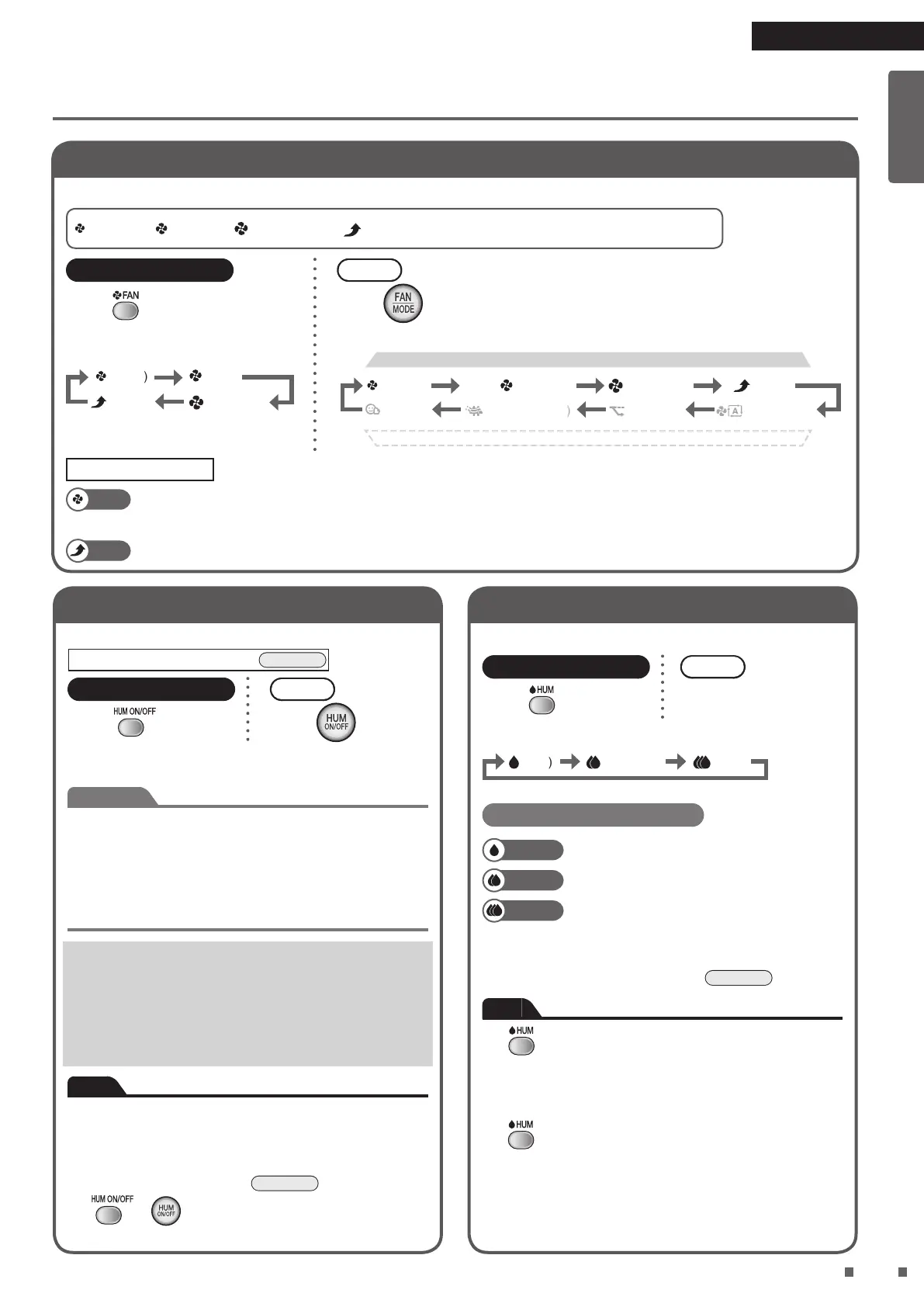
Changing the Airow Rate
Select the desired FAN setting.
: Quiet : Low : Standard : Turbo
*
*
*
* The size of the symbols varies in accordance
with the FAN setting.
Remote controller
Press
.
•
Each press cycles between the FAN
lamps [green].
(Quiet)
(Turbo)
(Low)
(Standard)
Unit
Press
.
• Each press cycles between the FAN lamps [green] and MODE lamps [green].
(Quiet)
(MOIST)
(Low)
(ANTI-POLLEN)
(Standard) (Turbo)
(ECONO) (AUTO FAN)
FAN
MODE
About FAN settings
Quiet
A gentle breeze is emitted. Recommended for use during sleep hours.
As the deodorising capacity is reduced, it is recommended that the FAN setting be set to Standard or above if
odour needs to be quickly eliminated from a room.
Turbo
The ambient air is quickly puried using a large airow. Recommended for use while you are cleaning up a room.
Using Humidifying and Air Purifying Operation
Humidies and cleans the air in the room.
Fill the water tank with water.
►
Page 13
Remote controller
Press
.
Unit
Press
.
• Press the button again to cancel the operation.
• The humidier ON/OFF lamp [orange] lights up.
Attention
Make sure that the humidifying lter unit is attached when using
this operation.
Be sure to use tap water for the water in the water tank.
Change the water in the humidifying tray and water tank everyday.
As leaving any residual water in the humidifying tray will lead to
bad odours and dirt build-up, be sure to discard any residual
water in the humidifying tray each time the water tank is relled.
• Air purication is always performed with
humidication.
(It is not possible to run the Humidifying operation
exclusively.)
• When the target humidity level is reached or the water
supply lamp lights up, the Humidifying operation stops.
However, the Air purifying operation continues.
Note
• Indoor temperature may fall when the Humidifying
operation is running.
• Burbling or splashing sounds may be generated when
the Humidifying operation is running, however, this is
normal (not a malfunction).
►
Page 32
•
If or is pressed when MOIST MODE is active, the
Humidifying operation stops and AUTO FAN MODE is activated.
Adjusting the Humidity
Select the desired humidity level.
Remote controller
Press
.
Unit
Cannot be set from unit.
• Each press cycles between the humidity lamps [green].
(Low) (Standard) (High)
About humidity settings
Low
Targets a humidity level of around 40%*.
Standard
Targets a humidity level of around 50%*.
High
Targets a humidity level of around 60%*.
*
Depending on room conditions such as indoor and outdoor
temperatures and humidity levels, the target humidity level
may be exceeded (or not reached).
►
Page 36
Note
• If
is pressed when the Humidifying operation is
OFF, the Humidifying operation turns ON.
• Humidity level cannot be selected when MOIST MODE
is active.
If
is pressed when MOIST MODE is active, MOIST
MODE stops and AUTO FAN MODE is activated.
Humidity level will be the level selected previously.
01_EN_3P595628-1B.indd 16 2020/04/17 15:49:04


 To Next Page
 Loading...