20
Advanced Settings
If the hissing sound generated by the streamer discharge or the odour of ozone
bothers you
*Setting at time of purchase
Streamer Output Settings
Setting procedures Remote controller
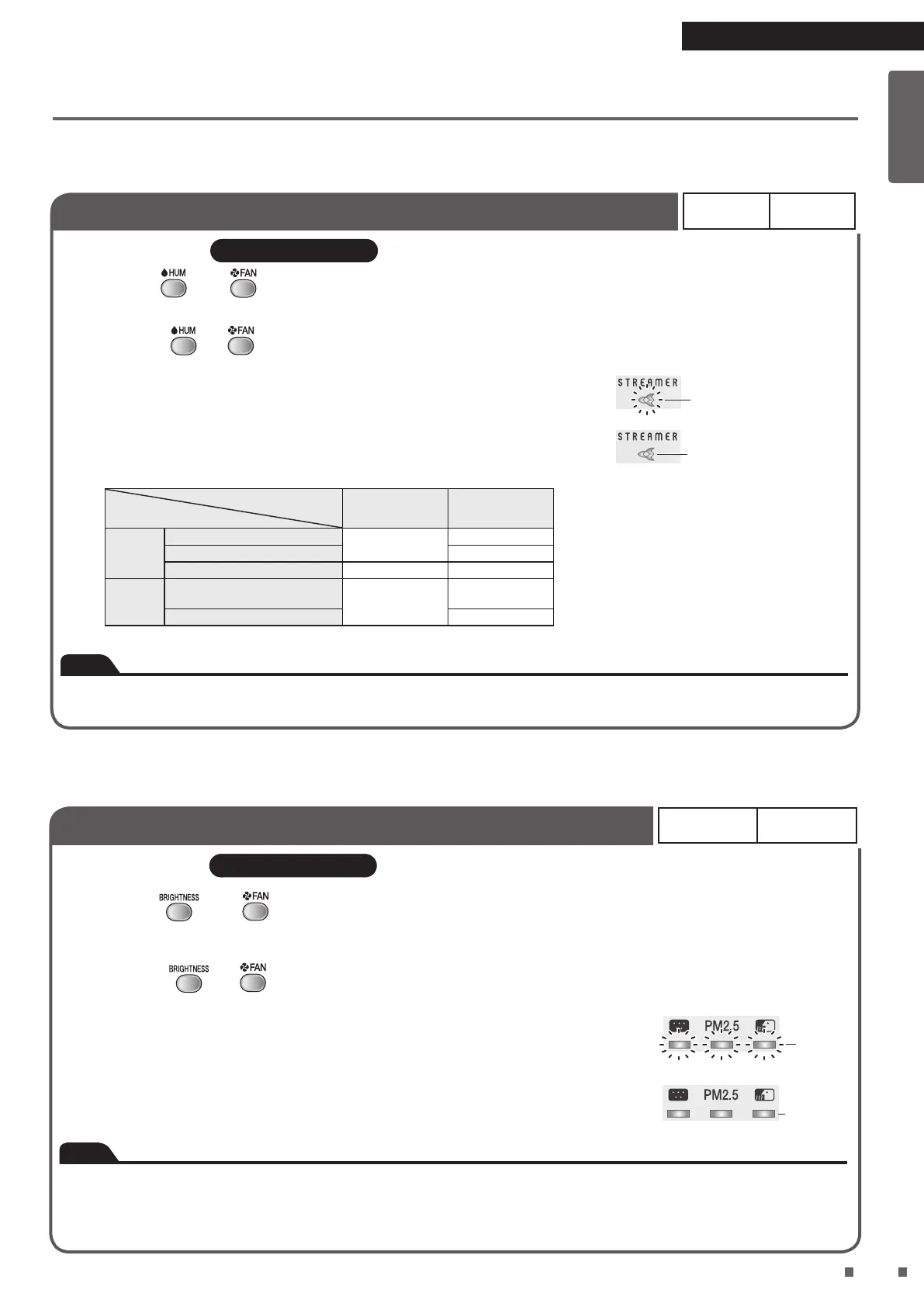
Hold down and for about 3 seconds with the power supply plug inserted and the
unit turned off.
• Each time and are held down for about 3 seconds, the setting switches between Regular and Low.
[When the setting is changed to Low]
A short beep sounds and the streamer lamp blinks for about 5 seconds.
[When the setting is changed to Regular]
A short beep sounds and the streamer lamp lights up for about 5 seconds.
Operation status of streamer
Regular Low
*The streamer operation status ON–OFF
means that the streamer turns ON and OFF
automatically depending on the degree of air
impurity and FAN setting.
FAN
Quiet, Low
ON–OFF*
OFF
Standard ON–OFF*
Turbo ON ON
MODE
AUTO FAN, ANTI-POLLEN,
MOIST
ON–OFF*
ON–OFF*
ECONO OFF
FAN/MODE setting
Streamer output setting
• The streamer lamp turns off when streamer operation is OFF.
Note
• It is recommended that the streamer be set to Regular as deodorising capacity is reduced when set to Low.
• Settings are remembered even if the unit is unplugged.
Blinking
Lit up
When you want to turn off active plasma ion output
*Setting at time of purchase
Active Plasma Ion Output Settings
ON* OFF
Setting procedures Remote controller
Hold down and for about 3 seconds with the power supply plug inserted and the
unit turned off.
• Each time and are held down for about 3 seconds, the setting switches between ON and OFF.
[When the setting is changed to OFF]
A short beep sounds and the dust lamp, PM2.5 lamp, and odour sensor lamp blink
green for about 5 seconds.
[When the setting is changed to ON]
A short beep sounds and the dust lamp, PM2.5 lamp, and odour sensor lamp light up
green for about 5 seconds.
Blinking
Lit up
Note
• Settings are remembered even if the unit is unplugged.
• If set to OFF, active plasma ion discharge stops, however, dust and odour removal continues.
• If the odour of ozone bothers you, set active plasma ion output to OFF.
• If the odour of ozone continues to bother you even after output has been set to OFF, set streamer output to Low.
Regular* Low
ON* OFF
Advanced Settings
01_EN_3P595628-1B.indd 20 2020/04/17 15:49:07


 To Next Page
 Loading...