17
Advanced Setup
This is normally done by installer at initial installation.
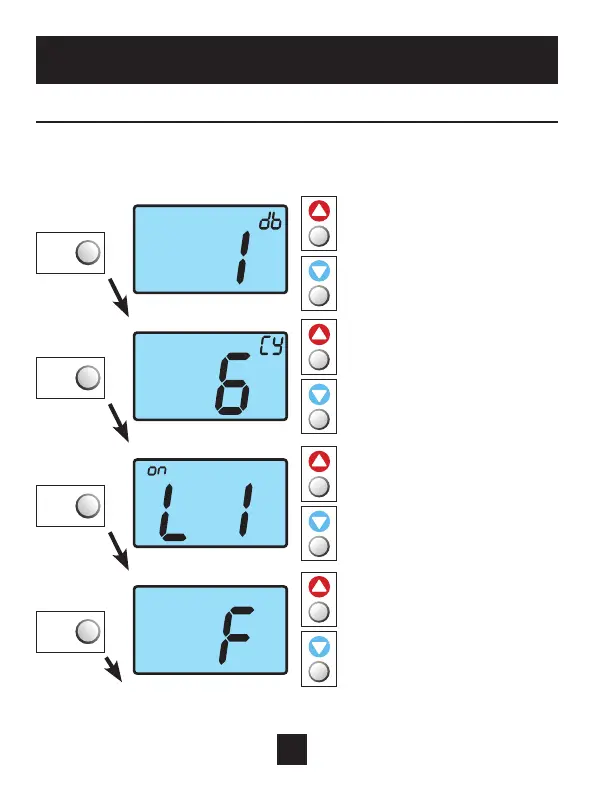
Enter advanced setup by sliding the Program Switch to SET.
When the clock is flashing, press the NEXT button for 5 seconds.
Do not release the button until this screen appears.
* ON is only available if the thermostat is system powered.
Use these buttons to
adjust the deadband
from 1 to 6 degrees.
Use these buttons to
adjust the Cycles Per Hour
from 2 to 6.
d=no limit (zoning)
d1=d+no compressor
lockout (page 18).
Select backlight operation
when a button is pressed:
OFF: Never turns on.
2,4,6 or 8: Seconds
backlight will be on.
ON: Always on.*
Use these buttons to select
thermostat operation in
degrees C or F.
Continued
NEXT
Press NEXT
to advance
NEXT
Press NEXT
to advance
NEXT
Press NEXT
to advance
NEXT
Press NEXT
to advance



 To Next Page