System Setup & Operations
6
Connecting the Horn Start
• Connect the cable from the lane speakers into the jacks labeled LANE SPEAKERS on
the HS-200 connection panels.
• Connect the cable from the Auxiliary speaker (Backstroke speaker) into the jacks
labeled AUX SPEAKER on the HS-200.
• Connect the cable from the OmniSport 2000 start input J12 into the jacks labeled
START on the HS-200.
Note: Correct connections are crucial for the horn start to properly function.
Improper plugging may cause damage to the equipment!
• If using the HS-200 horn start with an Omega
®
timing console, connect the start cable
from the Omega console to the N/C connectors on the HS-200.
• If using the HS-200 horn start with a Colorado Timing System console, connect the
start cable from the CTS console to the START connectors on the HS-200.
• Connect the microphone cable into the jack labeled MIC on the HS-200.
• Connect a wallpack power supply from the POWER jack to a 120 VAC outlet.
For complete information on Daktronics timing system setup, refer to Section 2 of the
OmniSport 2000 Timing Console Operations Manual (ED-13312), available online at
www.daktronics.com/manuals.
Operations
After installation is complete, turn on the power to the unit.
Set the volume controls to the desired levels for the main/
auxiliary and lane speakers by adjusting the volume control
knobs along the left side of the unit.
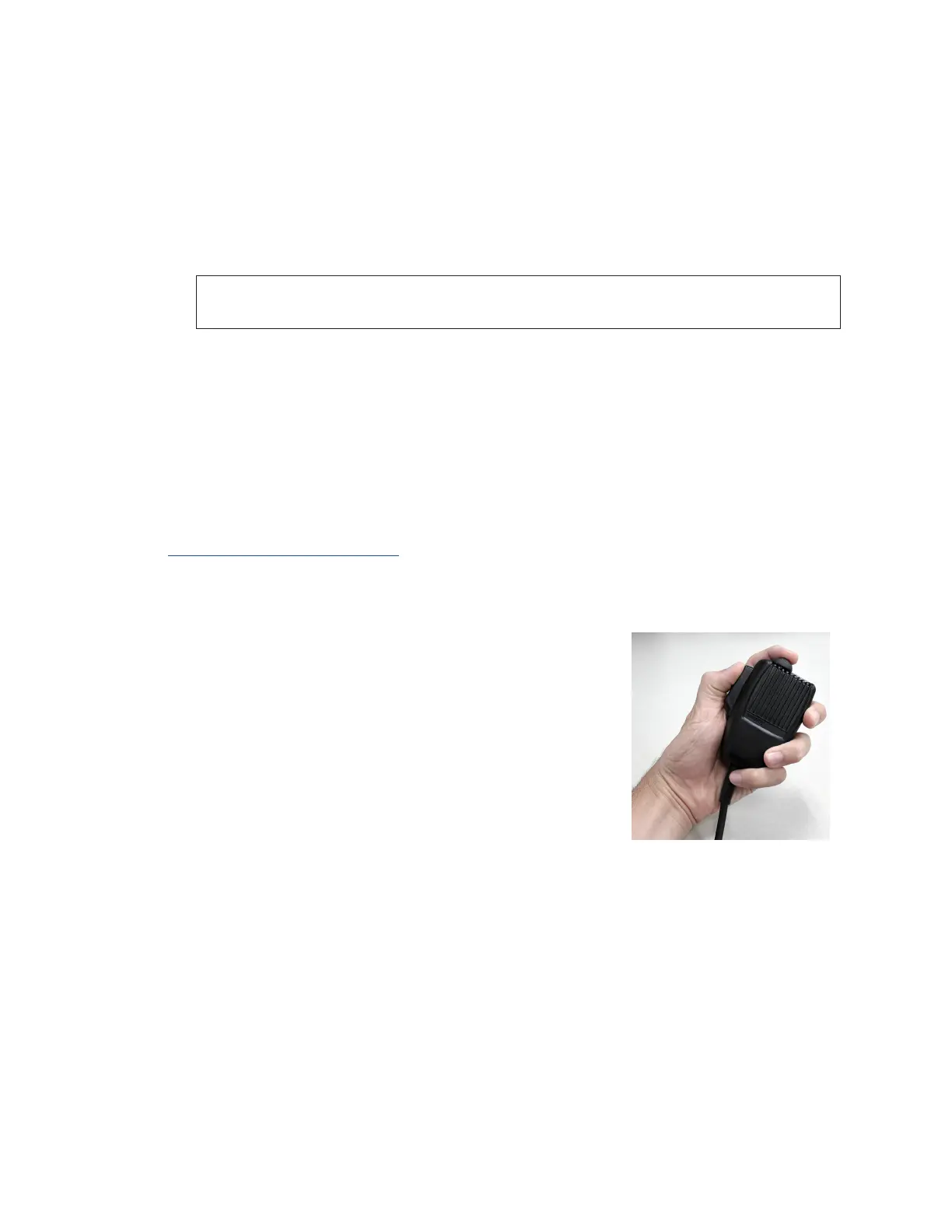
Press and hold the PUSH TO TALK lever (the large button
on the side of the microphone), hold the mic a few inches
away from your mouth, and speak directly into it. When not
speaking into the microphone, release the PUSH TO TALK
lever (Figure 11).
To activate the horn start system, depress and hold the
PUSH TO TALK lever on the side of the microphone. While
maintaining the pressure on the lever, momentarily depress
the small button on the top of the microphone. After the
start tone has sounded, release both buttons.
After a race has been started, the RECALL LED ashes for 18 seconds. During this time,
the horn start is in the recall mode. To sound the recall signal, depress the PUSH TO TALK
lever on the side of the microphone and the small button on top of the microphone
simultaneously. The recall signal can be muted. If the recall signal does not sound, or if it
sounds when it is not supposed to, refer to Section 4: Troubleshooting (p�14).
Figure 11: Microphone Buttons


 To Next Page