67
Customization of settings by the user
• Several settings can be program-
med accessing the MENU section
from the main screen - like, for
instance, steam boiler enabling/
disabling or weekly timer enabling.
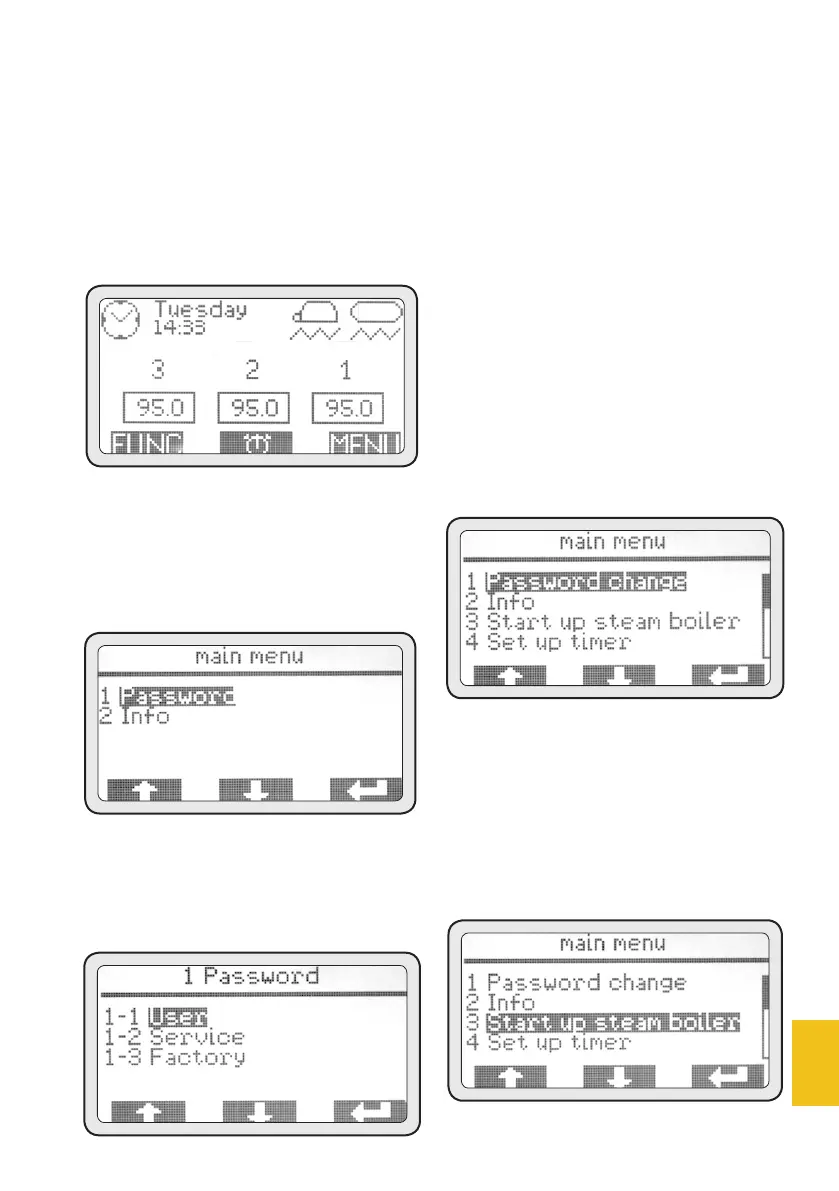
• Pushing the MENU button,
then, the following screen is
displayed:
• Push (PD3) to access this menu.
1-1 Password
• Push (PD3) to access the USER
password level.
1-1 User
• Use (PD1) and (PD2) to select
User and push (PD3) to enter user
password (default password 0000).
• Use (PD1) and (PD2) to change
the digit and (PD3) to confirm it.
• Once the last of the four digits has
been confirmed, the main menu
will be displayed.
• Once the User password has been
entered, the main menu allows the
user to access menu ‘3. Boiler ena-
bling’ and ‘4. Timer set-up’.
3. Boiler enabling
This menu is used to turn on/off
manually the main steam/hot
water boiler.
• Push (PD3) to access the menu.
The boiler is enabled by default.














 To Next Page