68
• Push (PD3) to highlight boiler
mode.
• Use (PD1) and (PD2) to change
the mode.
• Push again to confirm.
• Finally, push ESC to go back to
main menu.
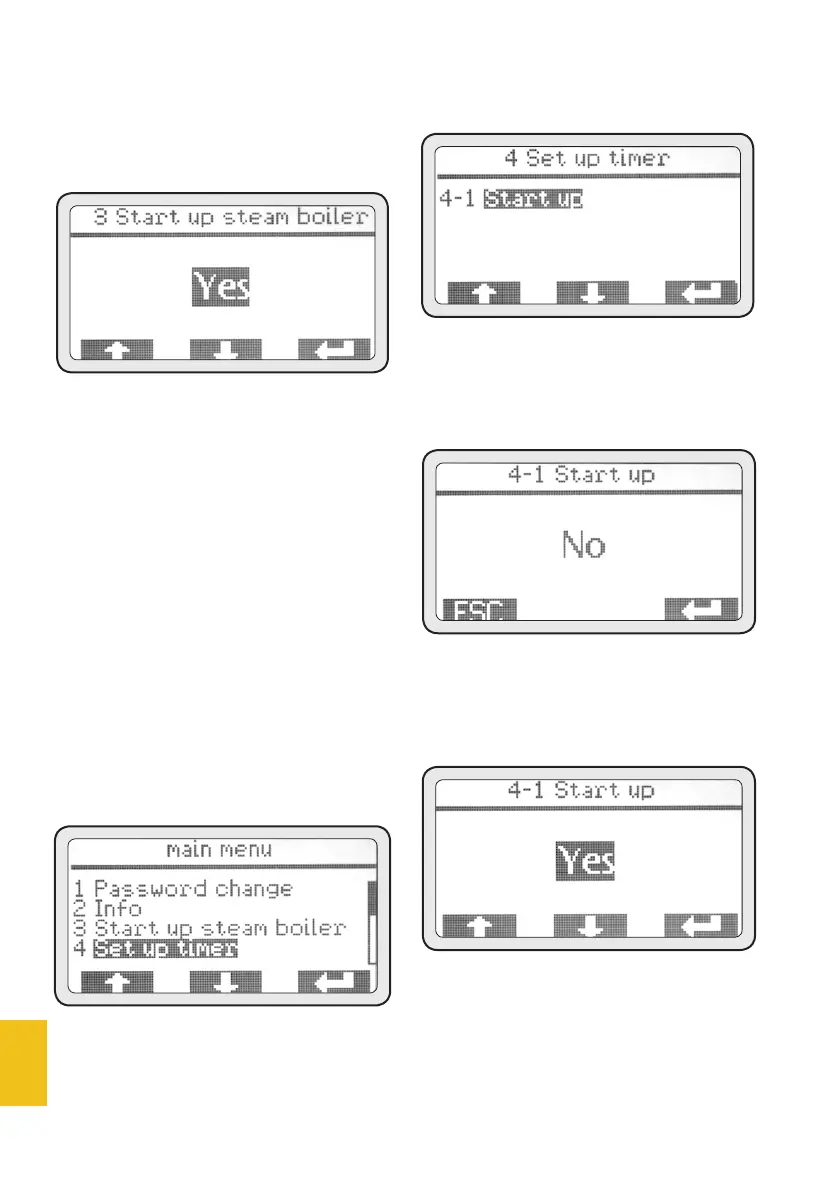
4. Timer set-up
This machine is equipped with a
weekly ON/OFF timer for each
group and for the boiler.
All timers can be set up indepen-
dently from one another and al-
low the user to set the ON/OFF/
SAFETY modes of each group on
a daily basis.
• Push (PD3) to access the menu.
4-1 Enable
• Push (PD3) to access the menu.
• Push (PD3) to highlight the
mode to be changed in order to
enable the timer.
• Use (PD1) and (PD2) to change
the mode by selecting YES and
push (PD3) again to confirm.
• After enabling, push ESC to go
back to the previous menu.
• After timer enabling, menu 4
will display the days of the week
that can be programmed.














 To Next Page